

The Journey at a Glance






Architecture
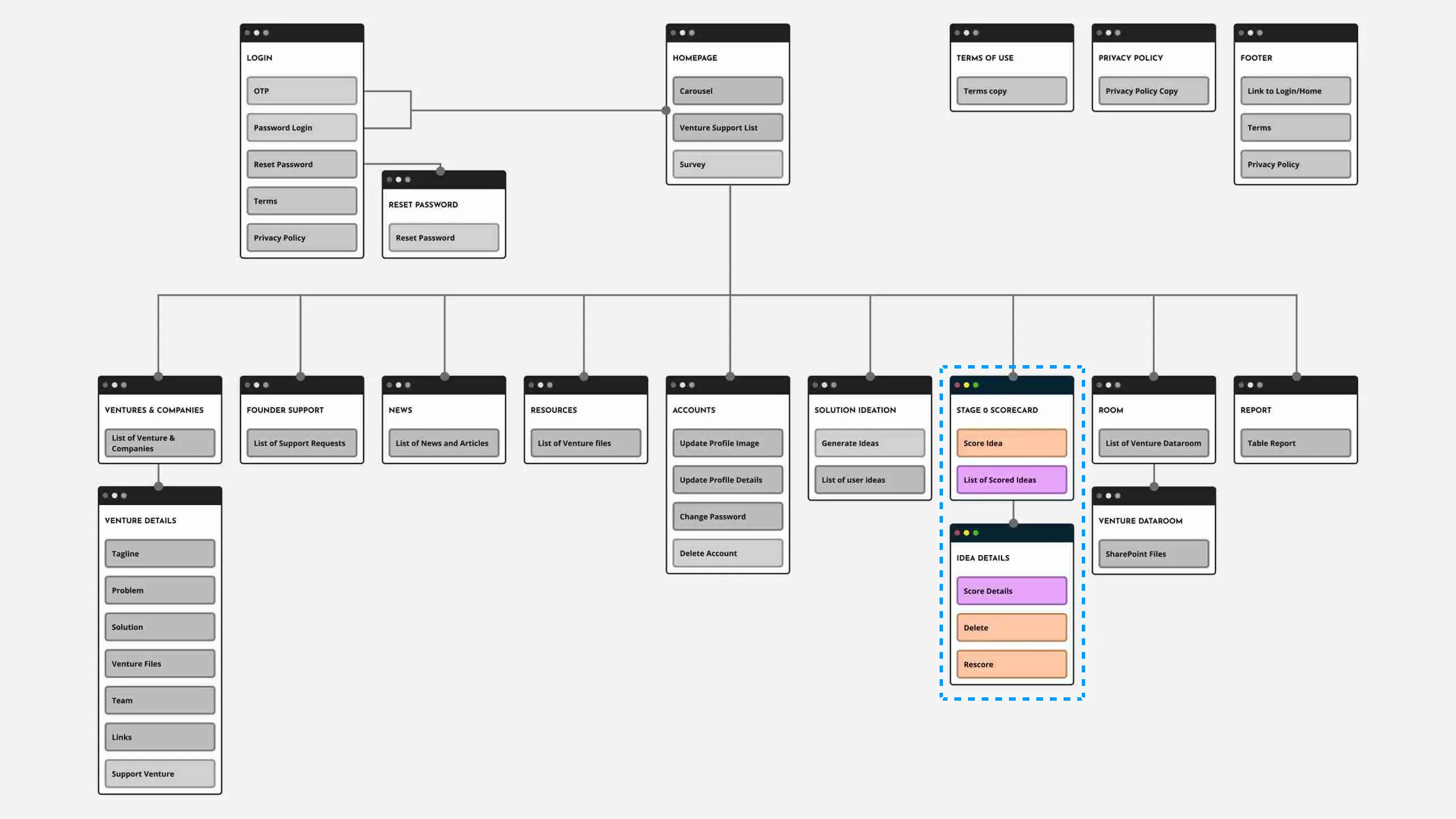
Athena is a full venture support platform, but this sitemap focuses on the flow that powers the AI idea-generation and scoring system. It visualizes how users move from:
inputs → AI processing → structured scoring outputs
and how the LLM logic integrates into the surrounding application screens.
Score Details
1. Sketch
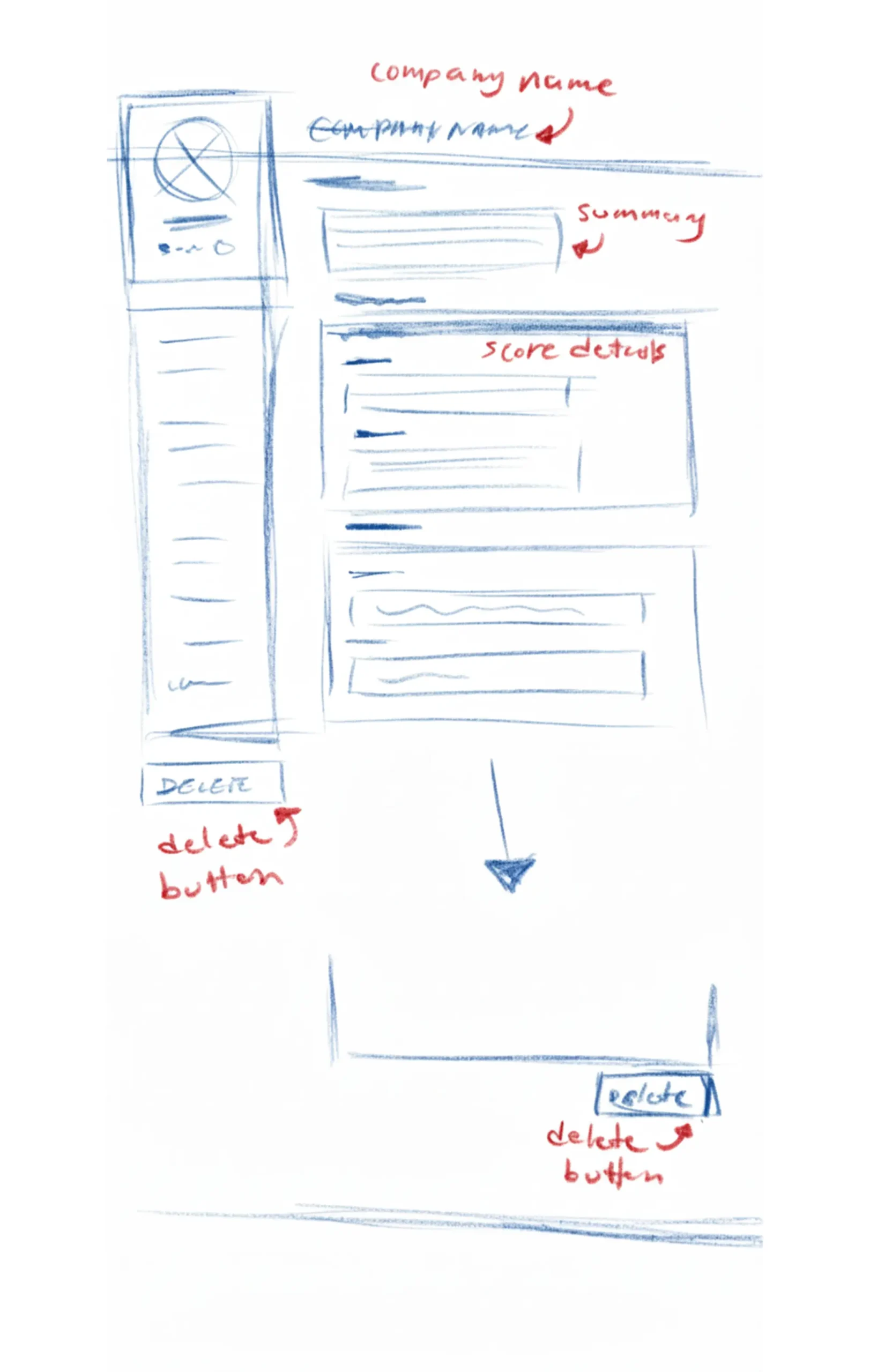
Explored early layouts for venture scoring.
Introduced repeatable cards for Problem, Solution, and Viability.
Tested basic actions like Delete for managing AI results.
2. Wireframe
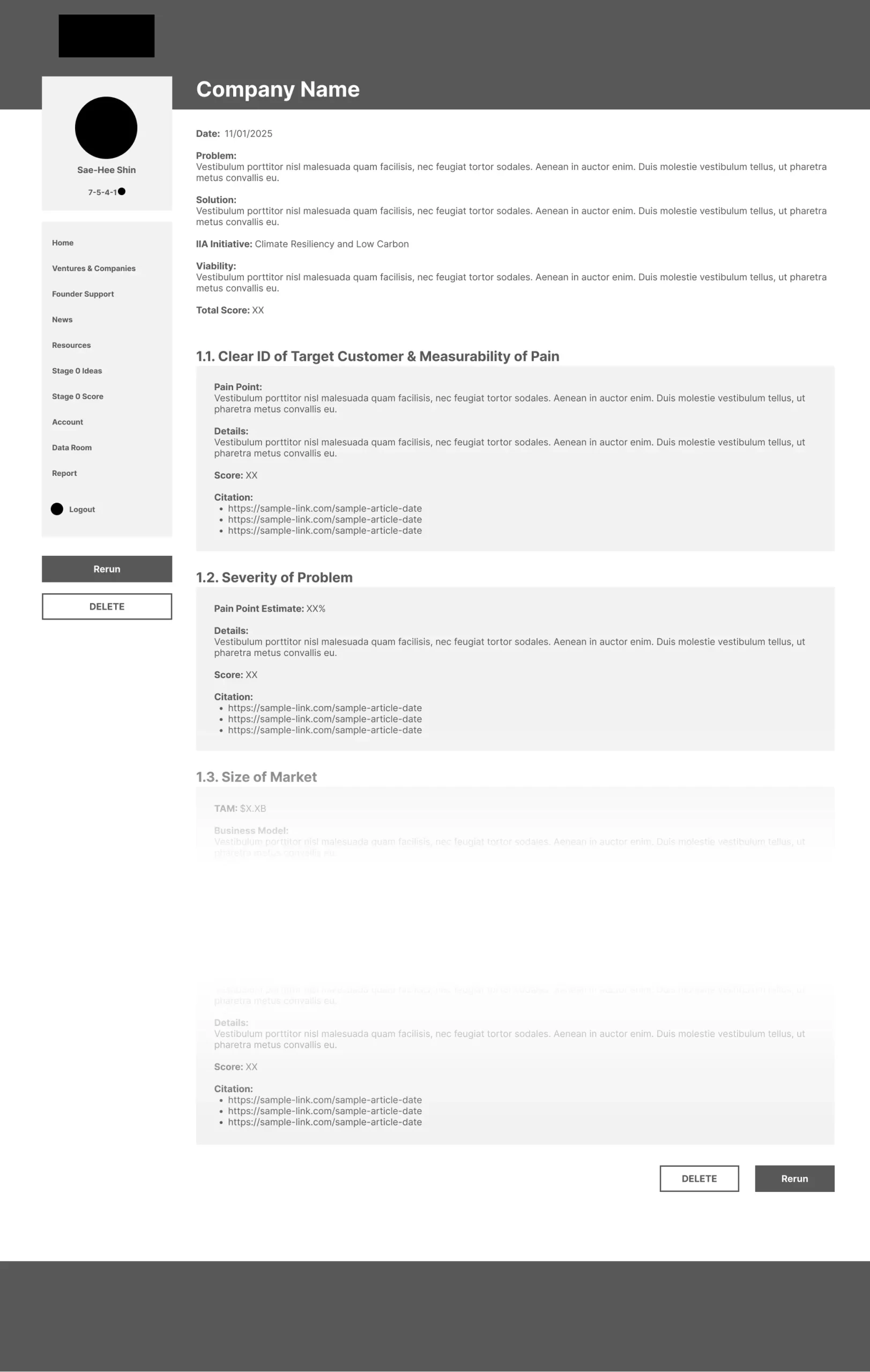
Refined hierarchy and scan-ability of AI-generated content.
Added a Rerun action to regenerate scores.
Removed Like/Thumb actions to avoid misleading AI authority.
3. Mockup
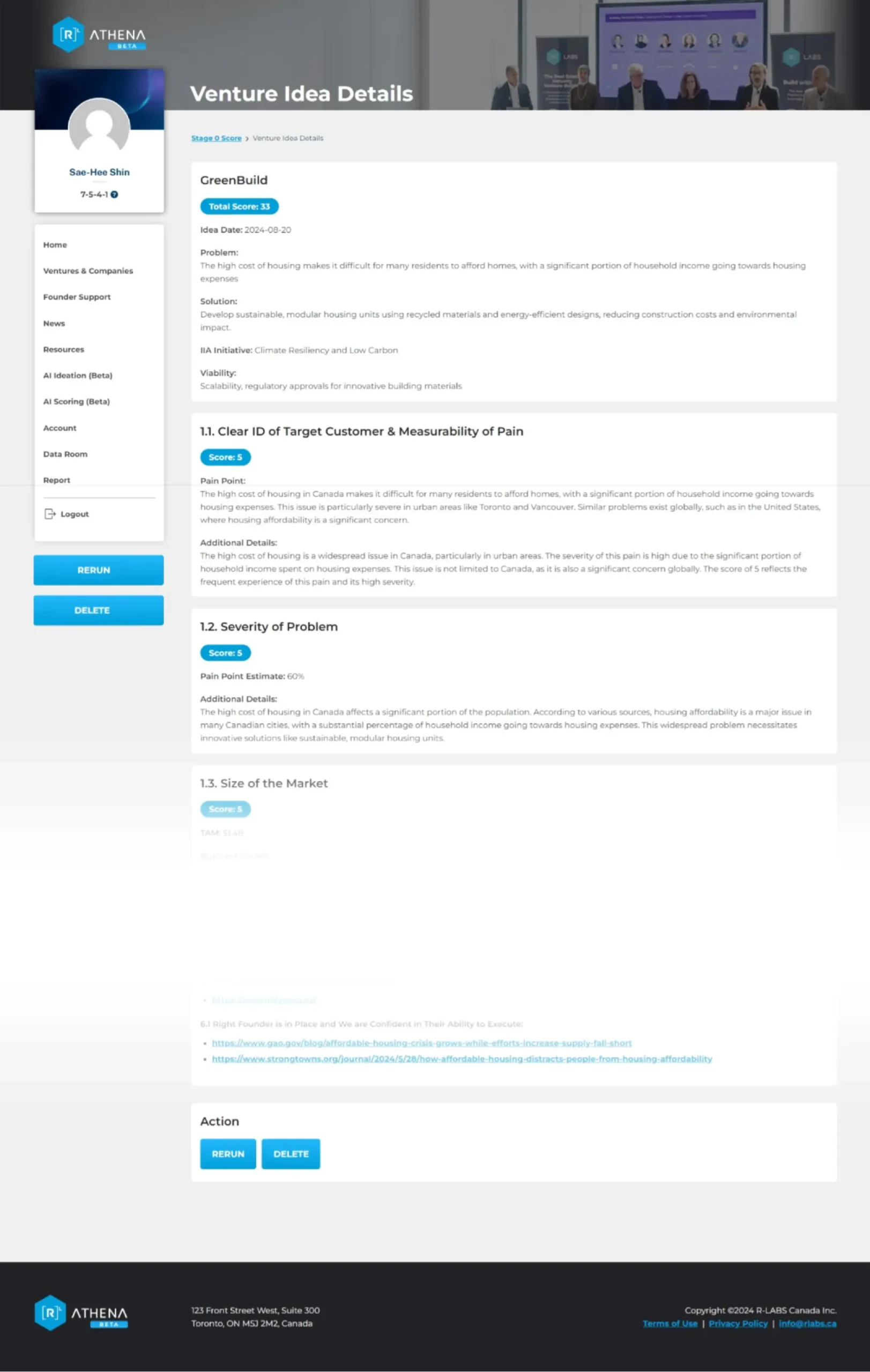
Added color-coded score indicators for quick evaluation.
Introduced breadcrumbs for navigation.
Grouped primary actions to reduce cognitive load.
4. MVP
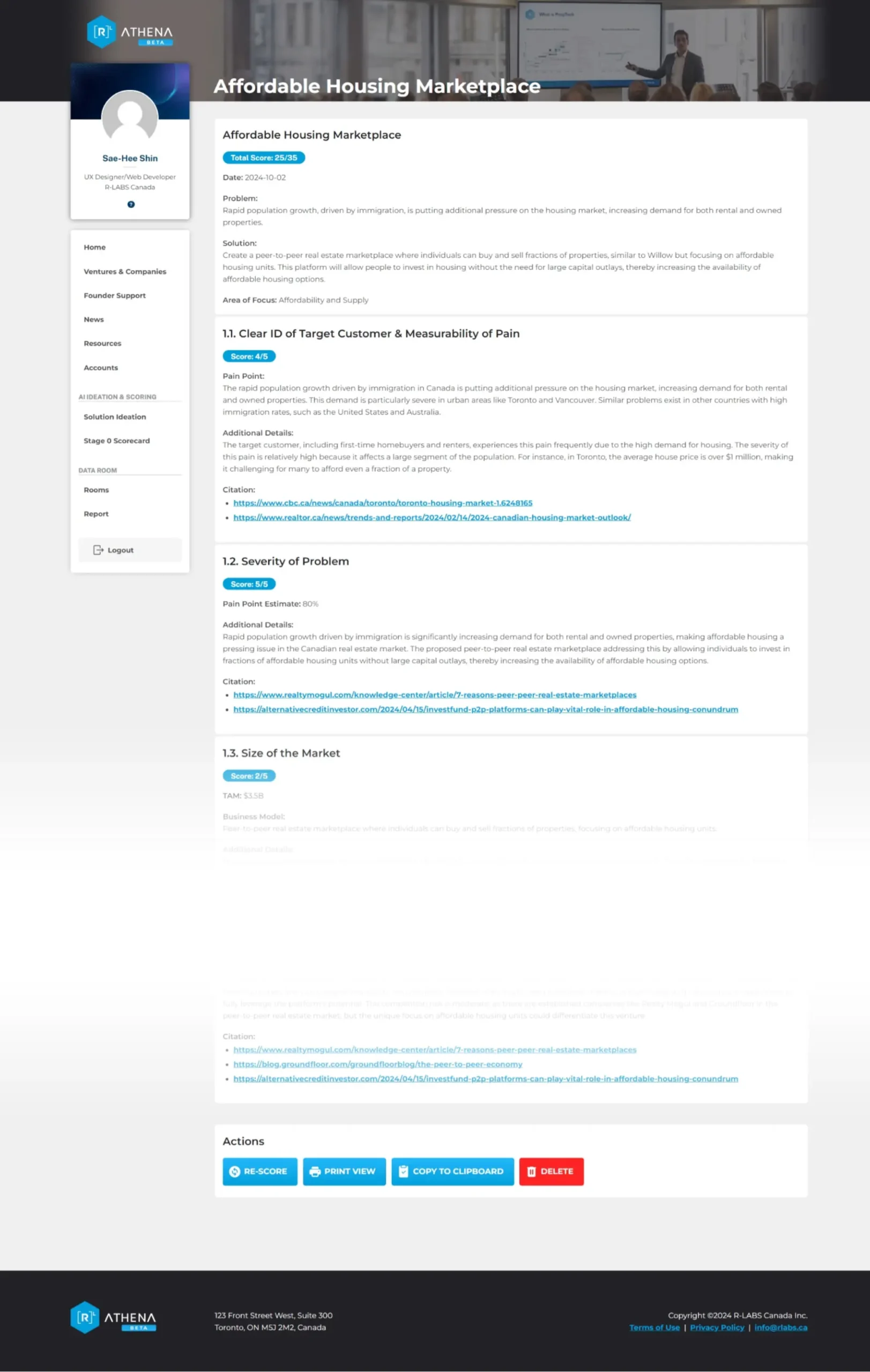
Expanded actions based on early testing.
Removed Rerun/Delete below navigation to encourage report review.
Separated AI features from Data Room content.
5. Final

Added a “?” tooltip explaining AI scoring criteria to improve transparency and trust.
Score List
1. Sketch
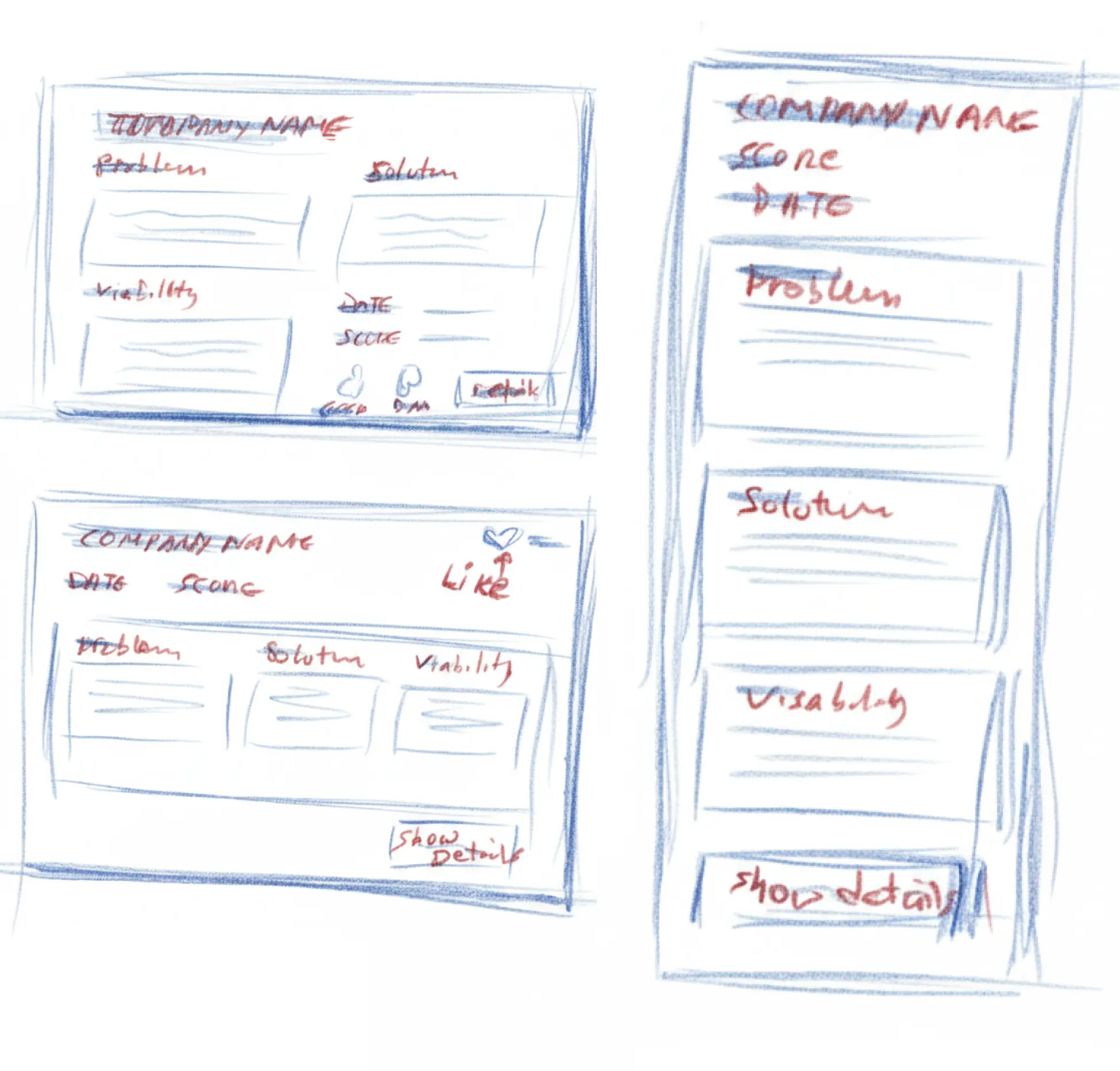
Explored repeatable score-card layouts for AI ideas.
Sketched Problem, Solution, and Viability cards to match the scoring model.
Included Like/Thumb actions for early team voting.
2. Wireframe
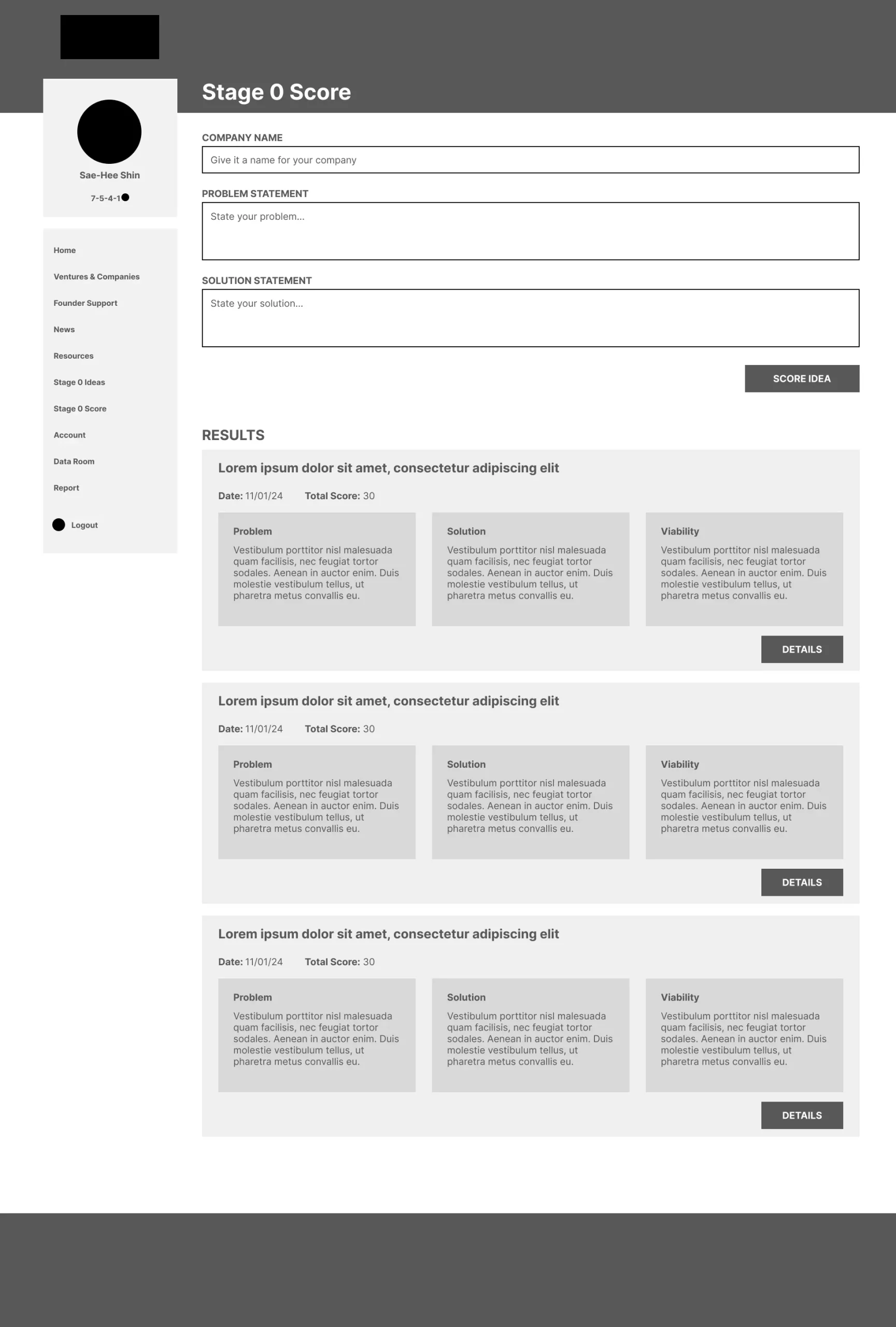
Defined hierarchy and interactions with lo-fi wireframes.
Added a Rerun action to regenerate scores during prompt testing.
Removed voting once ideas moved to the venture evaluation process.
Improved separation to make ideas easier to compare.
3. MVP
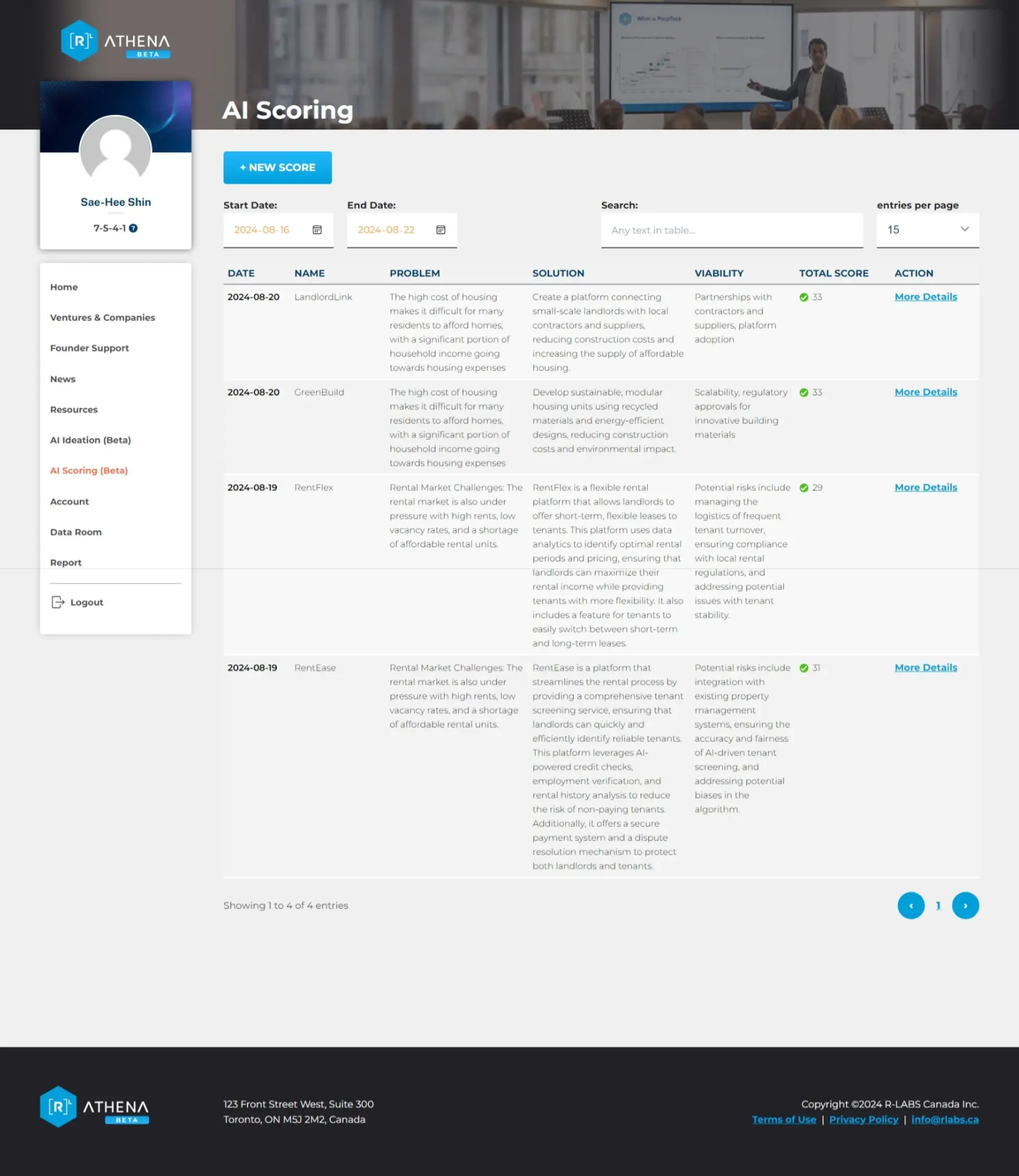
Moved to a sortable, filterable table for faster comparison across many ideas.
Shifted inputs into a modal to reduce clutter.
Added color-coded score indicators for quick prioritization.
4. Final
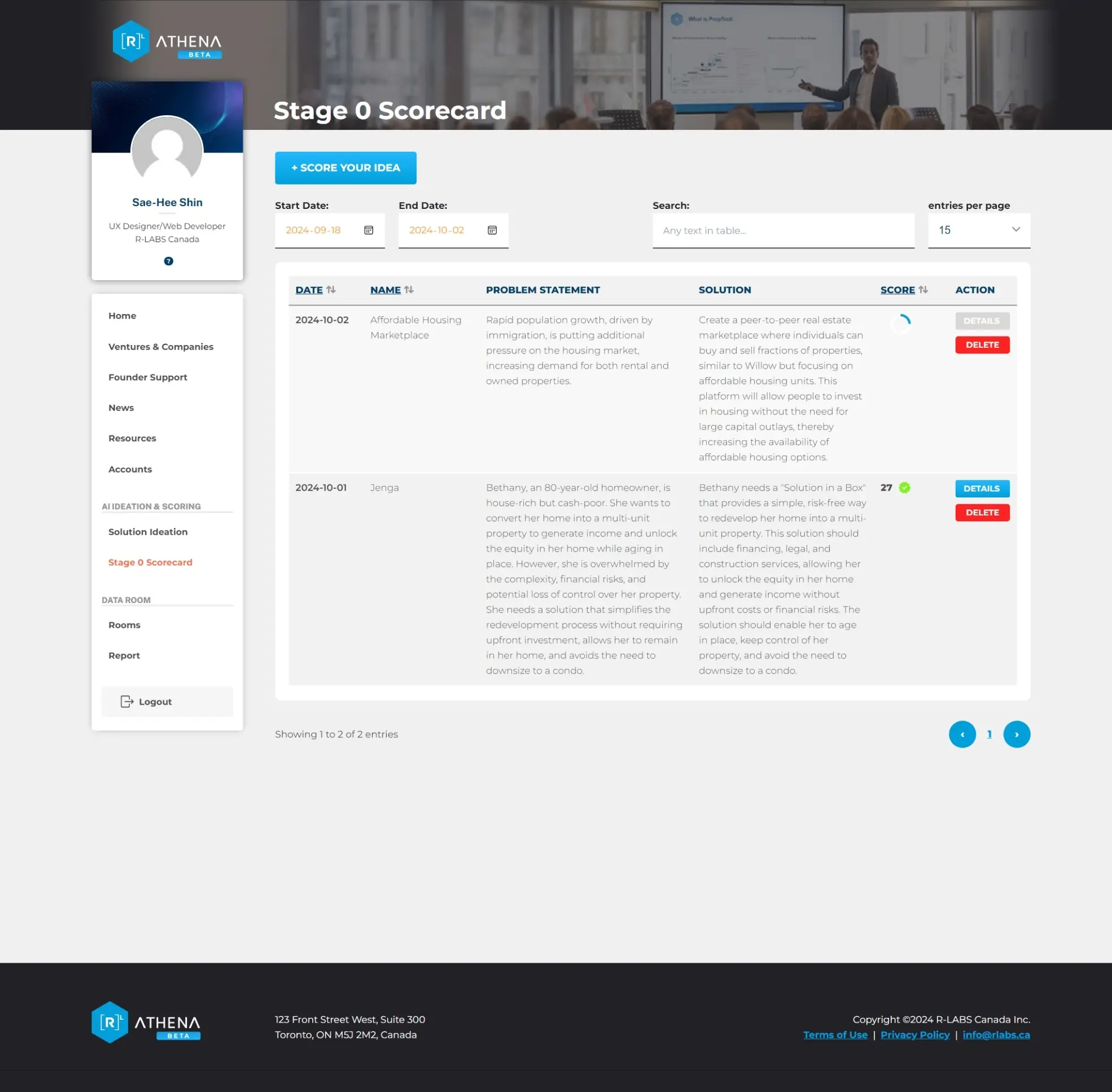
Added a circular progress state to show AI processing.
Introduced quick Delete actions for low-value ideas.
Grouped the table in a card and separated AI tools in navigation.
Final Design
Generate Idea Modal

Users select how many venture ideas to generate, with limits to control API usage and maintain system stability.
Idea List
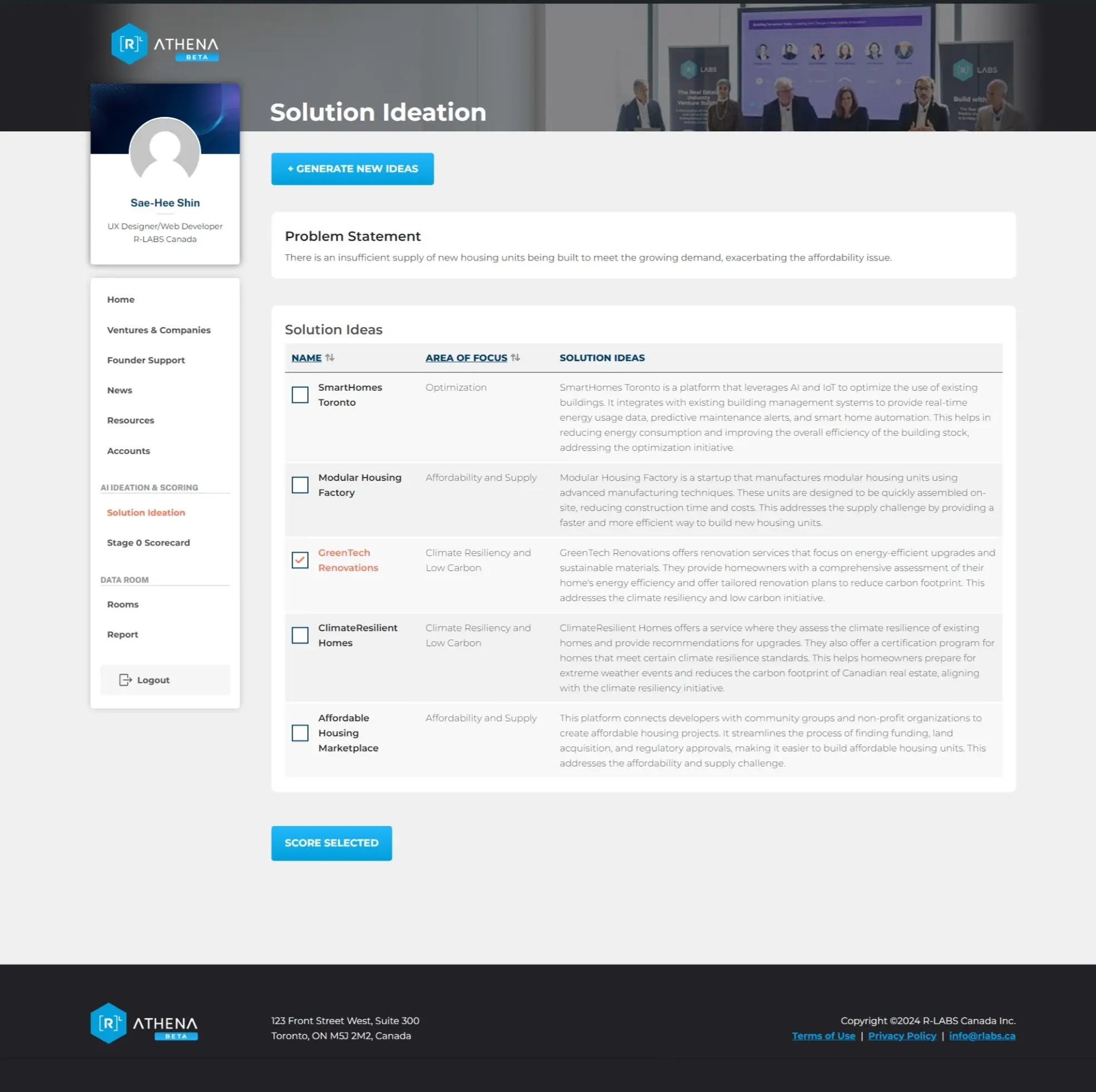
AI-generated ideas appear in a table with checkboxes for selecting which ideas to score.
Ideas are visible only to the logged-in user and are removed once scoring begins to keep the list clean.
Scored Idea List
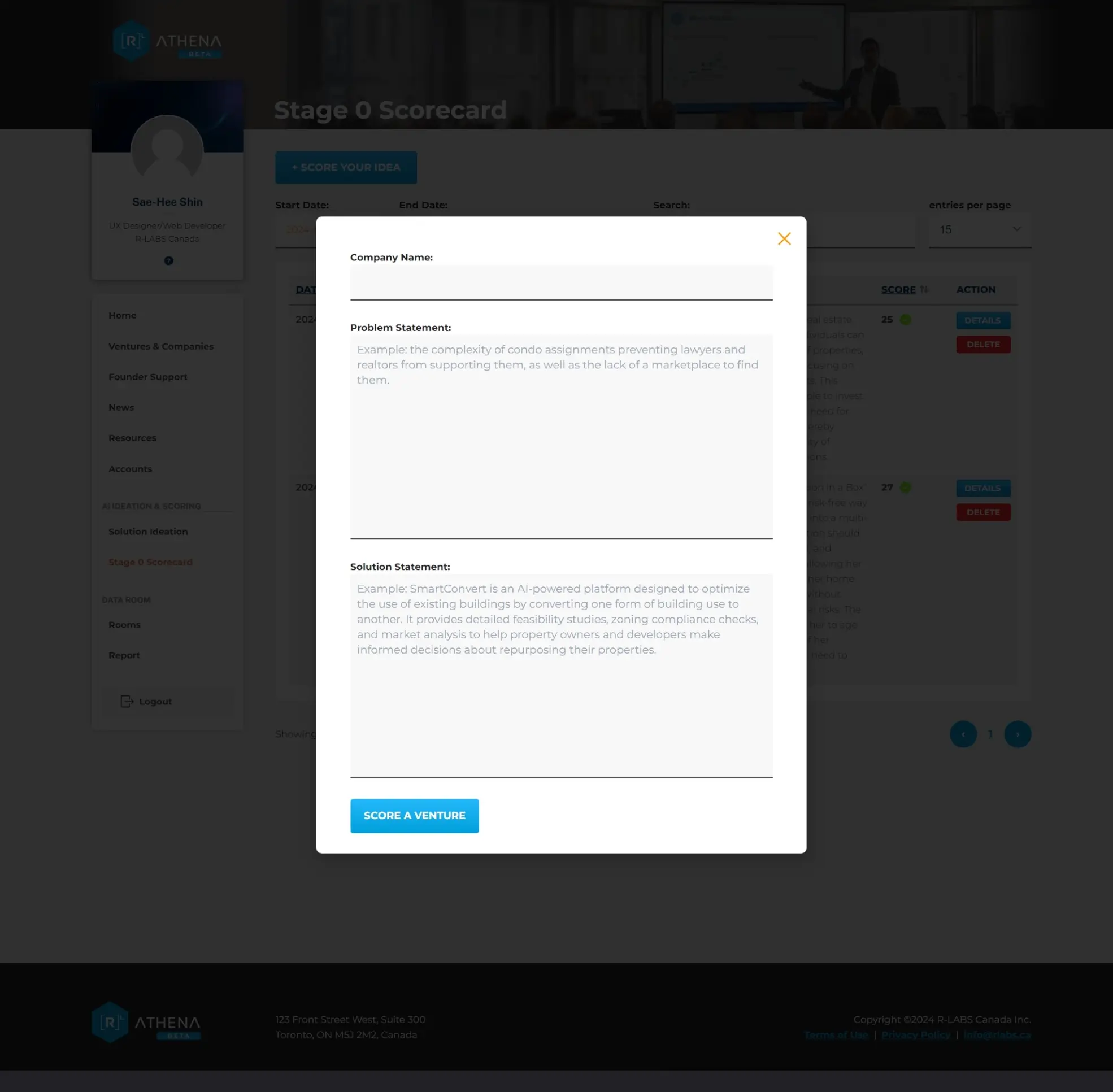
Scored ideas appear in a sortable, filterable table for fast comparison.
Search and color indicators (green/yellow/red) help users quickly identify stronger concepts.
The Details link is disabled while the AI processes results to prevent early interaction.
Score Idea Modal
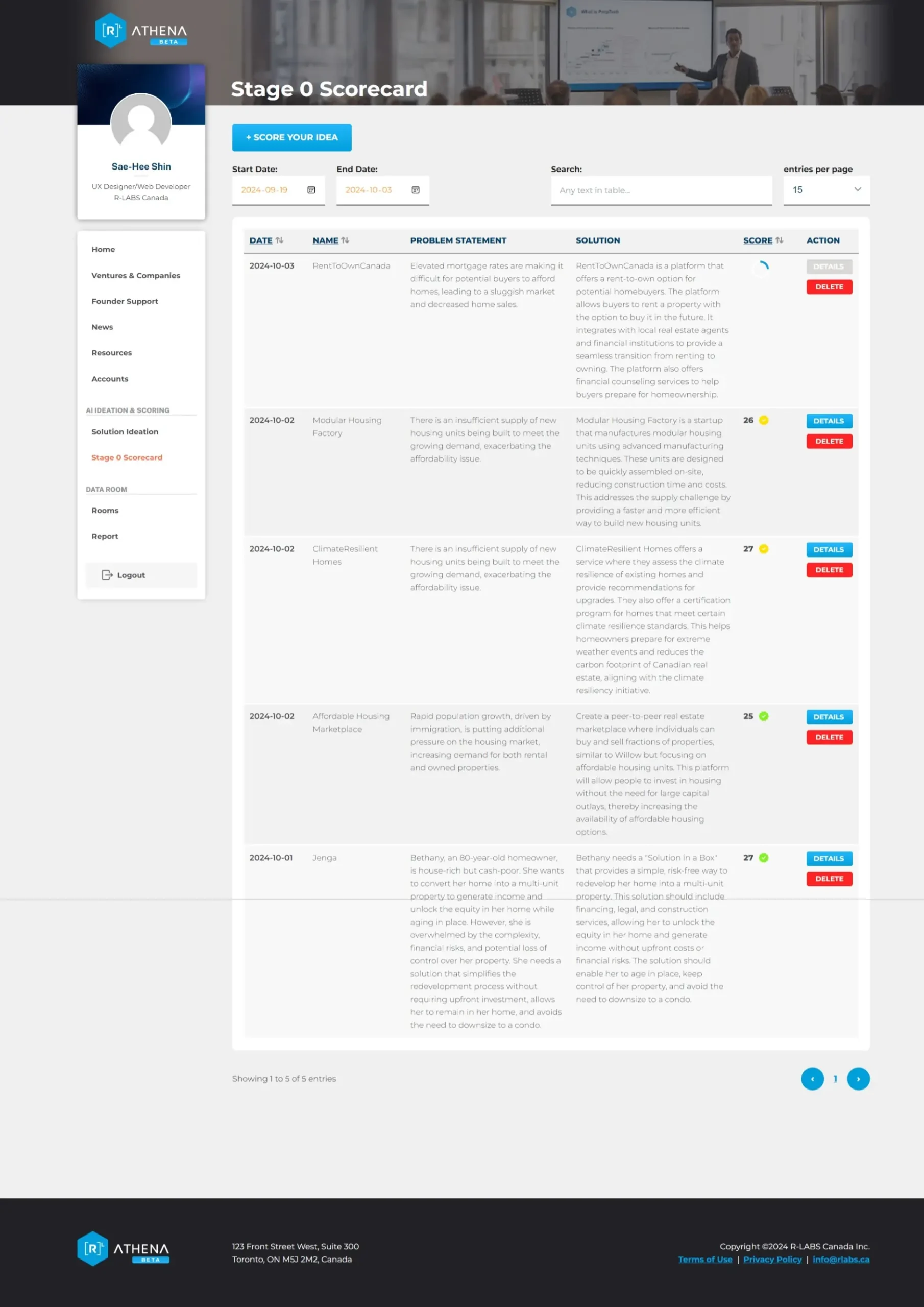
A scoring modal allows team members to run AI evaluations.
Supports scoring ideas individually and is designed to later allow external submissions.
Venture Details Page
Displays the full scoring breakdown based on the R-LABS evaluation model.
Users can re-score, print, or copy the report.
Citations provide transparency and allow teams to verify AI-generated insights.
Key Takeaway