The Journey at a Glance


Pain Points
Reliable Skilled Workers
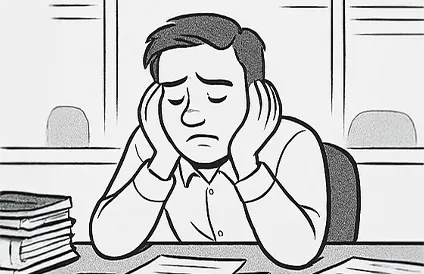
Contractors said their biggest hiring risk was not knowing if a worker would show up or deliver consistent quality. They needed clearer reliability signals before committing.
Pain Relief
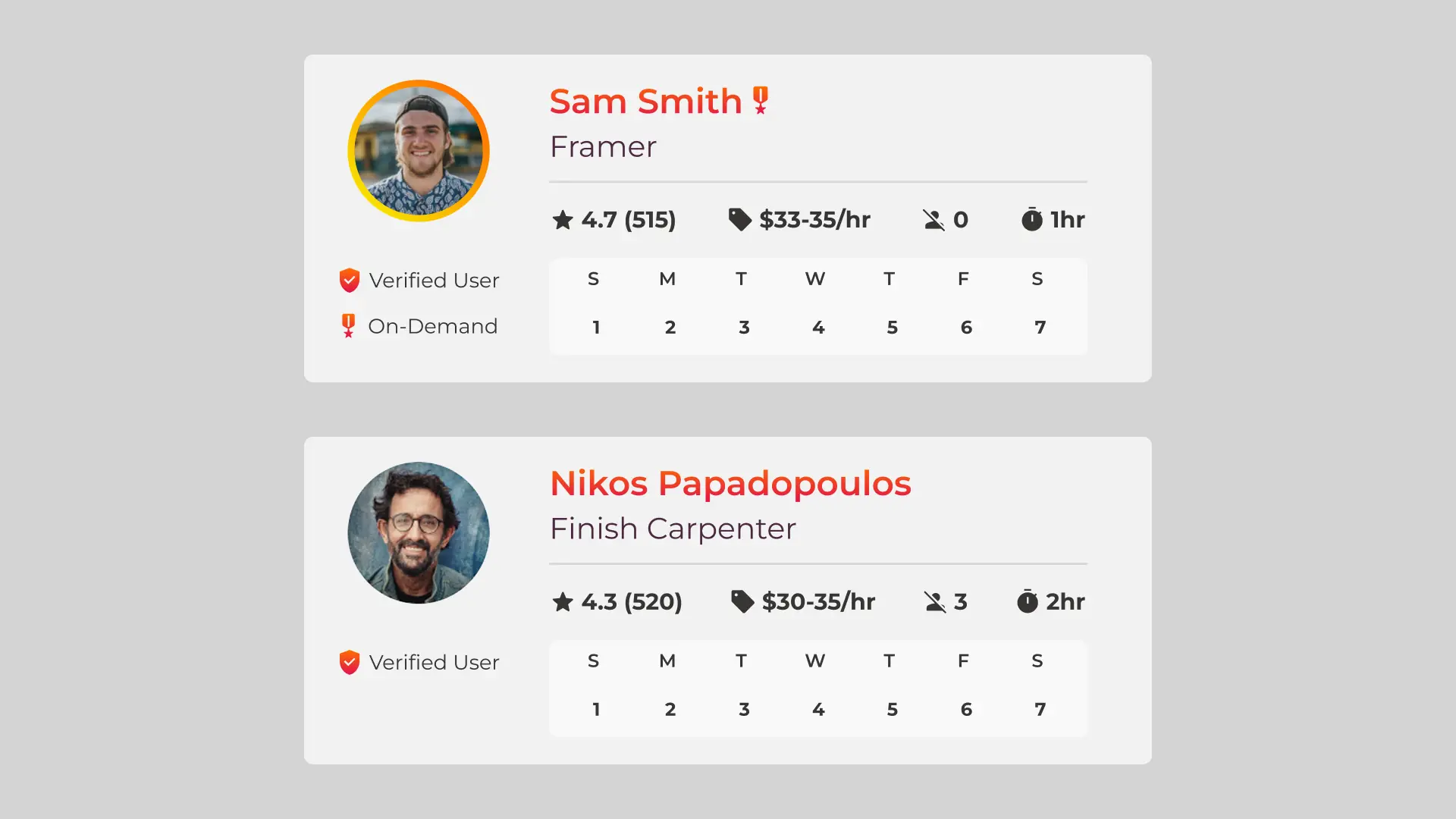
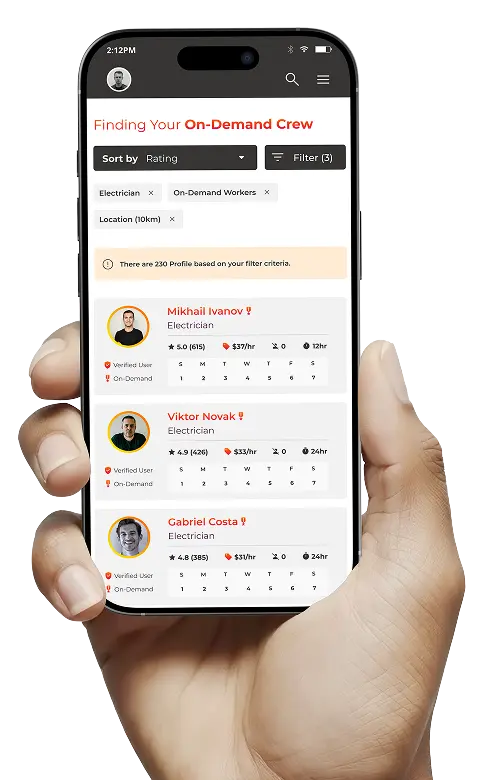
Worker cards highlight the trust signals contractors look for—ratings, no-show history, trade fit, availability, and verification—so they can hire confidently, faster.
Hiring Process
Hiring took too long. Contractors struggled with unqualified candidates, constant follow-ups, coordinating schedules, slowing projects, and adding stress.
Pain Relief
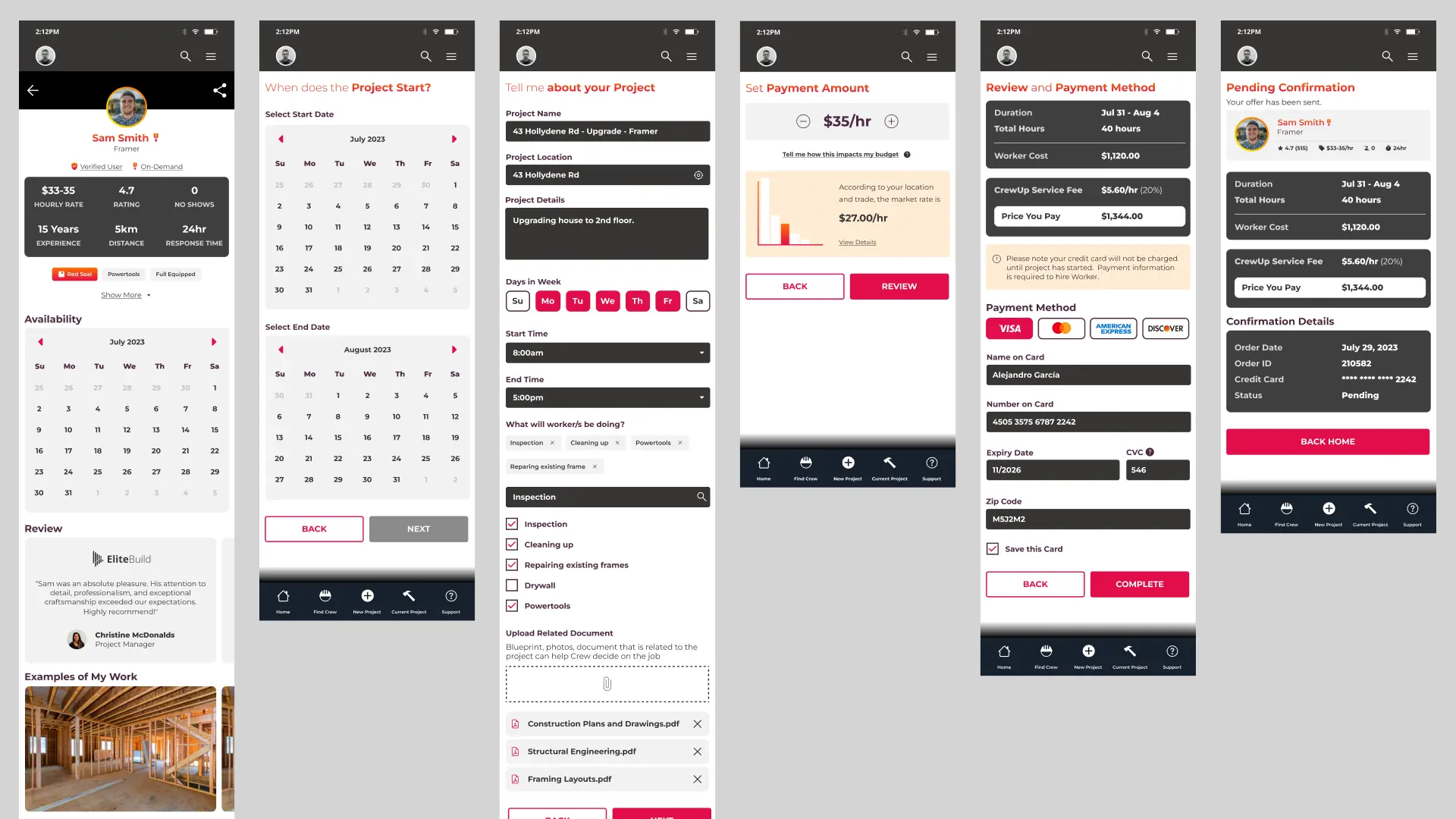
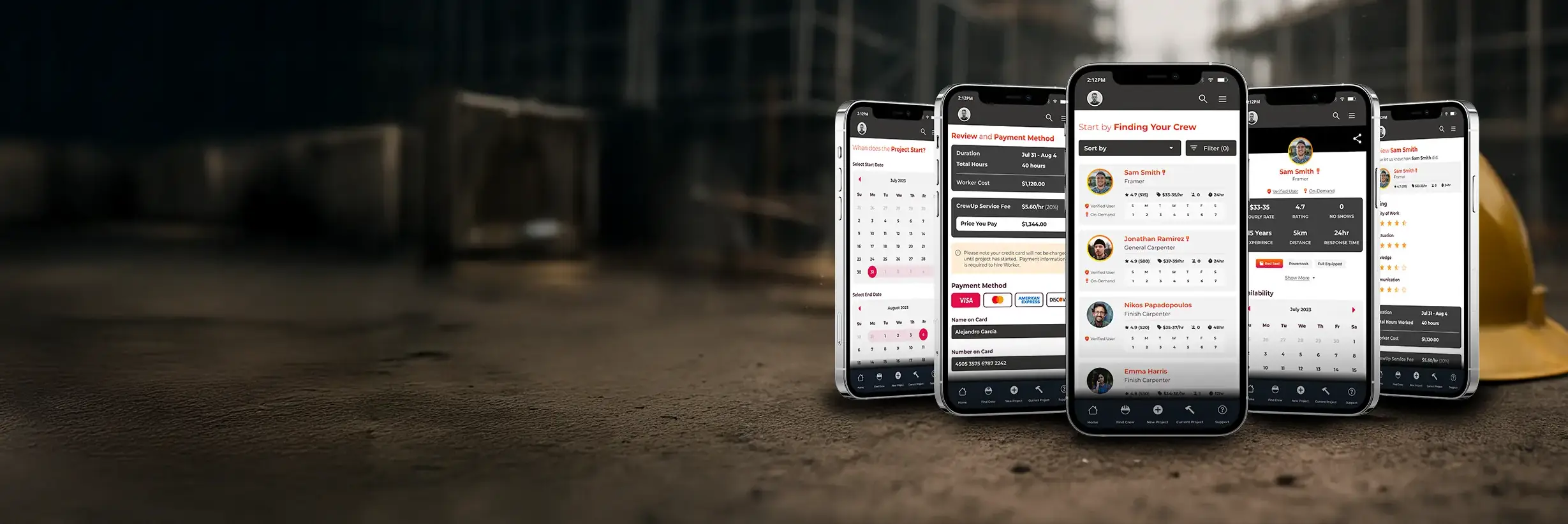
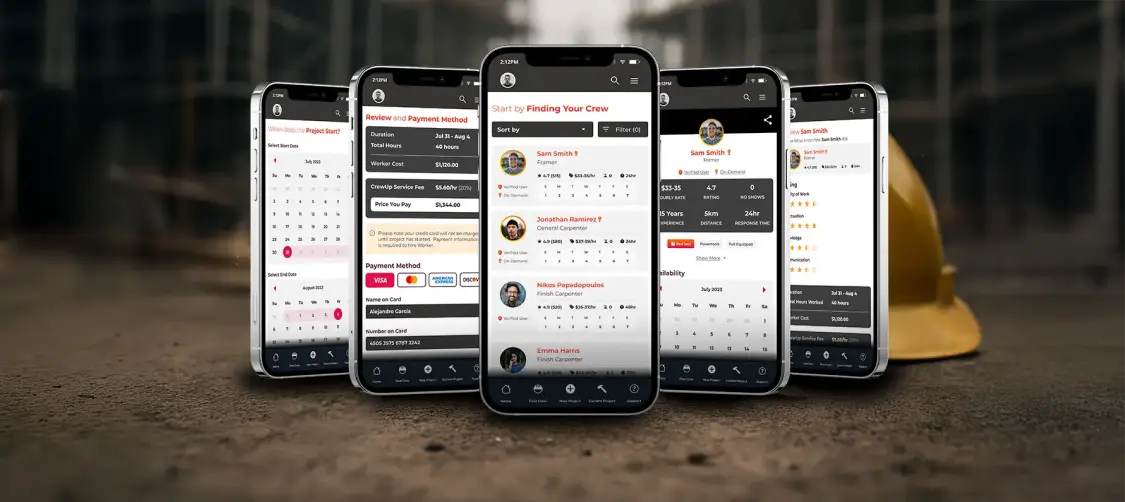
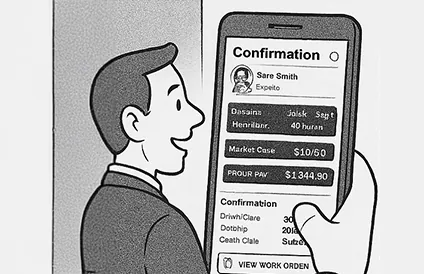
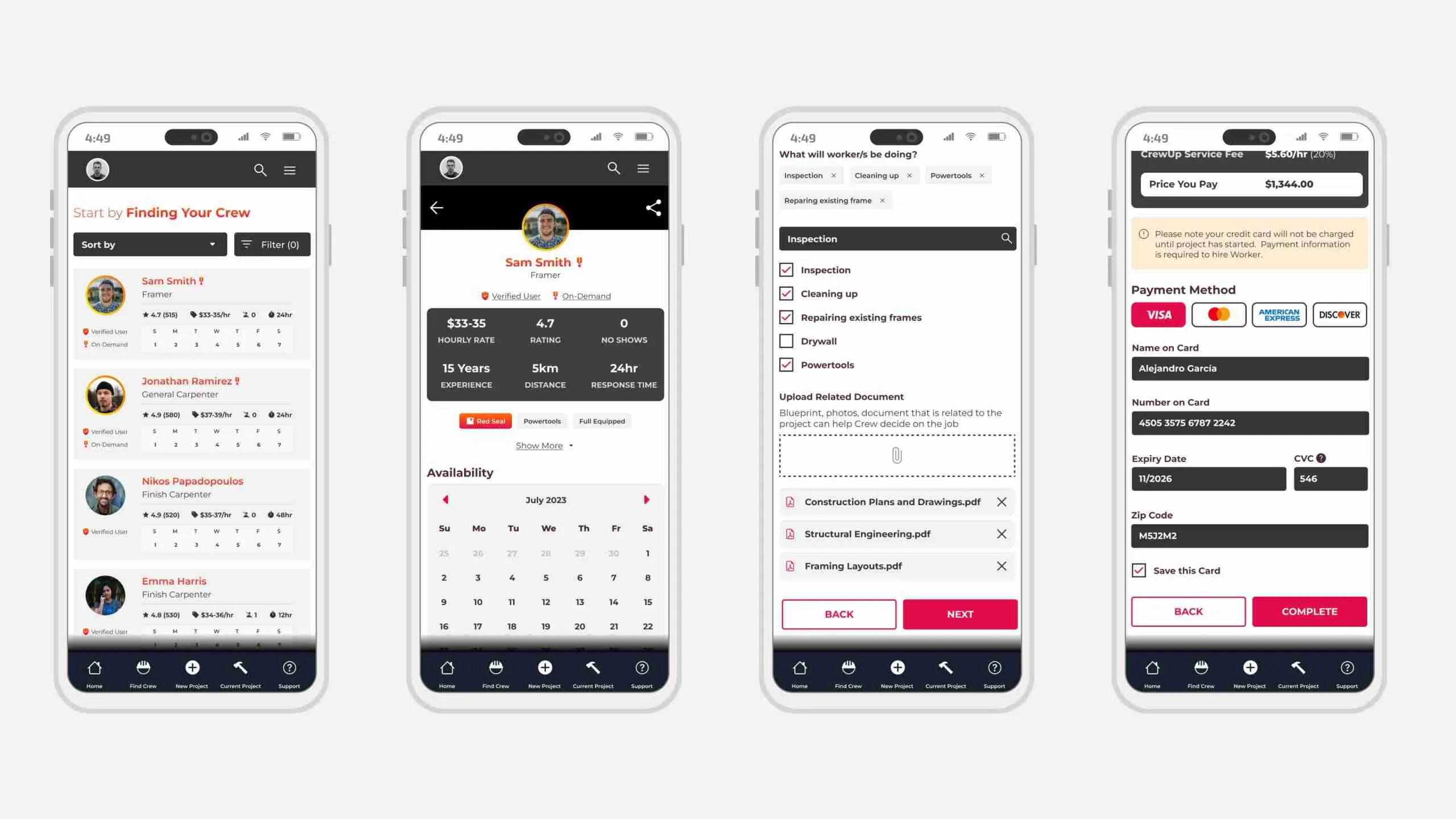
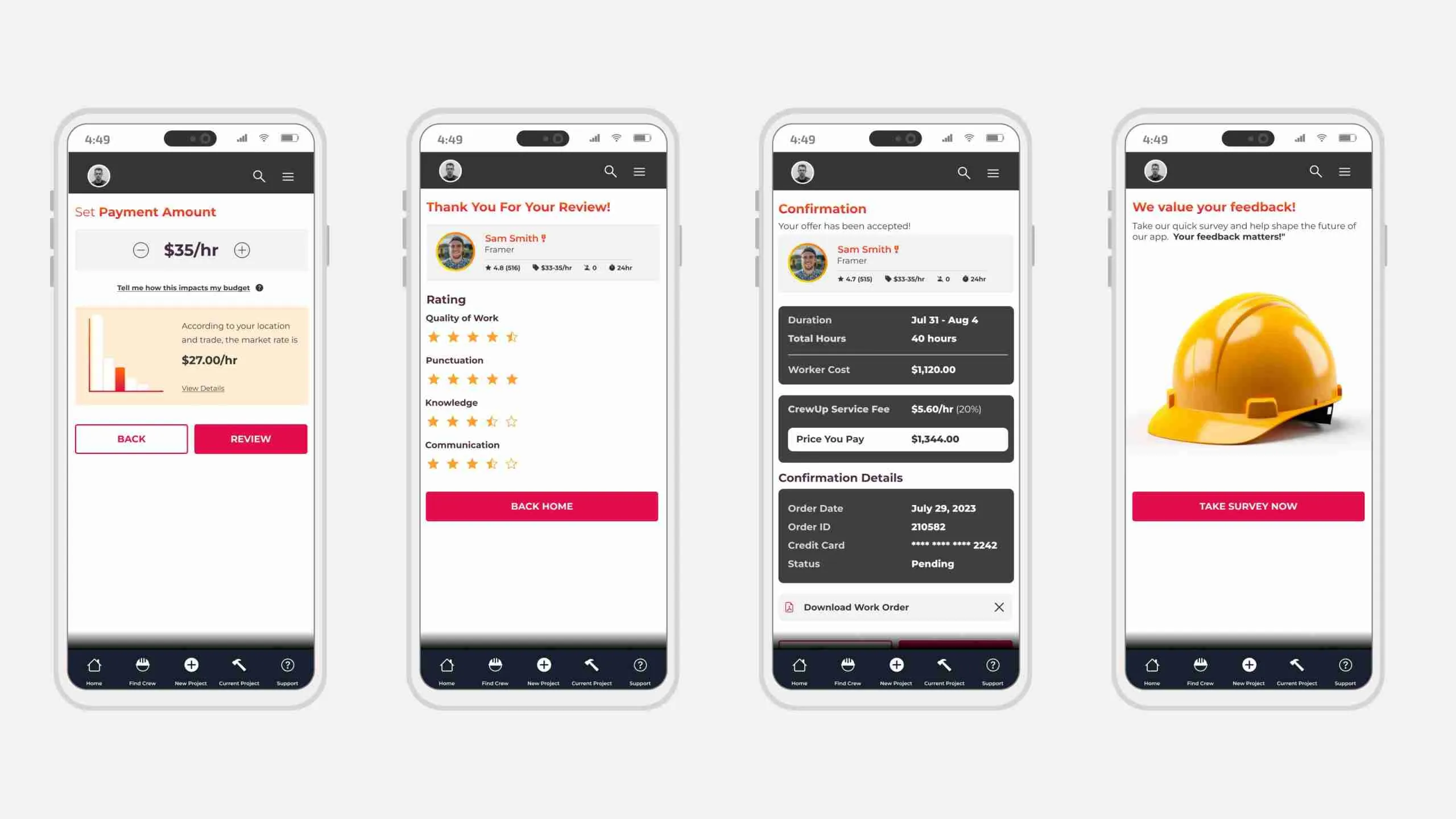
We streamlined hiring into a quick flow: set the date, add project details, choose rates and payment, and confirm. Larger projects can add budgets and multiple roles, and every hire ends with a review to keep quality high.
Worker Profiles
Word-of-mouth hiring gave contractors little visibility into true skill level. Many wanted real proof—examples of past work—to avoid mismatches and rework.
Pain Relief
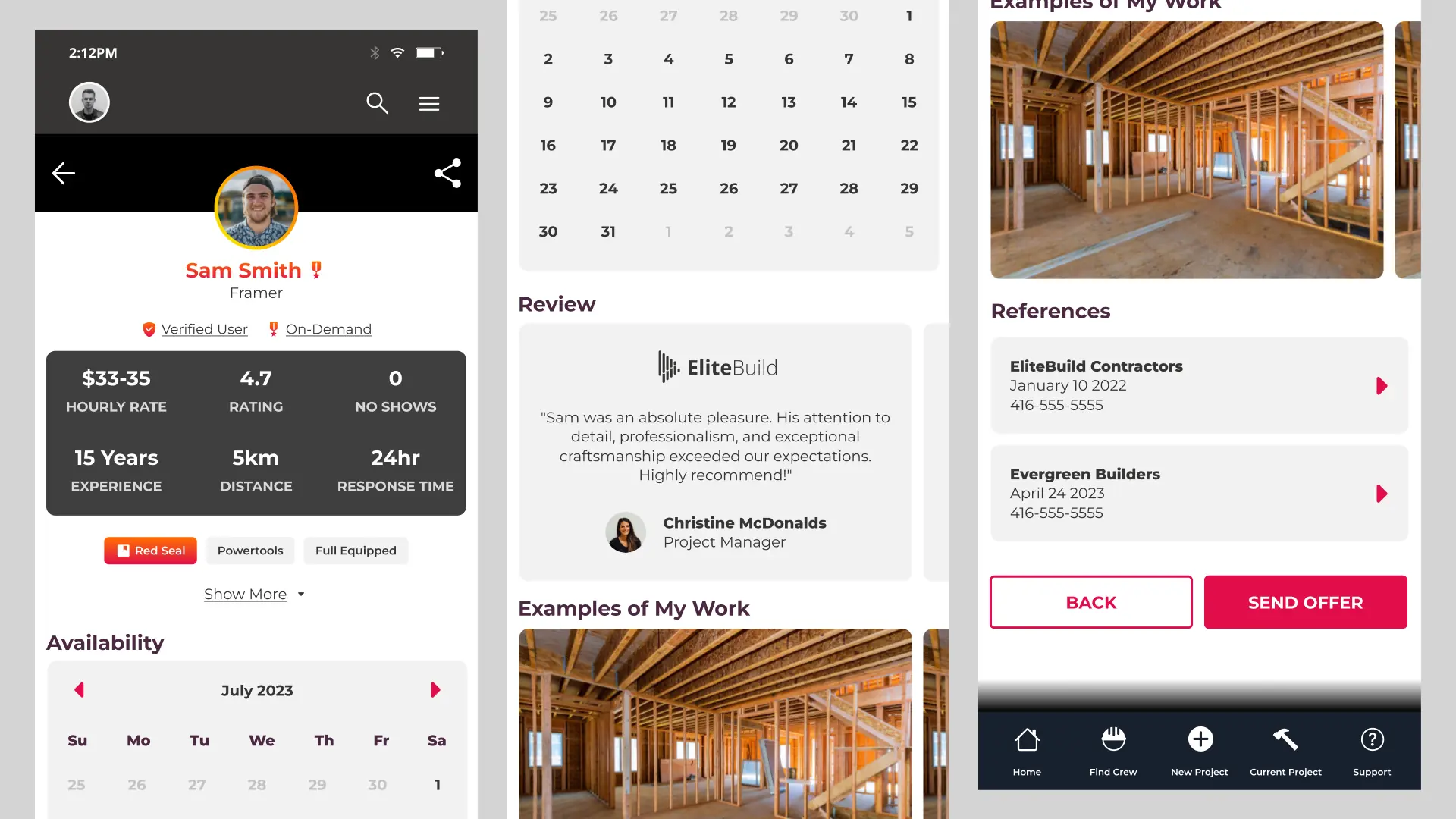
Detailed worker profiles surface the proof contractors need: past work photos, testimonials, references, reliability history, and real availability, helping them judge fit before hiring.
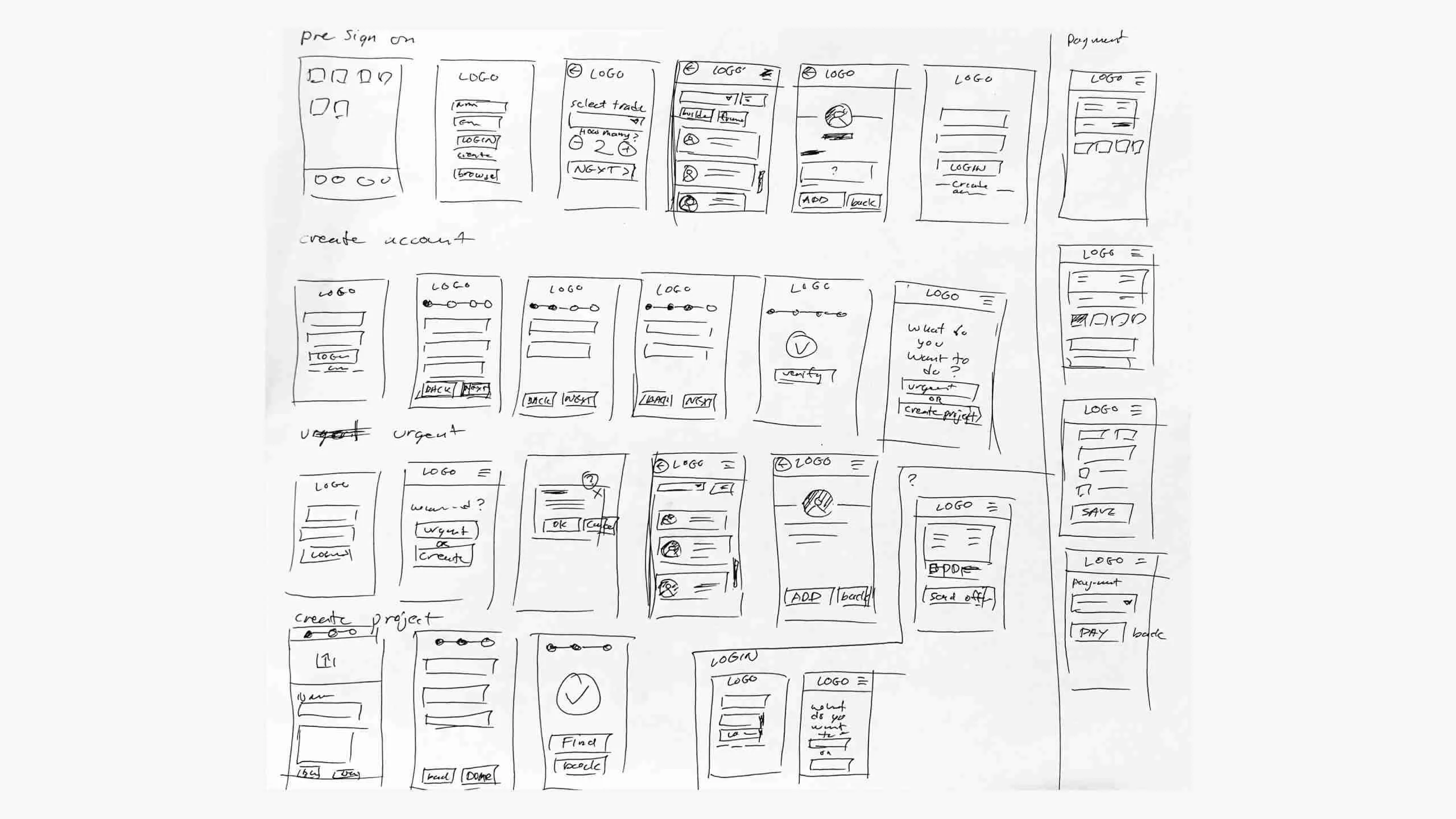
Sketch
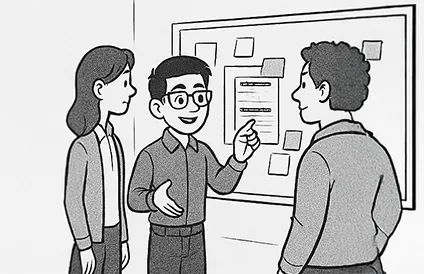
To clarify the core flows early, I sketched out the key screens based on the initial requirements. This helped the team align on the most efficient user path before moving into wireframes. I drew inspiration from familiar patterns on platforms like LinkedIn and Facebook to keep interactions intuitive.
User Flow
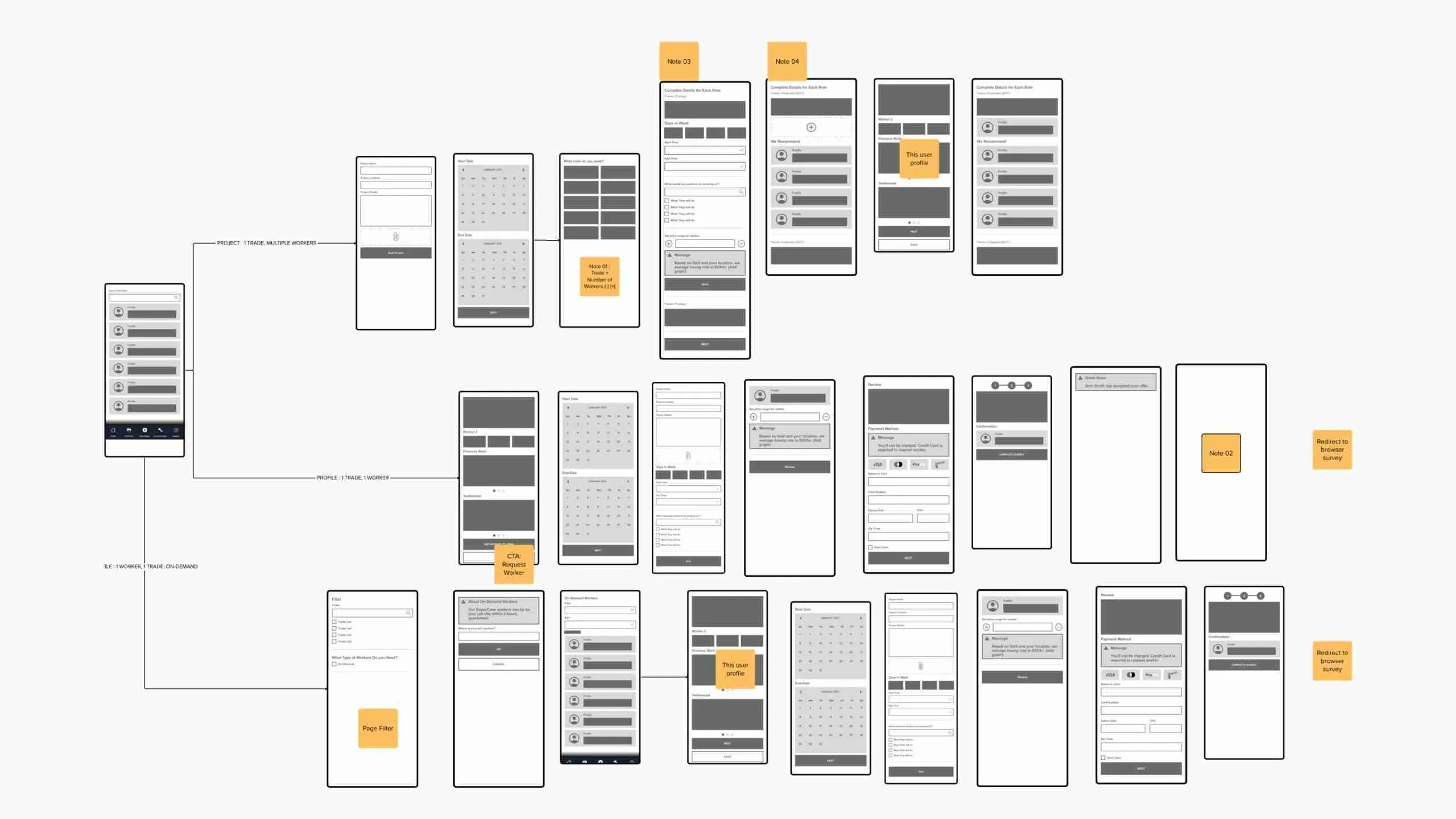
Using the sketches as a starting point, I mapped the user flow during a team discussion to define what should be included in the MVP. Together, we refined the path, added missing screens, and introduced features like the On-Demand option after identifying that urgent hires were a common contractor need.
Dashboard
1. Lo-Fi Wireframe
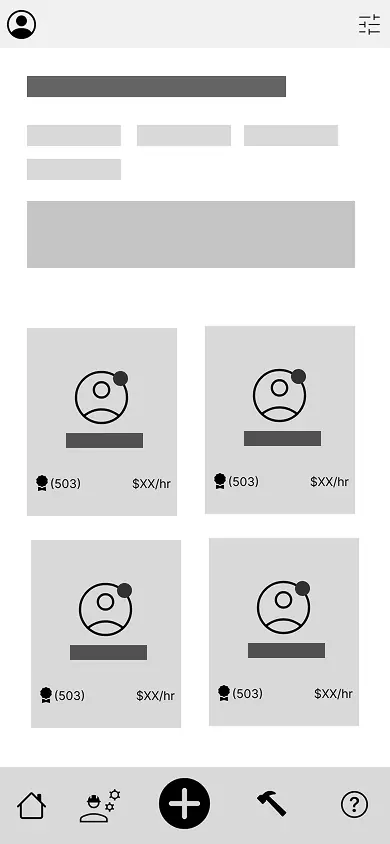
A quick structural sketch to define the basic layout, key actions, and initial placement of worker cards.
2. Mid-Fi Wireframe
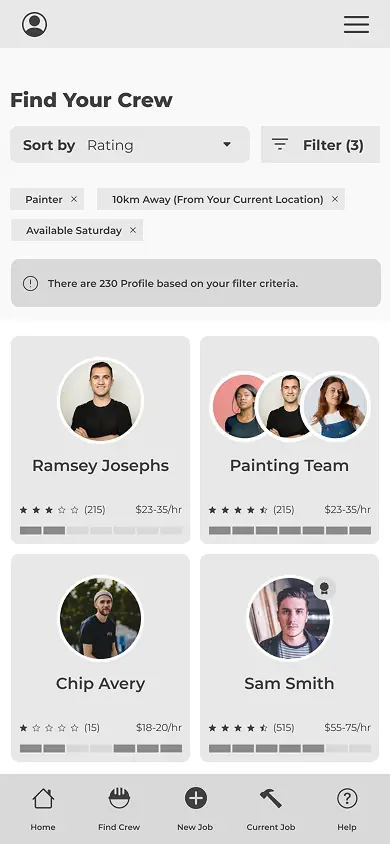
Added real content and interaction details, including worker cards, group hiring screens, and early reliability signals like availability, ratings, and hourly rates.
3. Mockup v1
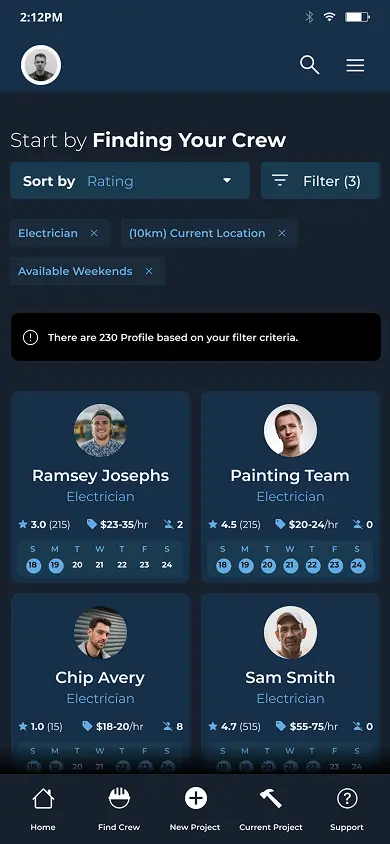
Explored the first high-fidelity direction. Adjusted spacing, improved readability by switching from stars to numeric ratings, and updated the calendar to clearly show days and dates.
4. Mockup v2
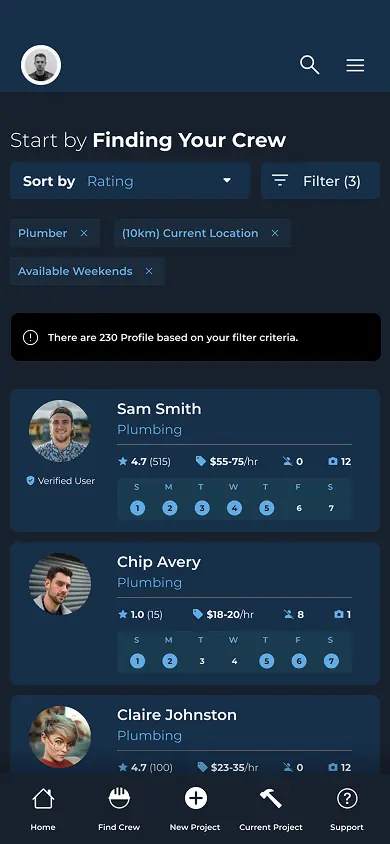
Shifted to a horizontal card layout to reduce eye-scanning fatigue and create room for richer details, including a more legible availability calendar.
5. MVP
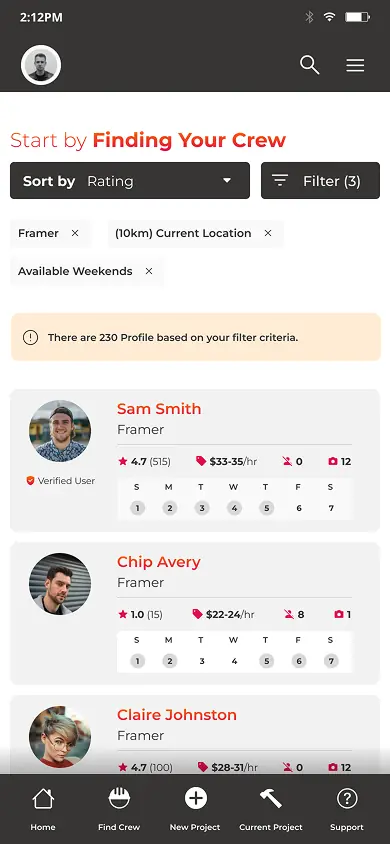
Applied final brand colors and styling based on the completed brand guide, optimizing contrast and clarity for real devices.
High-Fidelity Design
Prototype
UX Workshop
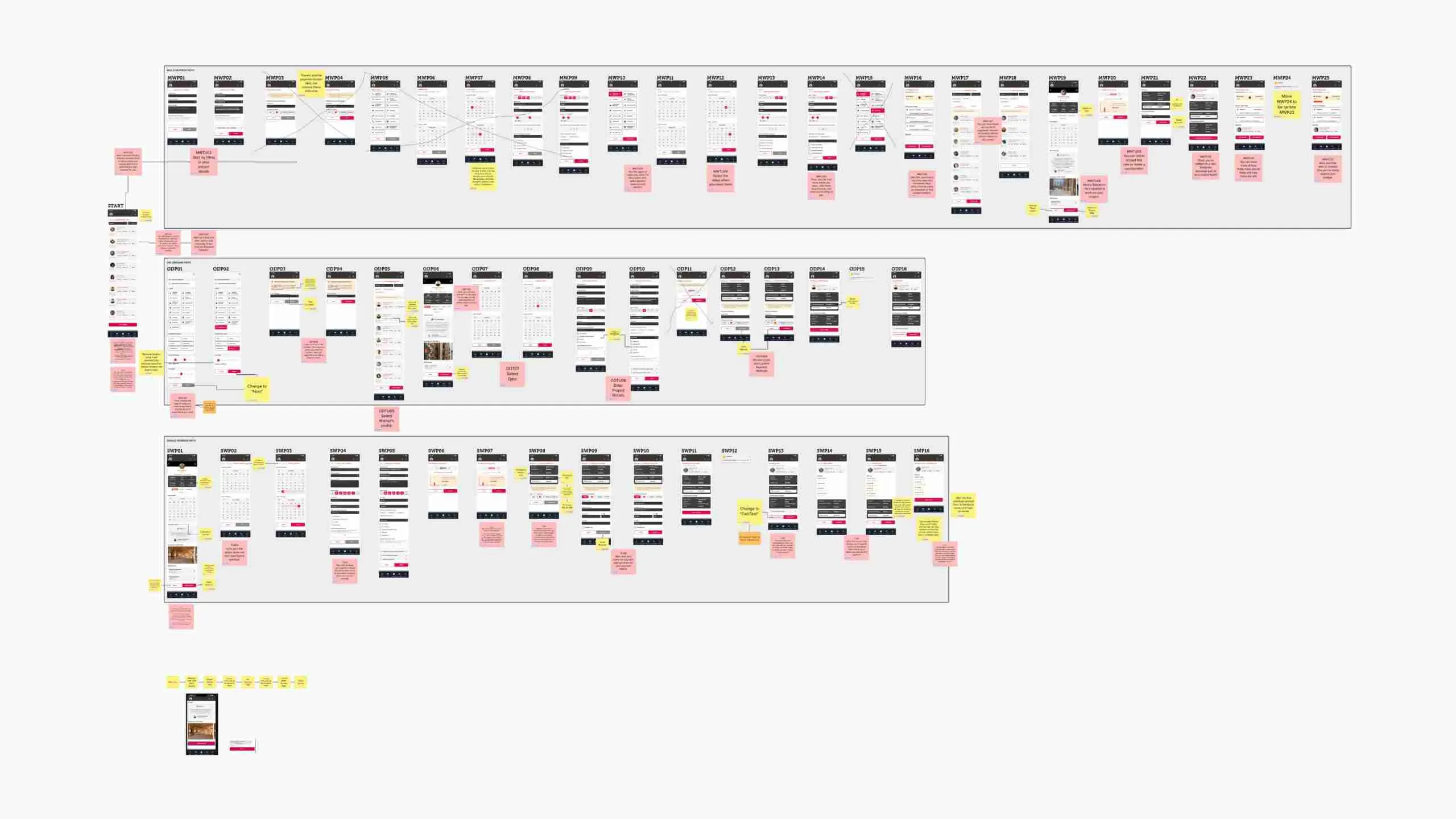
Before moving into prototyping, I decided to review the flow one last time with mockup. As a team, we reviewed the details, refined the copy, and adjusted screens based on usability considerations. Once the updates aligned with our goals, I received approval to move forward with the prototype.
Prototype
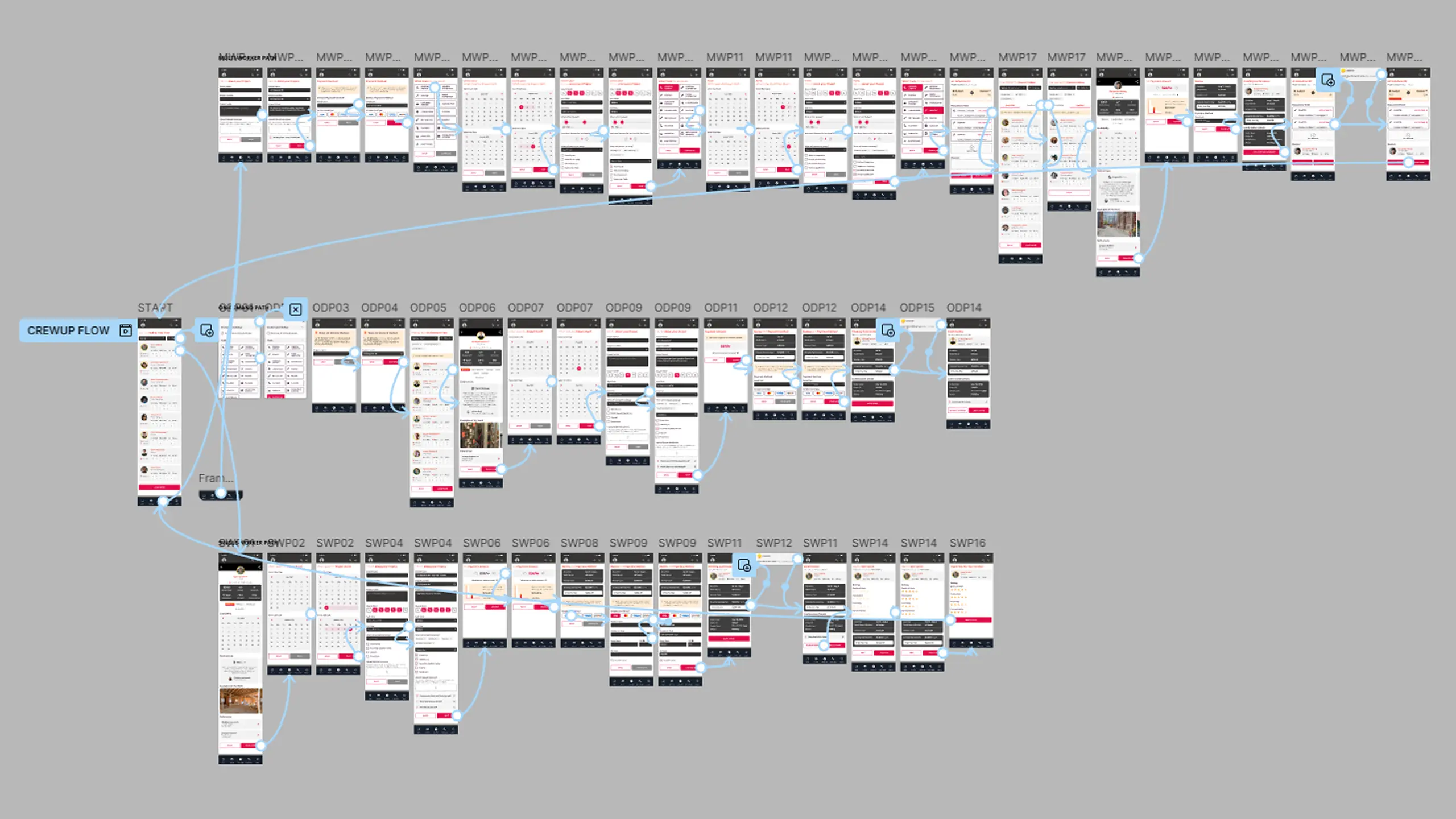
After the UX workshop, I created three flow variations from a common starting point to explore how each user type moved through the experience. We realized that certain paths were irrelevant to trade workers or project managers, so we separated the prototypes to keep each one focused and easy to test. Each version was paired with an online survey to gather user feedback and validate the flows.
Key Takeaway