Use Case

EPCM GLOBAL

HMI Redesign for Robotics – Simplified Controls, Engineer-Driven UX

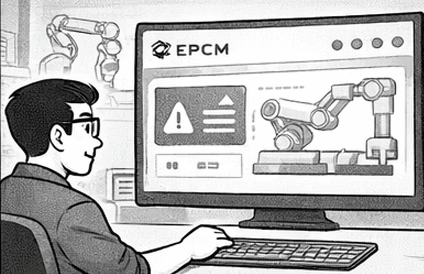
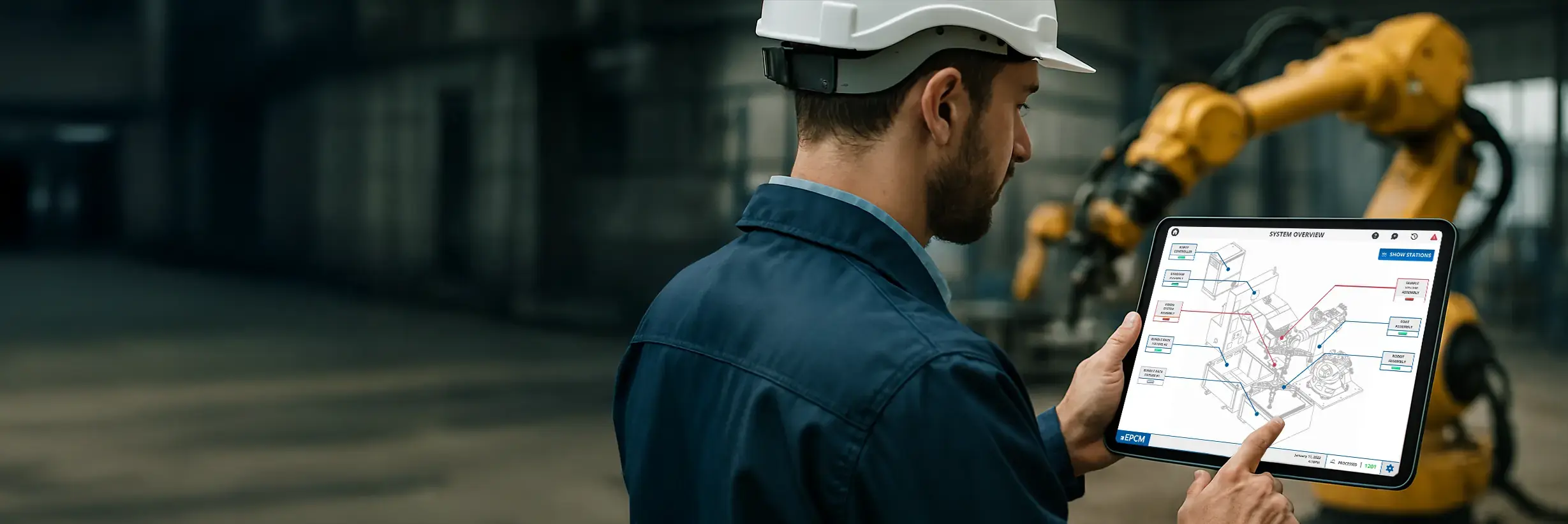
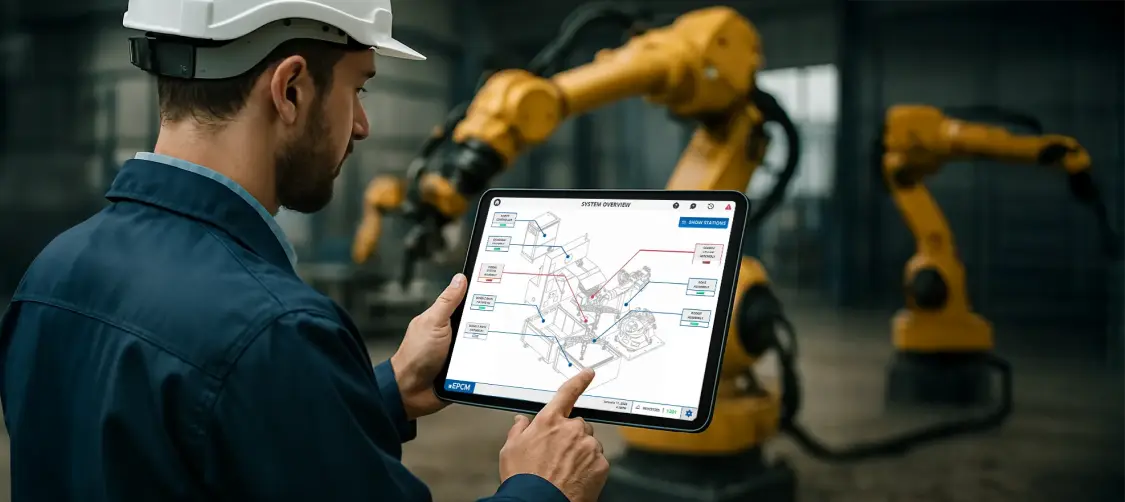
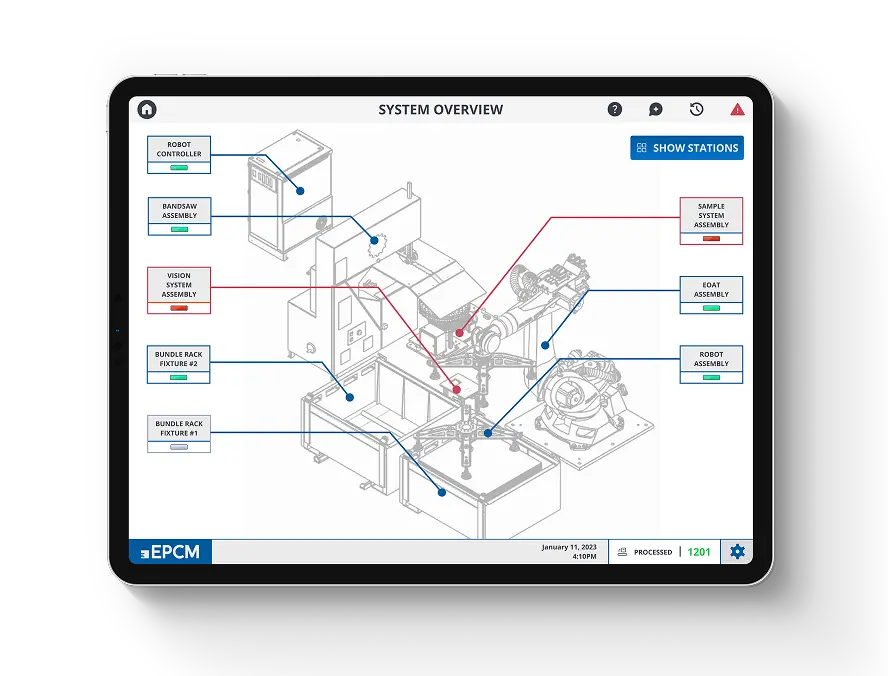
A Human-Machine Interface for industrial robotics, simplifying complex controls into an intuitive layout. Prototyped in Figma in close collaboration with engineers and demoed weekly to clients.

Use Case

EPCM GLOBAL

HMI Redesign for Robotics – Simplified Controls, Engineer-Driven UX

A B2C mobile app prototype designed to test usability and desirability across multiple user flows. Built in Figma and tested live via QR codes on mobile and desktop, with real-time feedback from event attendees.

Use Case

EPCM GLOBAL

HMI Redesign for Robotics – Simplified Controls, Engineer-Driven UX

A B2C mobile app prototype designed to test usability and desirability across multiple user flows. Built in Figma and tested live via QR codes on mobile and desktop, with real-time feedback from event attendees.

Use Case

EPCM GLOBAL

HMI Redesign for Robotics – Simplified Controls, Engineer-Driven UX

A B2C mobile app prototype designed to test usability and desirability across multiple user flows. Built in Figma and tested live via QR codes on mobile and desktop, with real-time feedback from event attendees.

My Role

Lead & Solo Designer QA

My Role

Lead & Solo Designer QA

My Role

Lead & Solo Designer QA

Client

EPCM Global

Client

EPCM Global

Client

EPCM Global

Team

VP, Business & Product Development -
Eric Haapamaki Controls and Electrical Team Lead - 
Talha Rashid

Team

VP, Business & Product Development -
Eric Haapamaki Controls and Electrical Team Lead - 
Talha Rashid

Team

VP, Business & Product Development -
Eric Haapamaki Controls and Electrical Team Lead - 
Talha Rashid

Year

2023

Year

2023

Year

2023

Project Details

The Problem

The existing Human-Machine Interface (HMI) for EPCM Group’s robotic dashboard was overly complex, lacked branding, leading to extended training periods for new employees.

The Solution

To simplify the HMI design with EPCM branding, making it more intuitive and user-friendly, thereby reducing the need for extensive training and facilitating quicker onboarding of new staff.

Project Details

The Problem

The existing Human-Machine Interface (HMI) for EPCM Group’s robotic dashboard was overly complex, lacked branding, leading to extended training periods for new employees.

The Solution

To simplify the HMI design with EPCM branding, making it more intuitive and user-friendly, thereby reducing the need for extensive training and facilitating quicker onboarding of new staff.

Project Details

The Problem

The existing Human-Machine Interface (HMI) for EPCM Group’s robotic dashboard was overly complex, lacked branding, leading to extended training periods for new employees.

The Solution

To simplify the HMI design with EPCM branding, making it more intuitive and user-friendly, thereby reducing the need for extensive training and facilitating quicker onboarding of new staff.

Project Details

The Problem

The existing Human-Machine Interface (HMI) for EPCM Group’s robotic dashboard was overly complex, lacked branding, leading to extended training periods for new employees.

The Solution

To simplify the HMI design with EPCM branding, making it more intuitive and user-friendly, thereby reducing the need for extensive training and facilitating quicker onboarding of new staff.

The Journey at a Glance
Problem

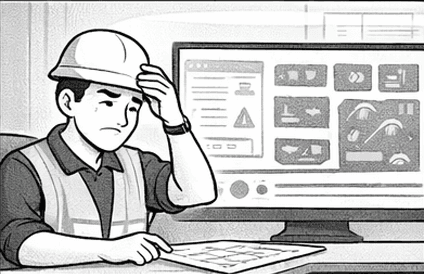
Operators struggled with an overcrowded HMI dashboard that made it difficult to quickly understand system status or respond to issues.

Problem

Operators struggled with an overcrowded HMI dashboard that made it difficult to quickly understand system status or respond to issues.

The Pain Points

Complex layouts, lack of branding, and scattered information increased cognitive load and extended training time for new employees.

The Pain Points

Complex layouts, lack of branding, and scattered information increased cognitive load and extended training time for new employees.

The Discovery

Through discussions with engineers, I identified the most critical data operators needed at a glance and what could be simplified or hidden.

The Discovery

Through discussions with engineers, I identified the most critical data operators needed at a glance and what could be simplified or hidden.

The Strategy

I restructured the interface using familiar Windows-style patterns, surfacing key alerts while moving secondary information into menus and modals.

The Strategy

I restructured the interface using familiar Windows-style patterns, surfacing key alerts while moving secondary information into menus and modals.

The Solution

A simplified, branded dashboard with clear visual cues, improved hierarchy, and built-in guidance for faster onboarding and decision-making.

The Solution

A simplified, branded dashboard with clear visual cues, improved hierarchy, and built-in guidance for faster onboarding and decision-making.

The Outcome

Operators can now identify issues faster, learn the system more easily, and work within a consistent, intuitive interface aligned with EPCM standards.

The Outcome

Operators can now identify issues faster, learn the system more easily, and work within a consistent, intuitive interface aligned with EPCM standards.

Wireframe

Previous Design

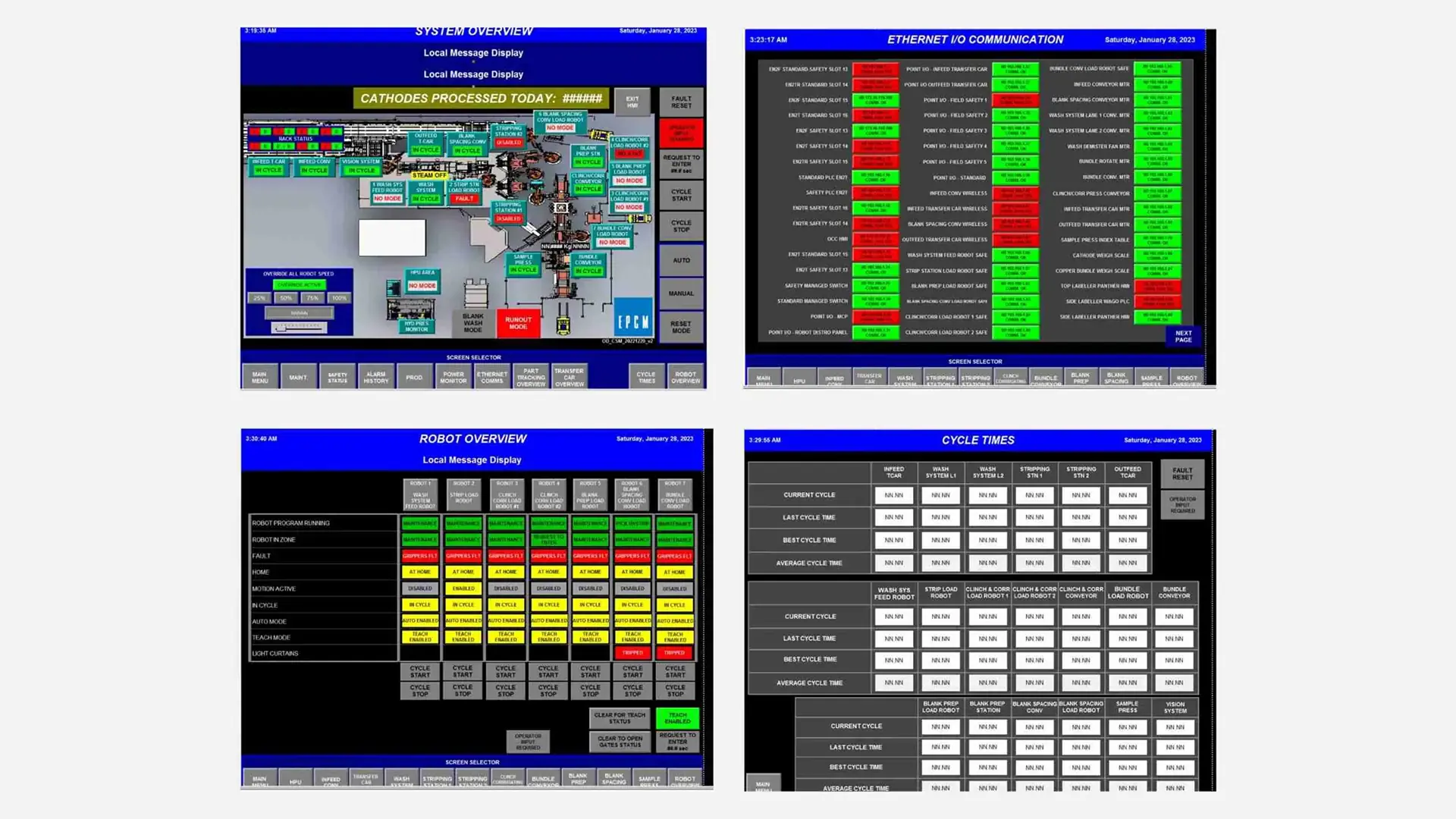
The previous design was overcrowded and hard to interpret, making it difficult for operators to make quick decisions. The absence of branding also created inconsistency across EPCM systems, contributing to confusion and longer onboarding time.
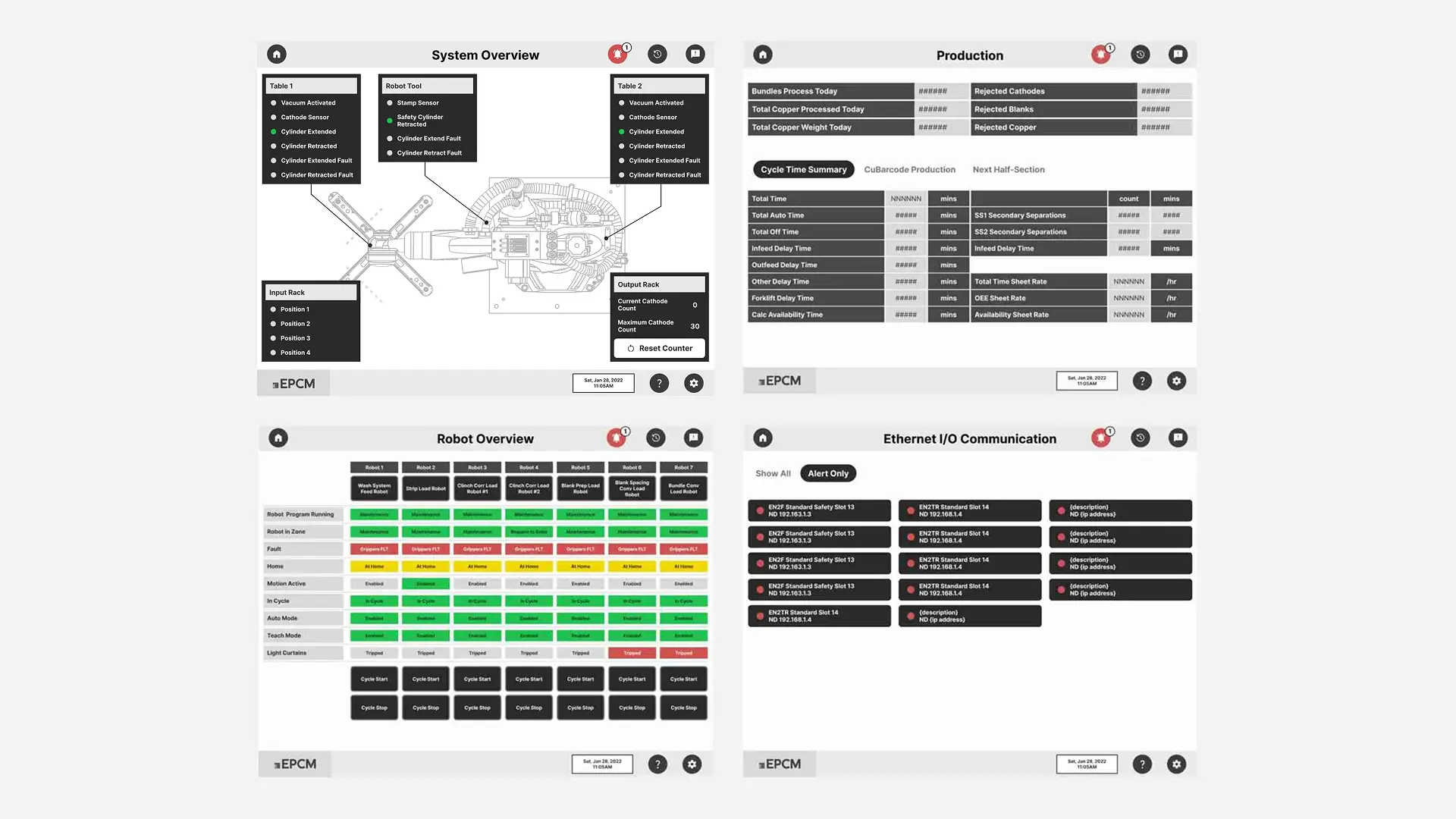
Lo-Fi Wireframe

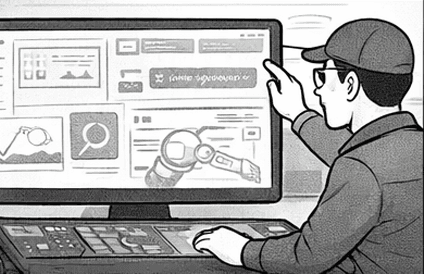
I met with engineers to identify the most critical information operators needed at a glance. To reduce cognitive load, secondary details were moved into menus and modals. We adopted a Windows-like layout to leverage familiar interaction patterns, helping operators transition more quickly.

DASHBOARD

1. Original Dashboard
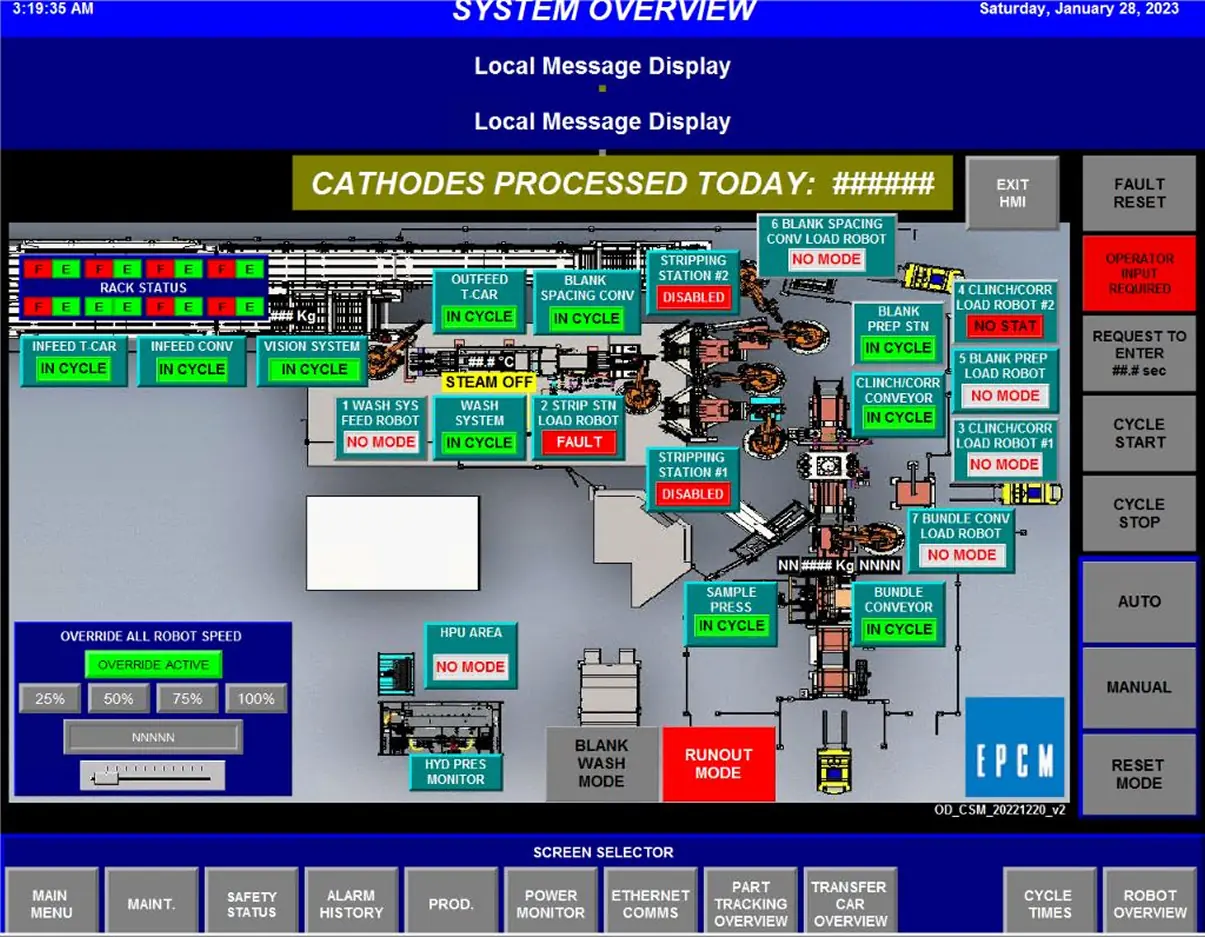
The original HMI dashboard was overcrowded and difficult to interpret, making it hard for operators to quickly identify issues or understand system status.

2. Lo-Fi Wireframe
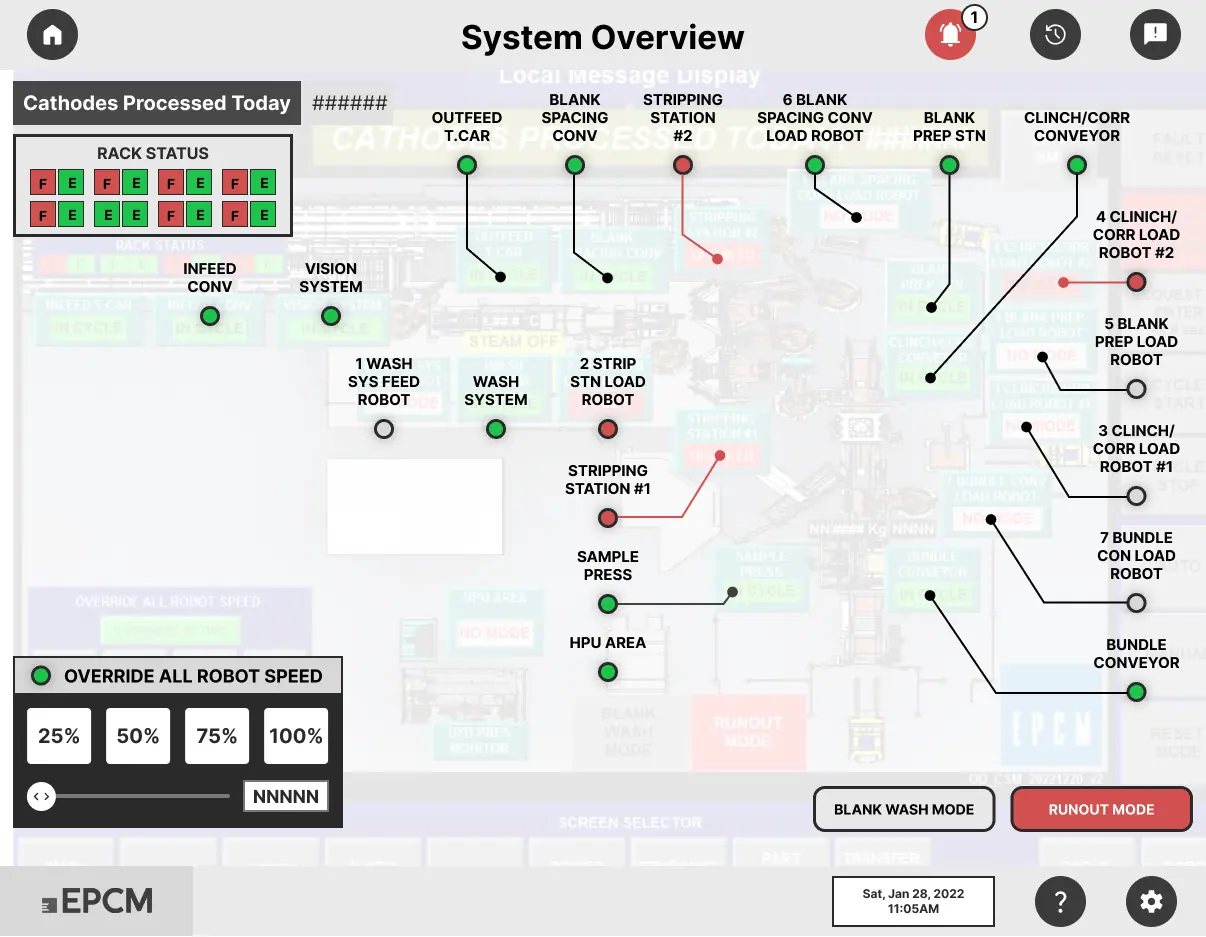
I focused on simplifying the layout to reduce cognitive load.

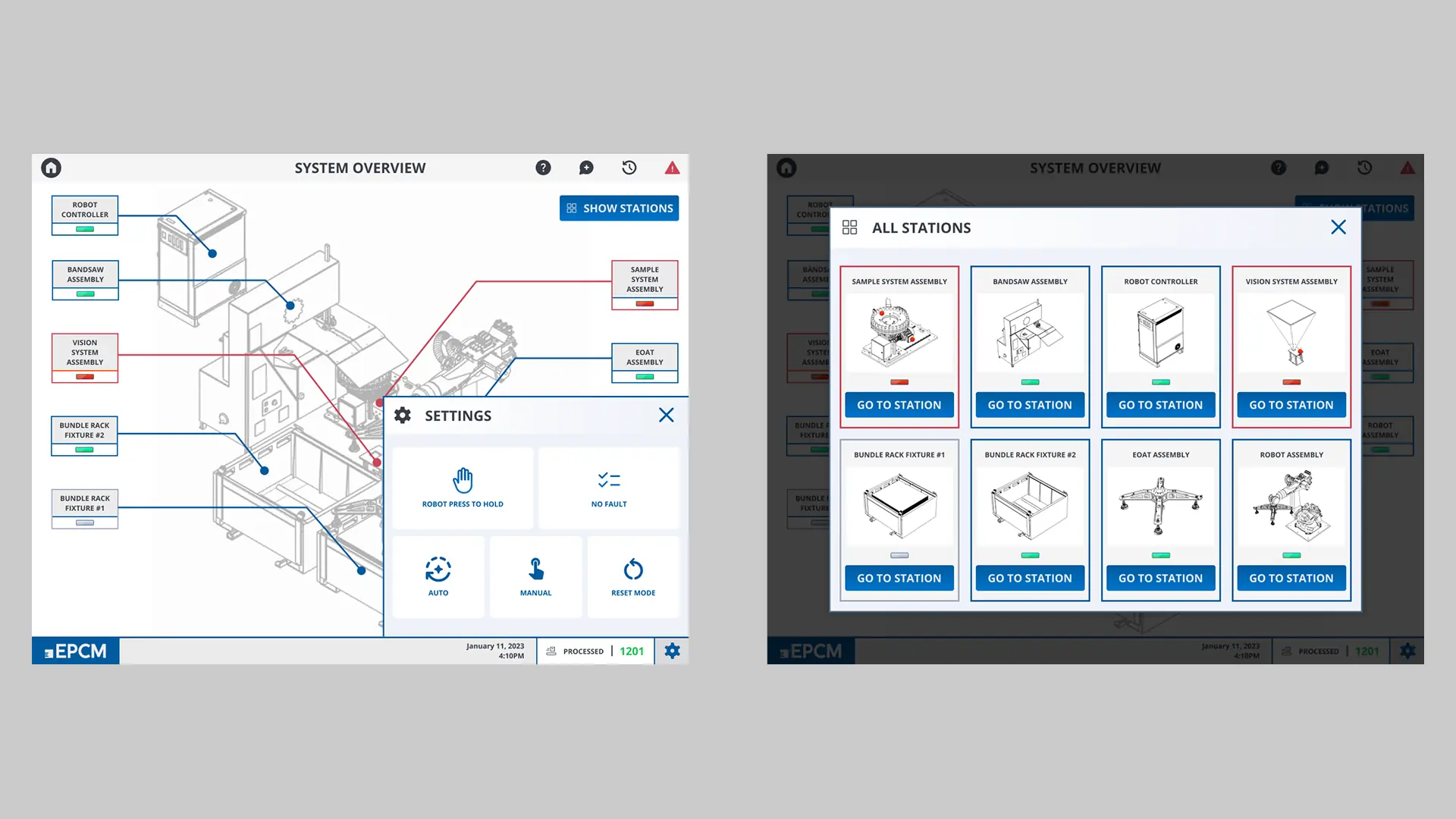
Clear color cues—like red indicators—help operators trace alerts back to the source quickly.

An alert icon was added so problematic areas are visible at a glance.

3. Wireframe Iteration
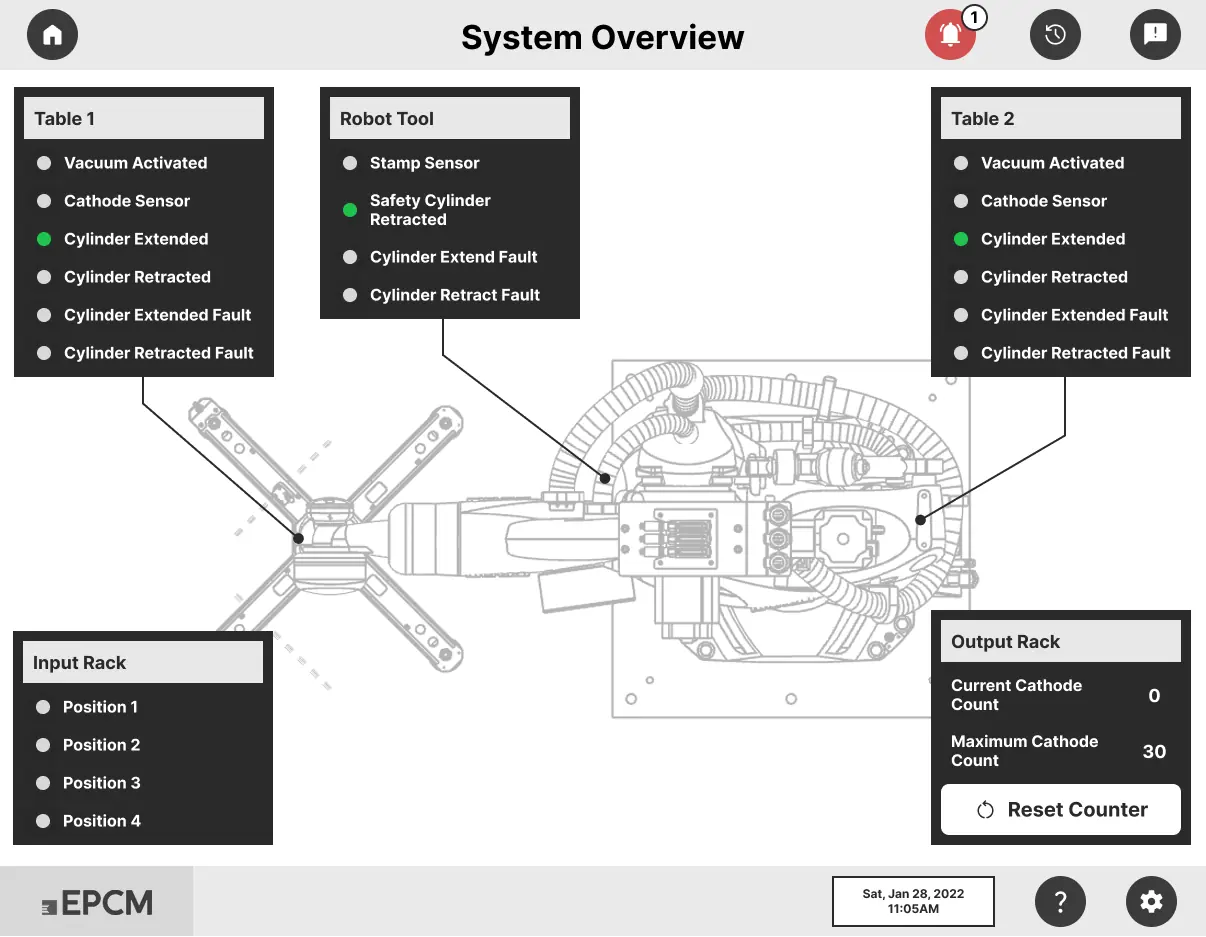
I met with engineers to understand which areas were critical and which could be hidden.

Requested 3D line-art assets of the robotics to map statuses more accurately.

Shared the wireframes with engineering to validate feasibility and functionality.

4. High-Fidelity Design
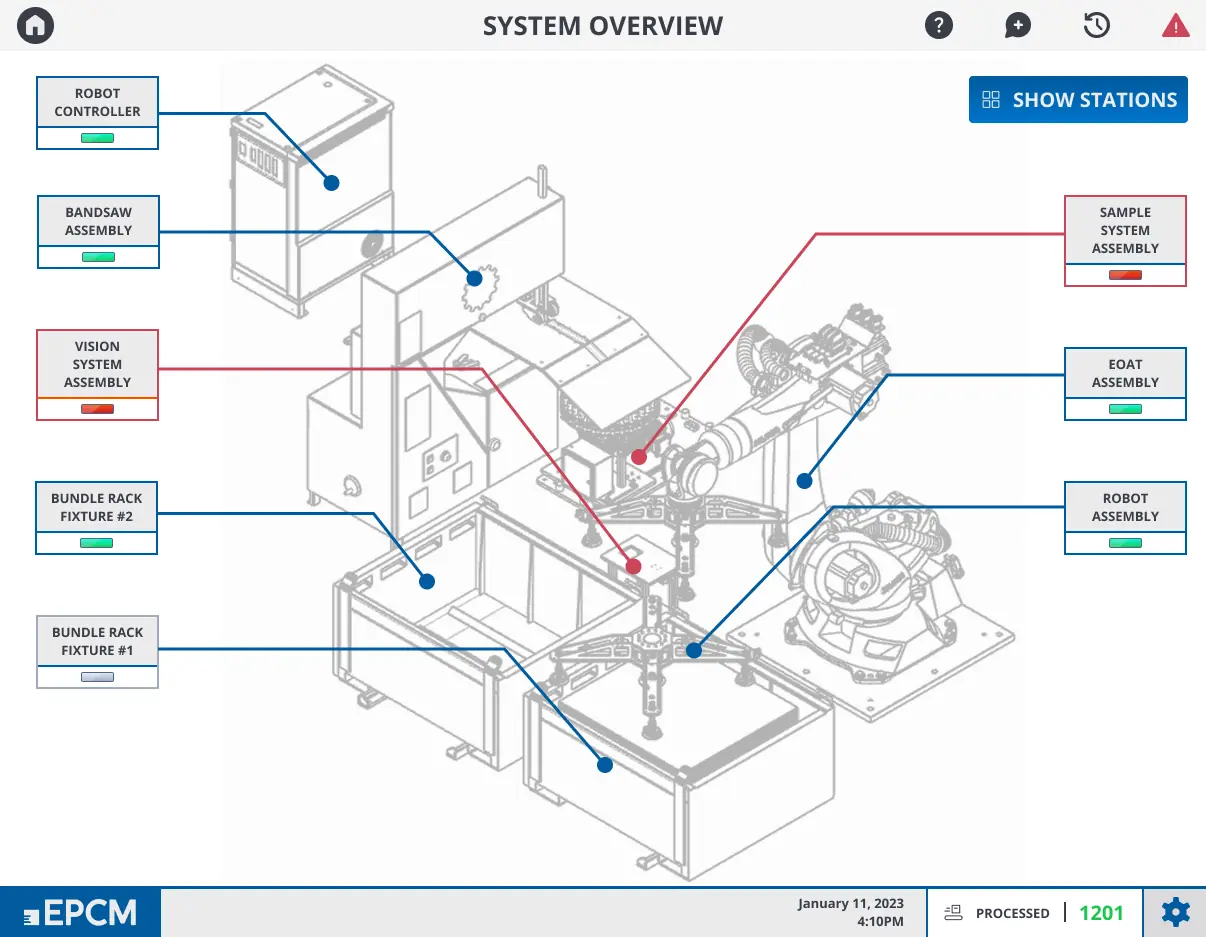
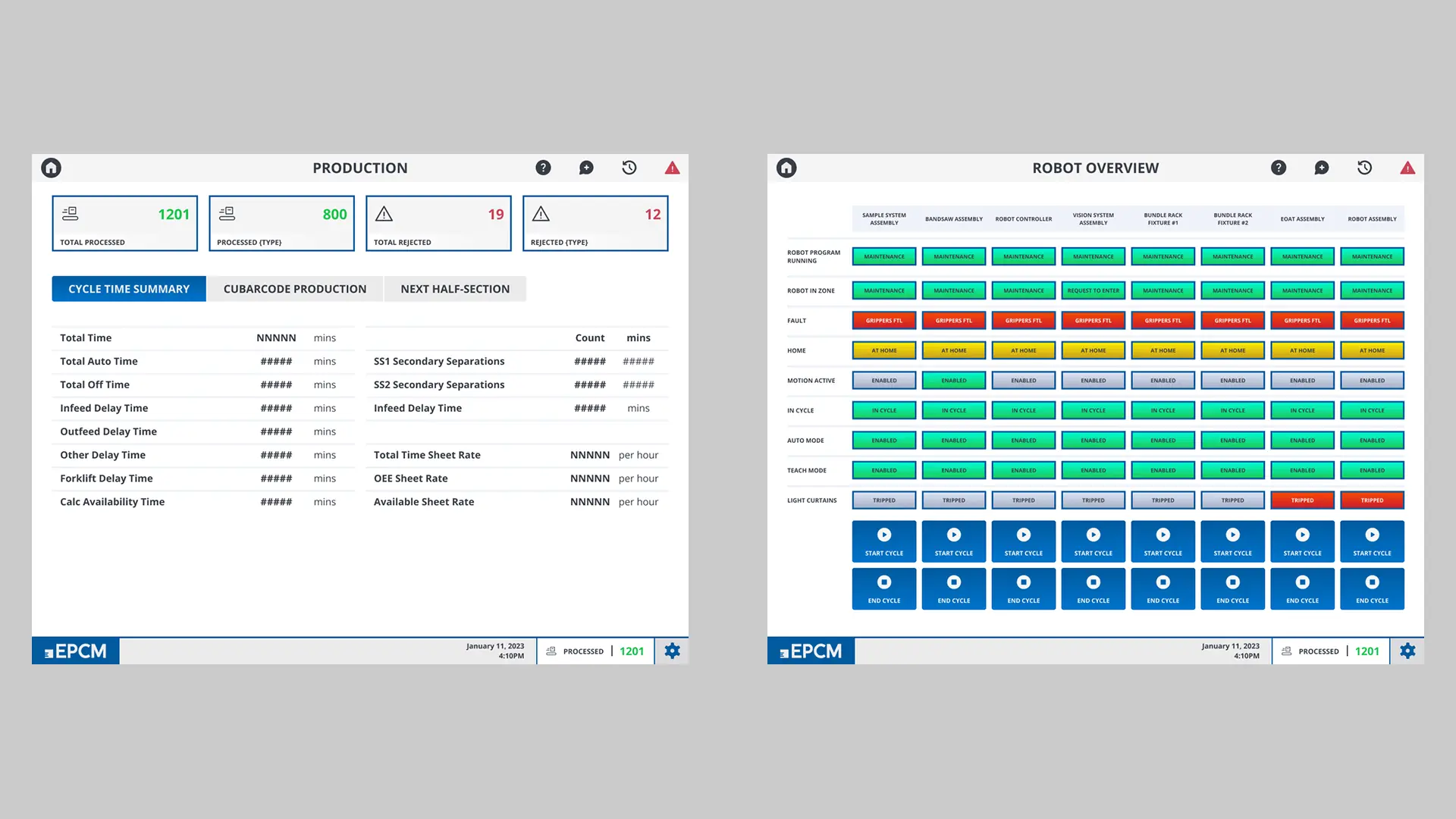
The final design provides a clean, simplified status view for faster decision-making.

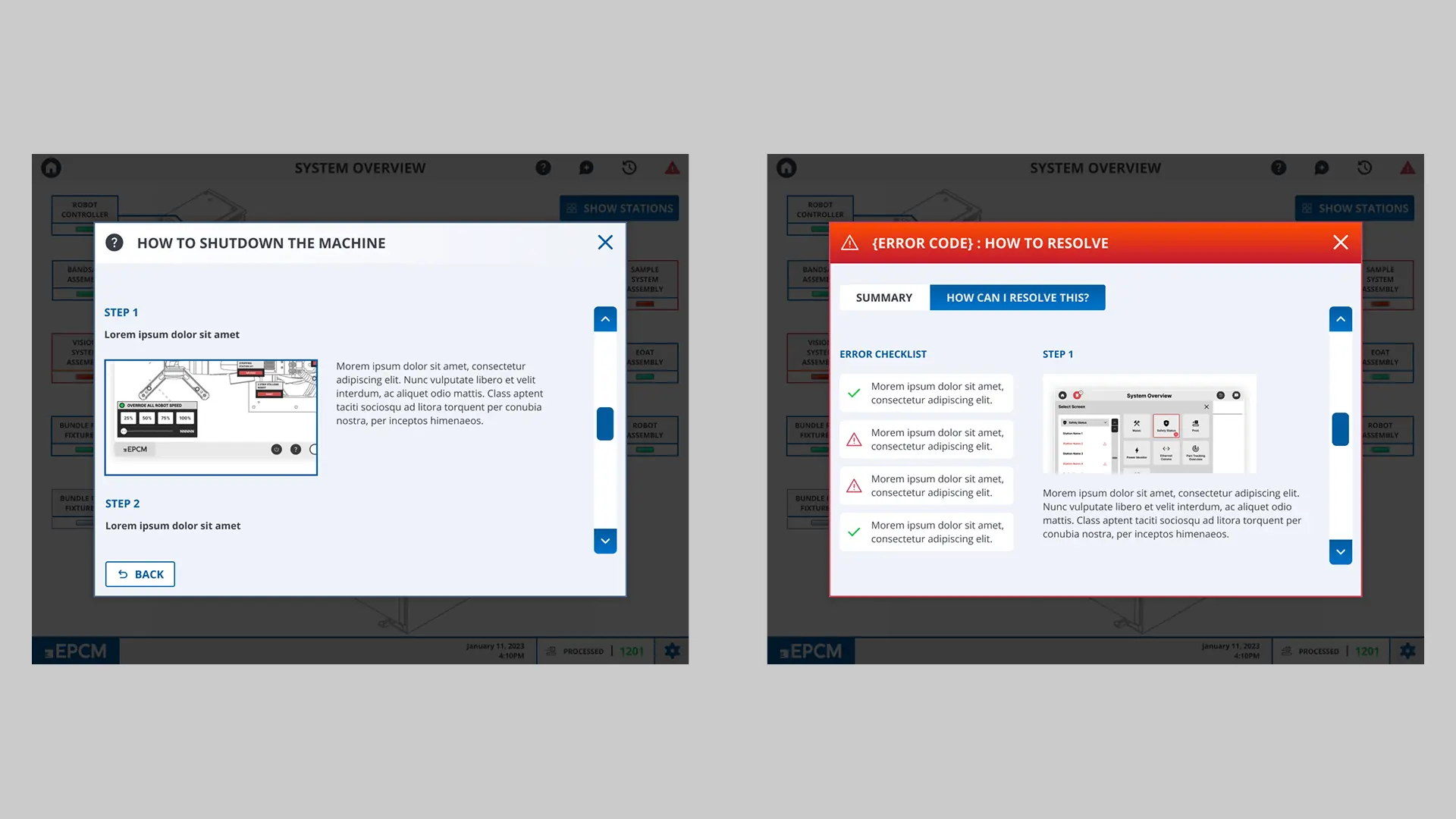
A built-in tutorial option supports quicker training and onboarding.

I used a Windows-style layout to leverage familiar interaction patterns.

Brand colors and logos were added for consistency across EPCM systems.

High-Fidelity Design
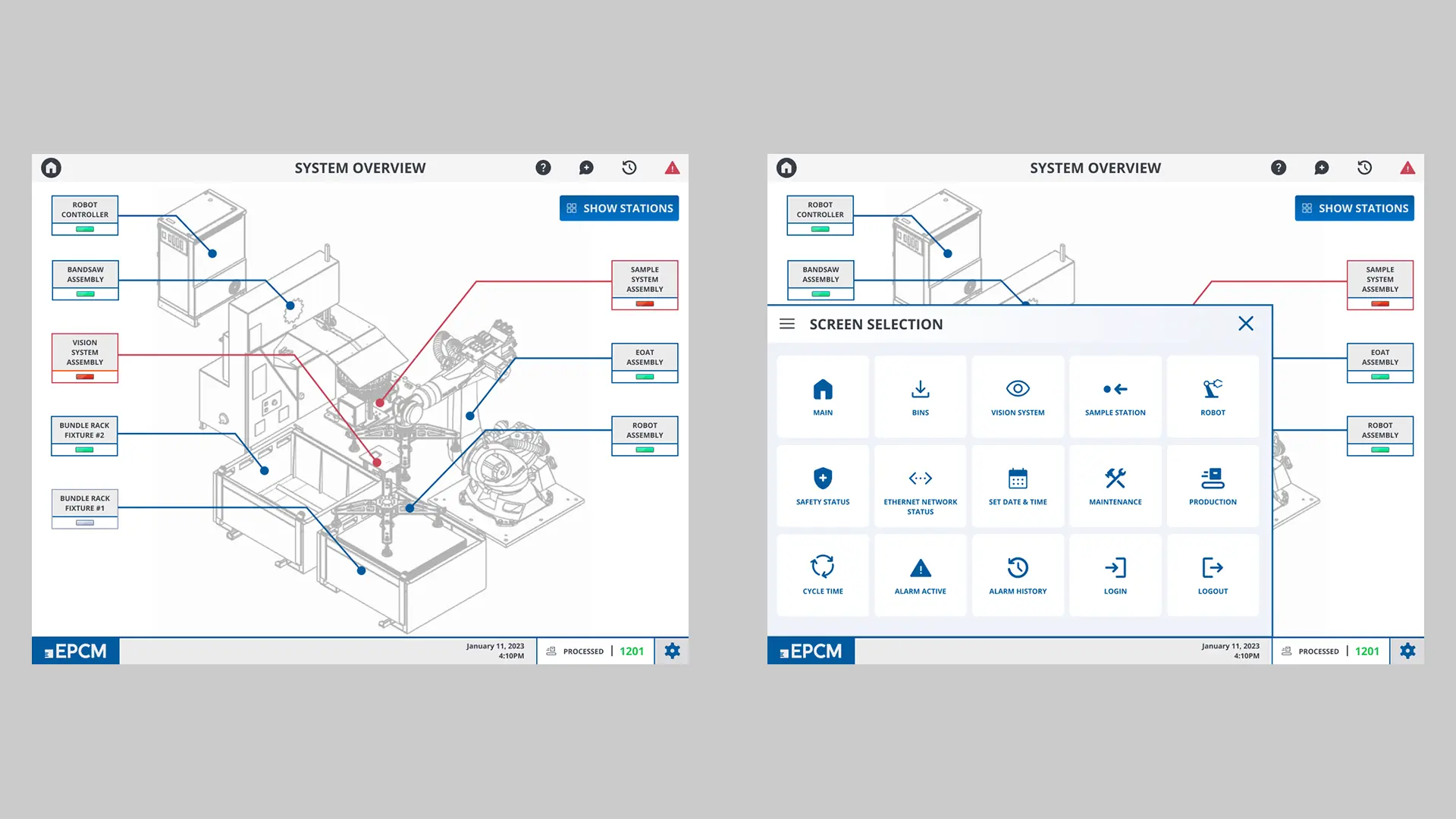
Client Review
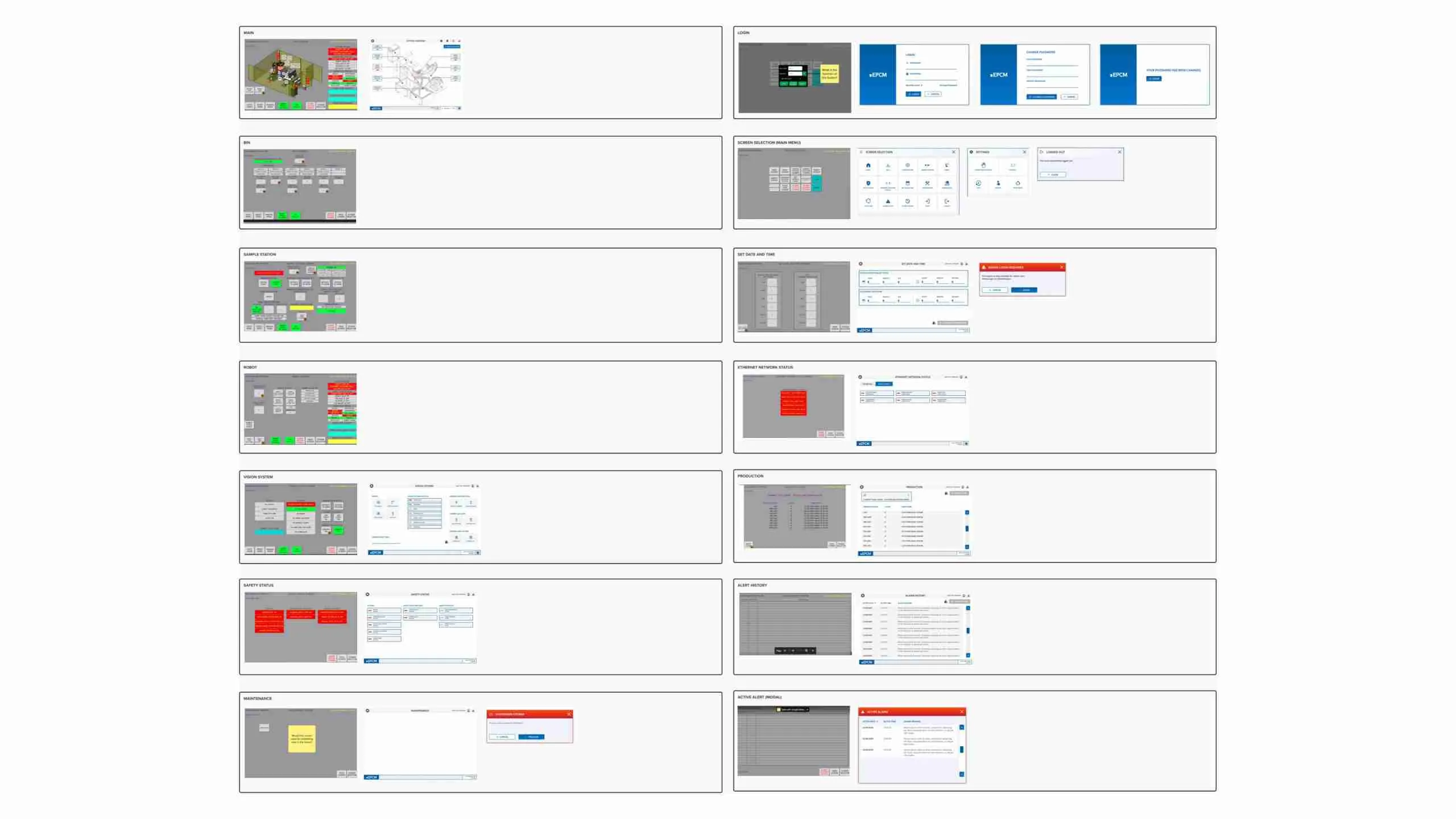
Client Meeting

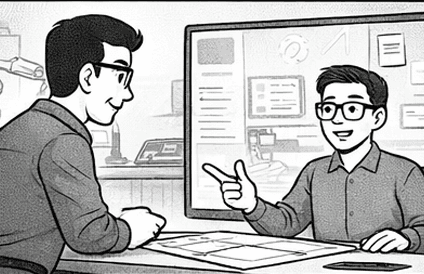
We reviewed updated screens alongside the original design to ensure visual improvements aligned with operational requirements. Weekly prototype walkthroughs helped maintain alignment, clarify unclear workflows, and catch issues early before engineering handoff.
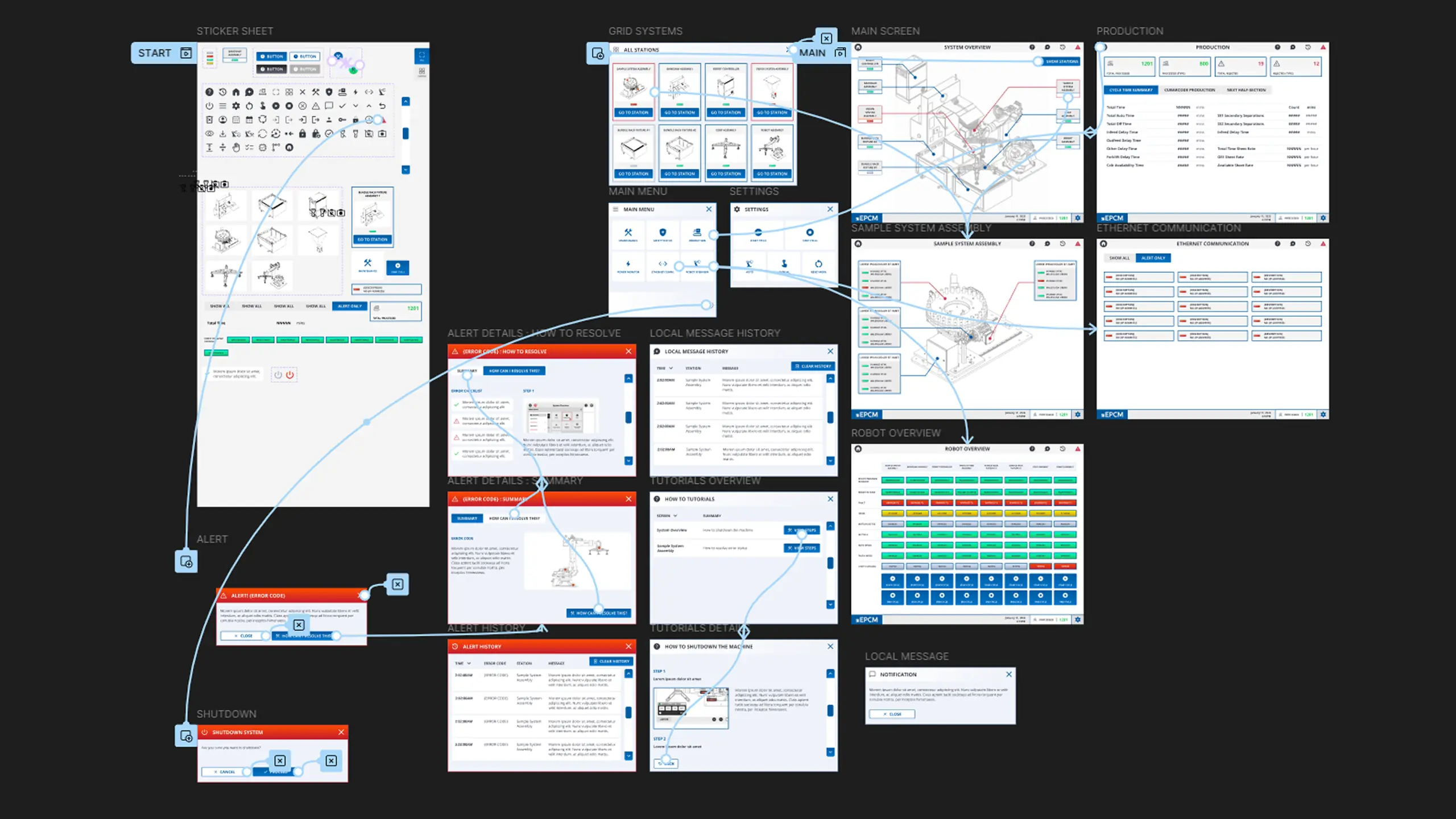
Prototype

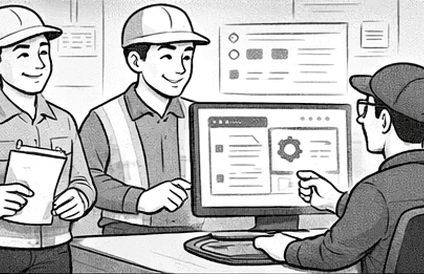
A working prototype allowed us to validate the flow with engineers and operators before committing to development. Iterating in sprint cycles ensured that each update reflected real feedback, system constraints, and on-site usability needs.

Key Takeaway
Efficient Collaboration Loop

Used Mural and weekly checkpoints to streamline feedback, clarify requirements, and keep the project aligned with evolving system needs.

Efficient Collaboration Loop

Used Mural and weekly checkpoints to streamline feedback, clarify requirements, and keep the project aligned with evolving system needs.

Simplifying HMI Complexity

Reduced cognitive load through targeted simplification and intentional layout decisions, making the interface easier for operators to learn and use.

Simplifying HMI Complexity

Reduced cognitive load through targeted simplification and intentional layout decisions, making the interface easier for operators to learn and use.

Balancing Usability and Branding

Created a visually consistent experience using EPCM branding while ensuring that every UI element supported operator efficiency.

Balancing Usability and Branding

Created a visually consistent experience using EPCM branding while ensuring that every UI element supported operator efficiency.

Let’s Connect

Open to product design opportunities and collaborations.

© 2026 Sae-Hee Shin. All rights reserved.

Let’s Connect

Open to product design opportunities and collaborations.

© 2026 Sae-Hee Shin. All rights reserved.