The Journey at a Glance





TARGET USER
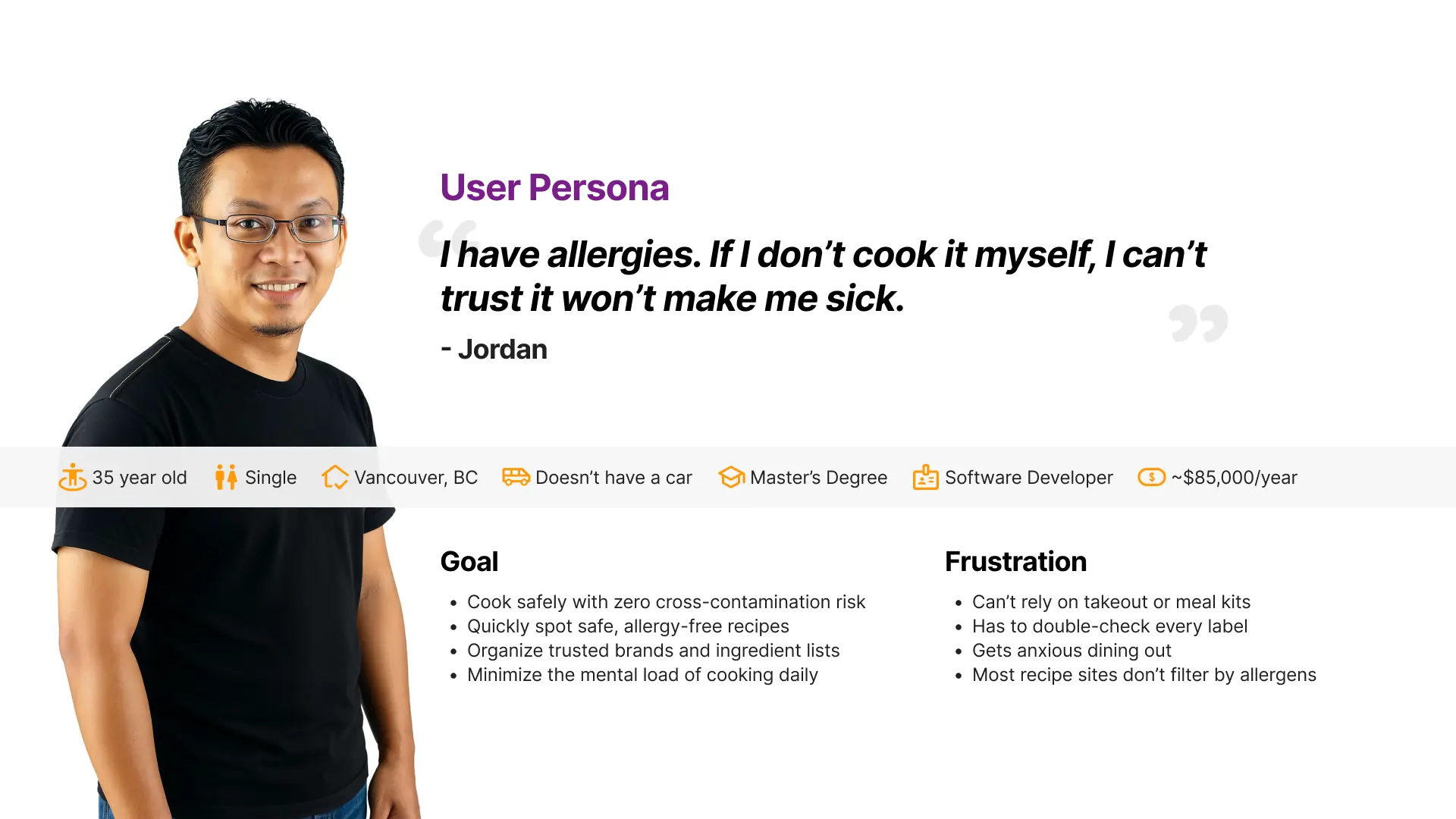
Persona
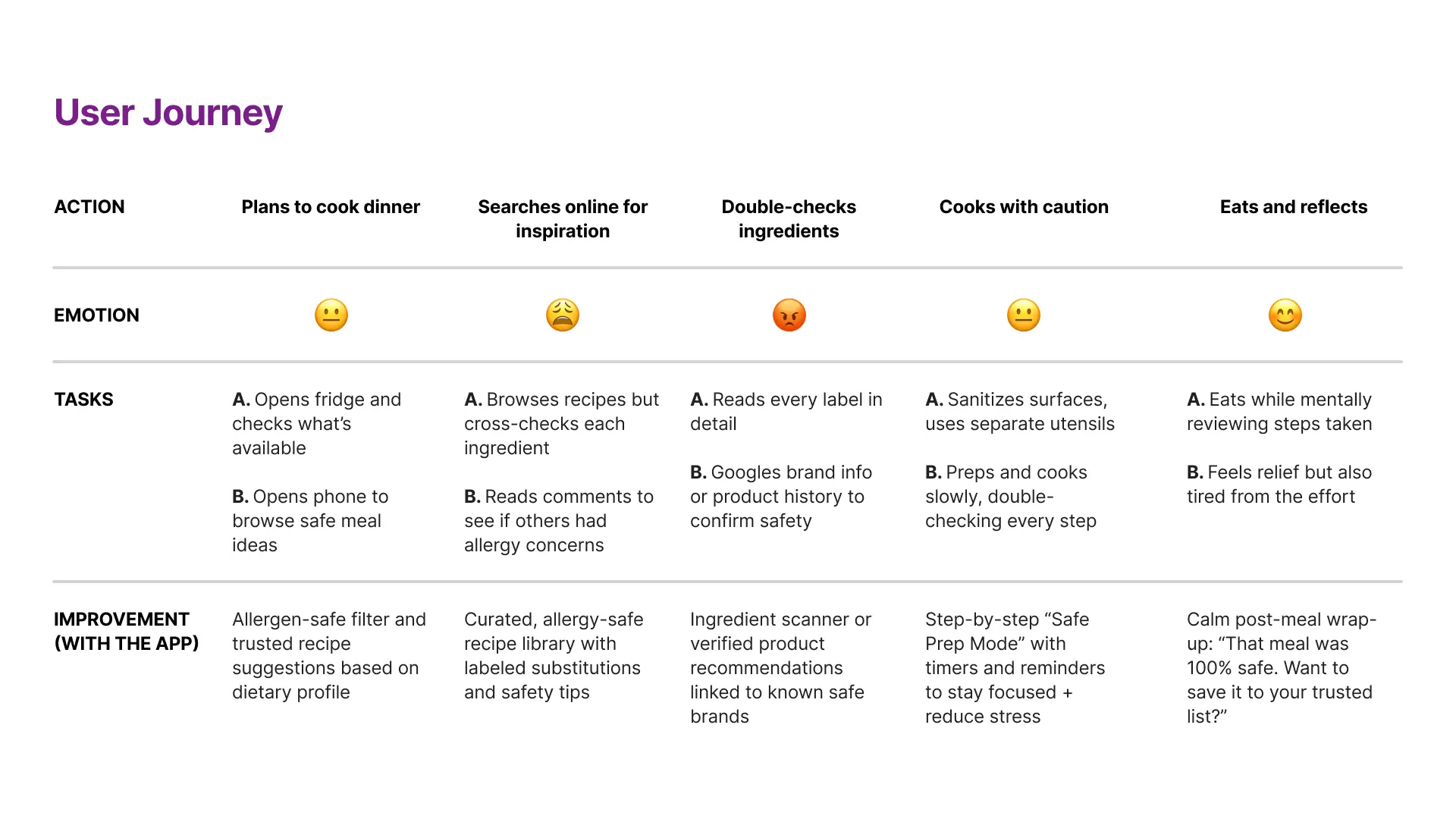
User Journey
Pain Points
Lack of Cooking Confidence
Many young adults want to cook but feel overwhelmed, underprepared, or short on time.
Learning How to Cook
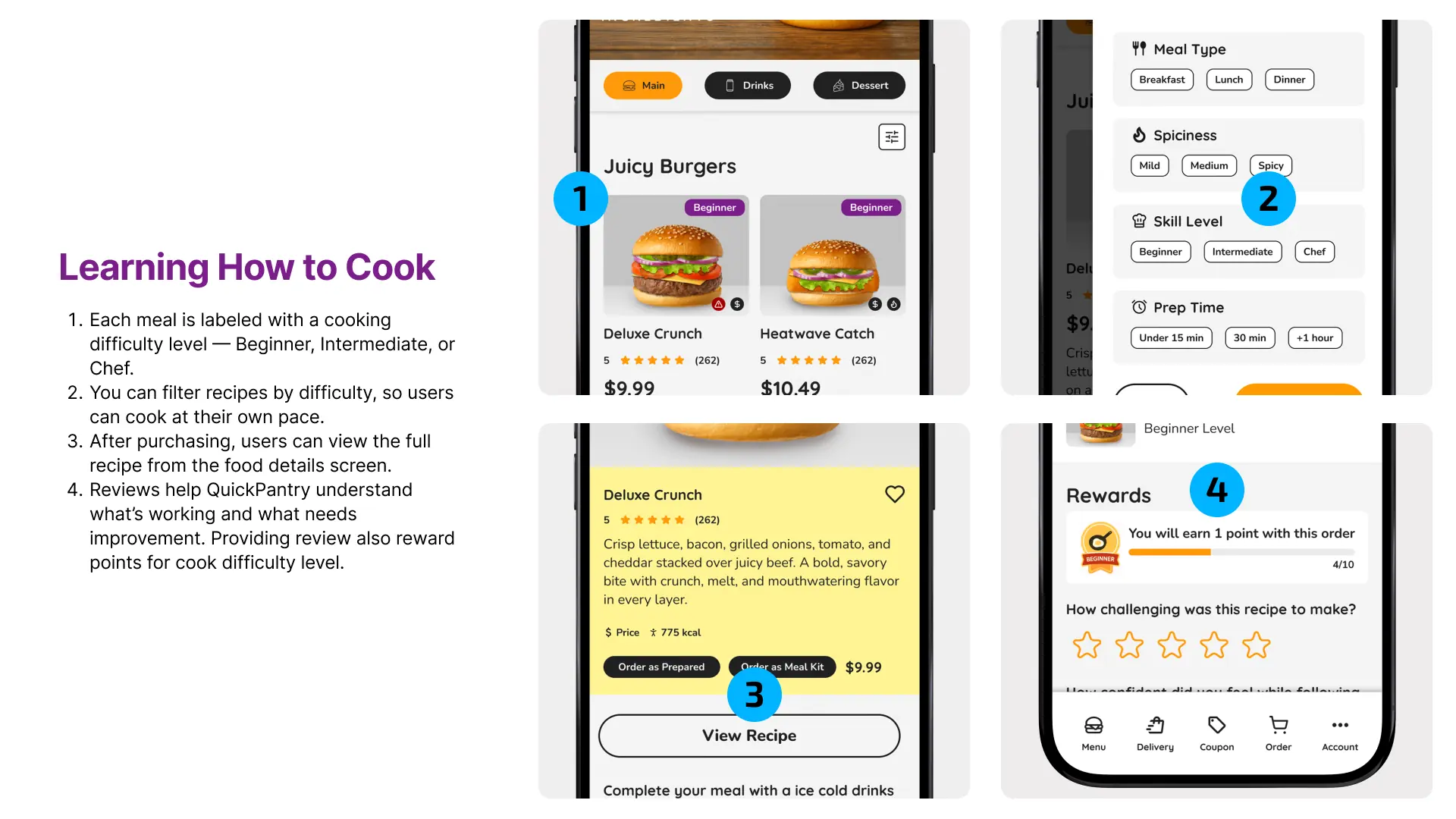
Each meal is labeled with a cooking difficulty level — Beginner, Intermediate, or Chef.
You can filter recipes by difficulty, so users can cook at their own pace.
After purchasing, users can view the full recipe from the food details screen.
Reviews help QuickPantry understand what’s working and what needs improvement. Providing review also reward points for cook difficulty level.
Allergy-Safe Cooking Needs
Over 3 million Canadians with food allergies require full ingredient control, making dining out risky and stressful.
Allergy Safety
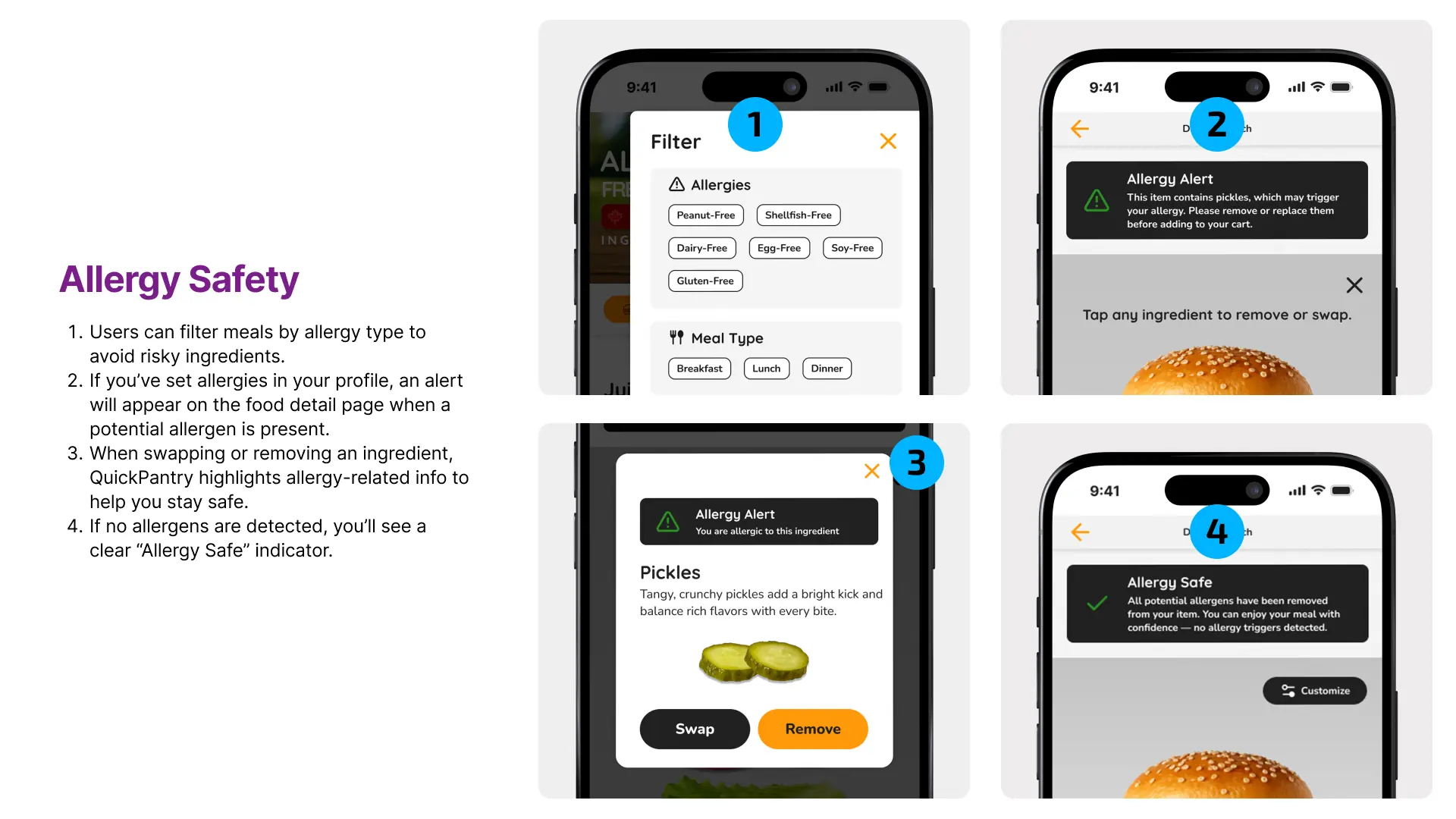
Users can filter meals by allergy type to avoid risky ingredients.
If you’ve set allergies in your profile, an alert will appear on the food detail page when a potential allergen is present.
When swapping or removing an ingredient, QuickPantry highlights allergy-related info to help you stay safe.
If no allergens are detected, you’ll see a clear “Allergy Safe” indicator.
Missing Ingredients
1 in 3 home cooks don’t plan meals or grocery shop effectively, leading to frustration and last-minute changes.
Meal Kit Delivery
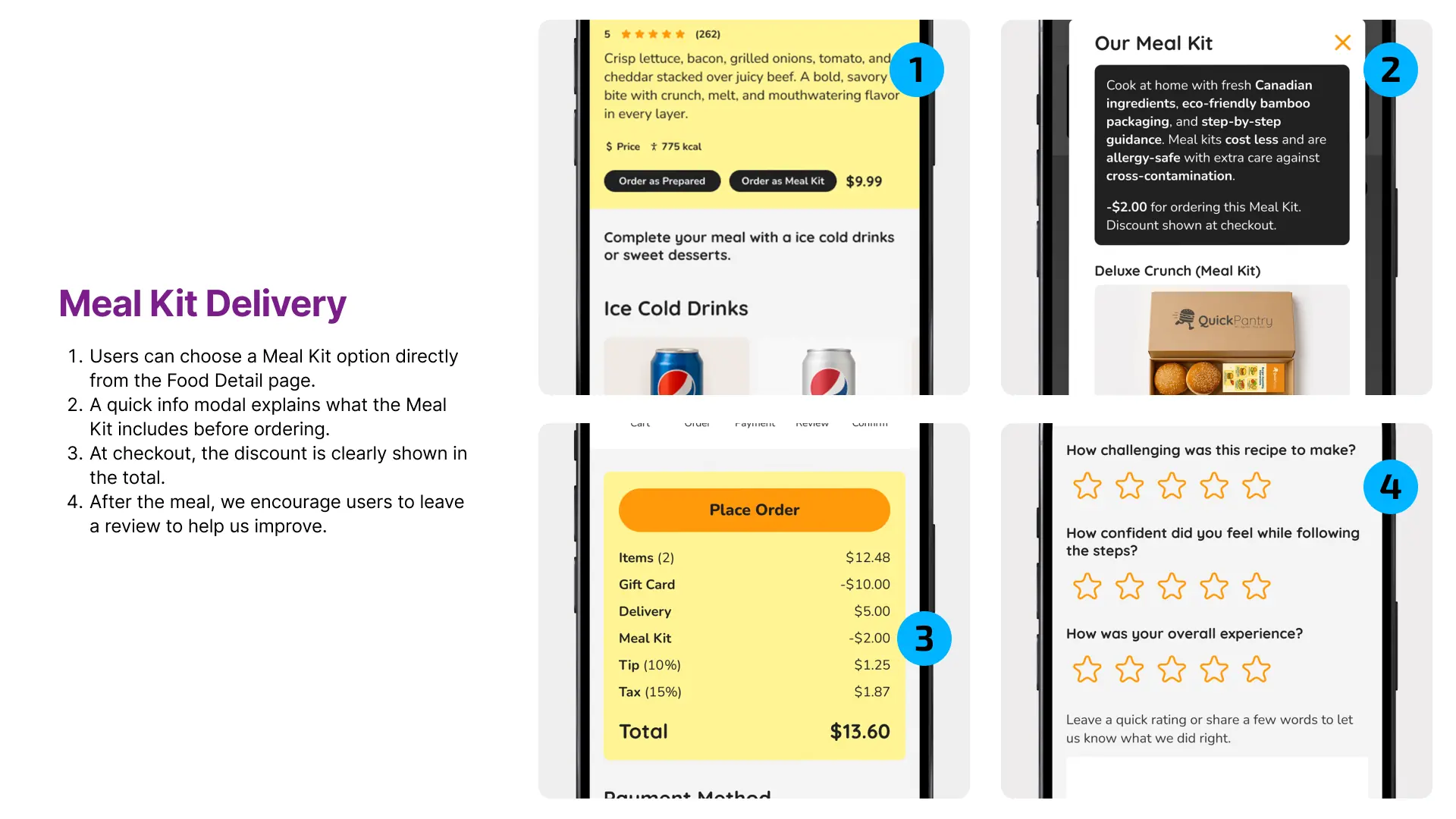
Users can choose a Meal Kit option directly from the Food Detail page.
A quick info modal explains what the Meal Kit includes before ordering.
At checkout, the discount is clearly shown in the total.
After the meal, we encourage users to leave a review to help us improve.
Design Exploration
Competitors
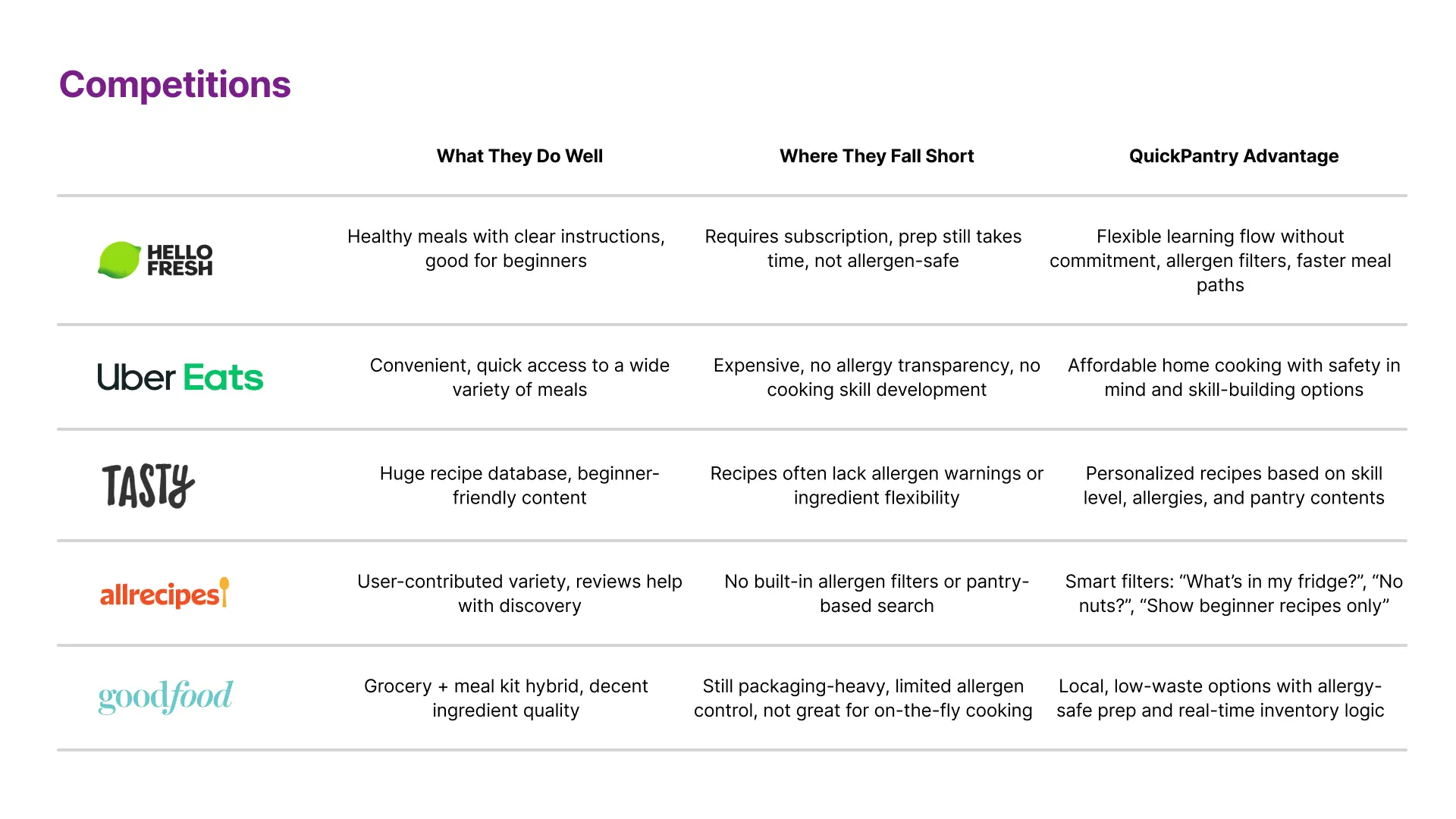
I evaluated leading food delivery and meal kit services to understand where they succeed—and where they fall short for busy users. While brands like HelloFresh and Uber Eats offer convenience or structure, they often sacrifice speed, flexibility, or health. QuickPantry stands out by combining the best of both worlds: fast, customizable meals with no commitment and less waste.
Sitemap
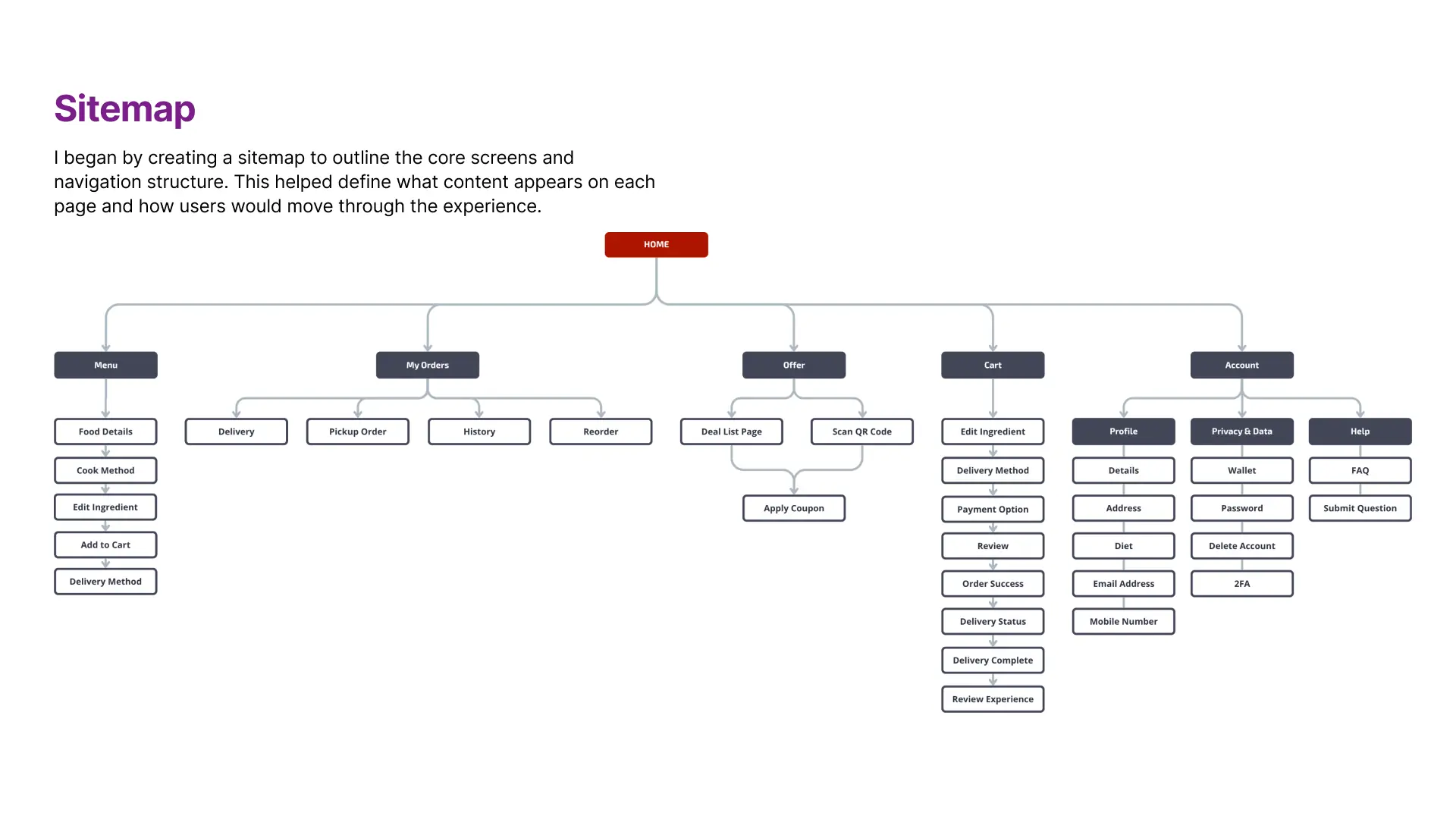
I began by creating a sitemap to outline the core screens and navigation structure. This helped define what content appears on each page and how users would move through the experience.
WIREFRAME
MVP User Flow
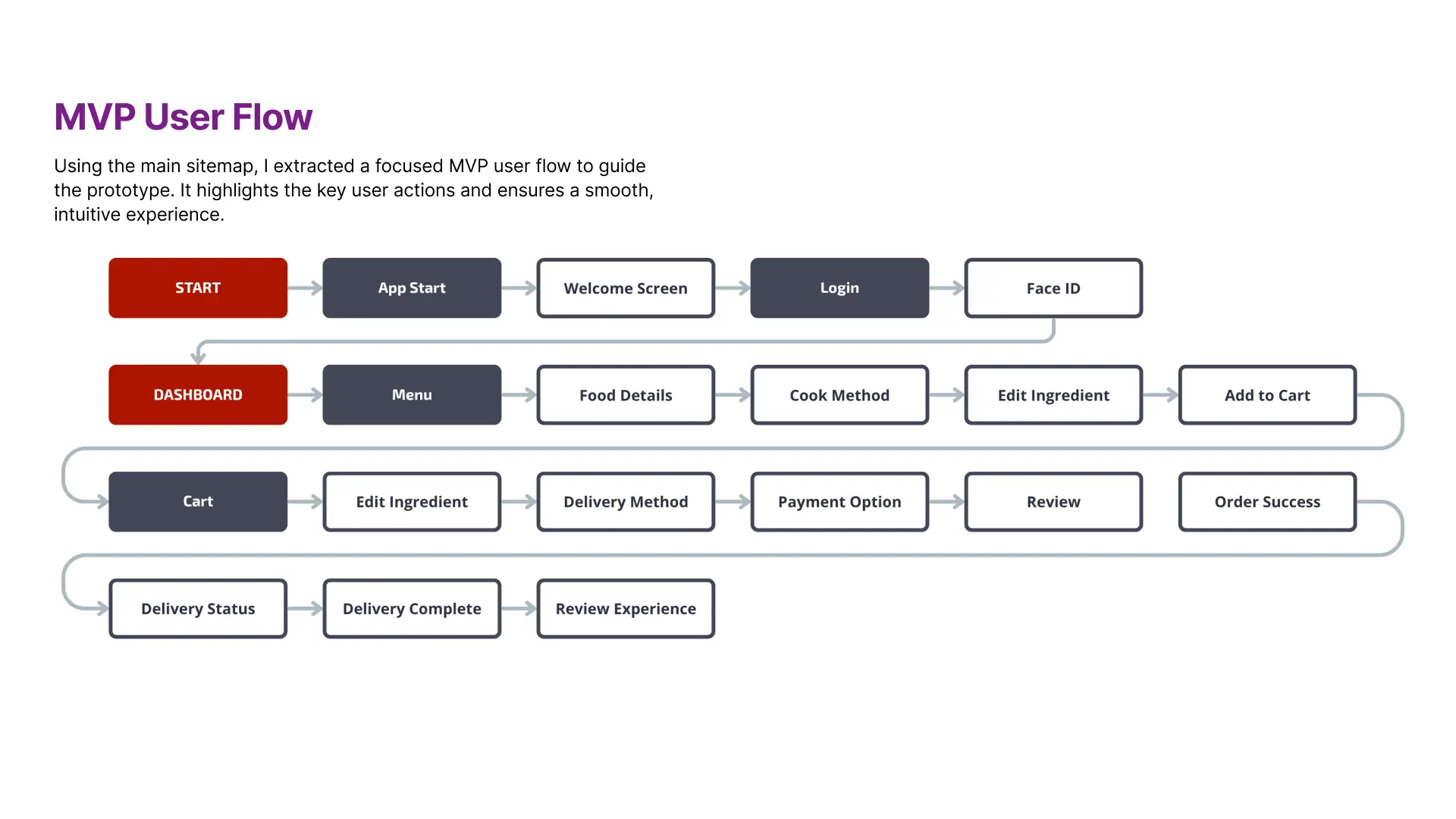
Using the main sitemap, I extracted a focused MVP user flow to guide the prototype. It highlights the key user actions and ensures a smooth, intuitive experience.
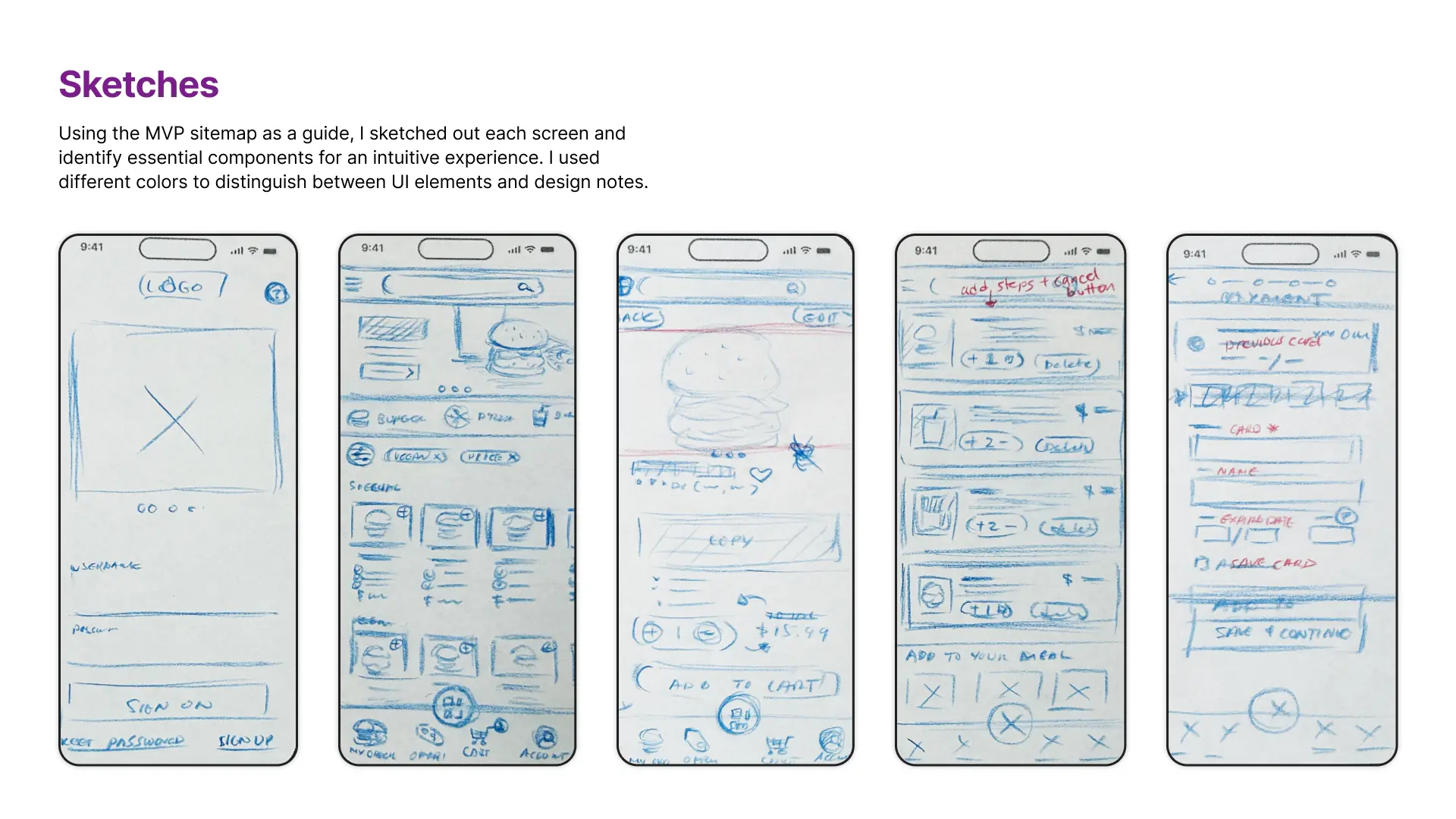
Sketches
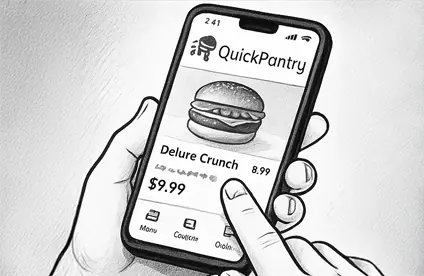
Using the MVP sitemap as a guide, I sketched out each screen and identify essential components for an intuitive experience. I used different colors to distinguish between UI elements and design notes.
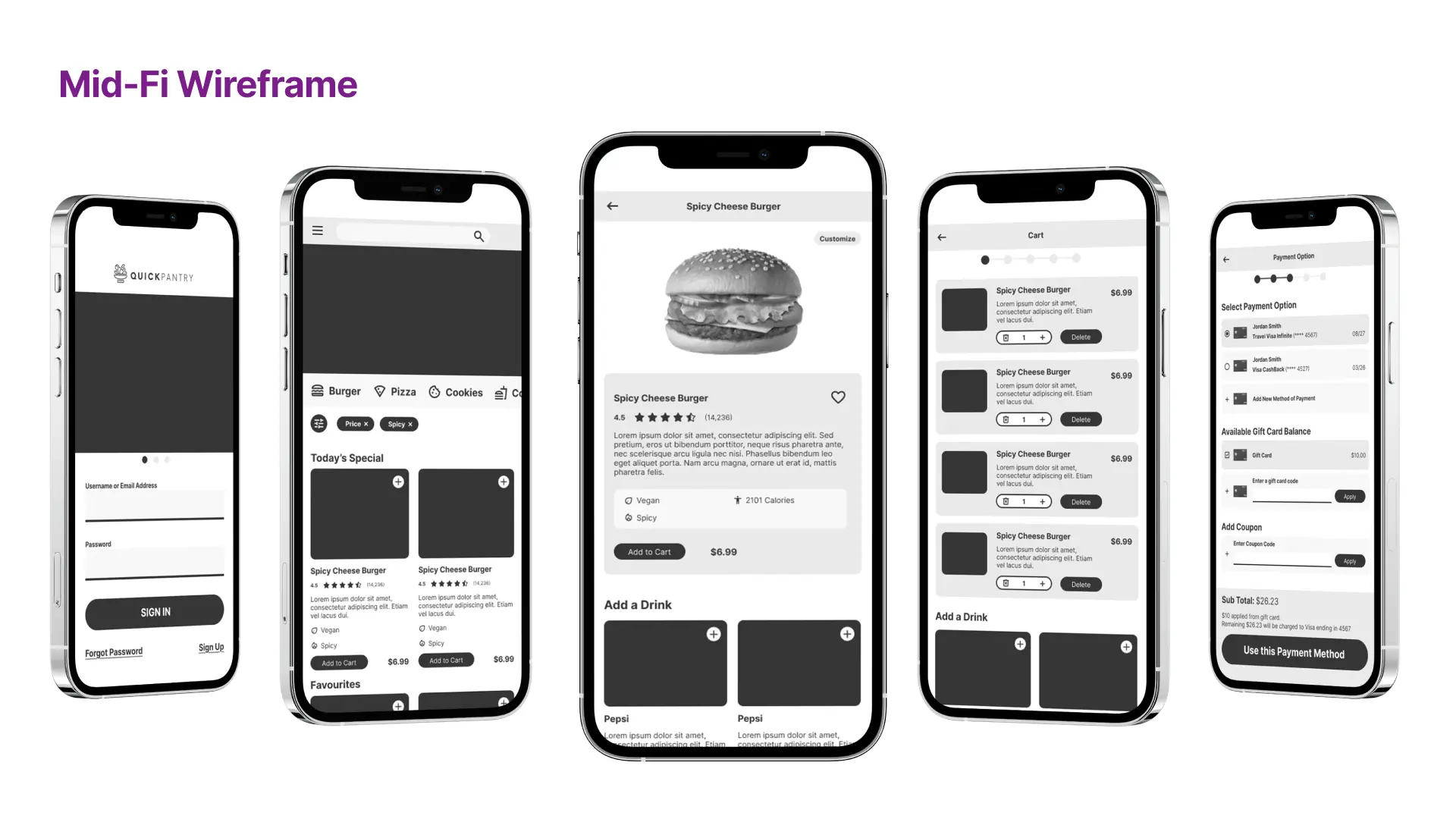
Mid-Fi Wireframe
I created mid-fi wireframes to map out key user flows—from browsing and customizing meals to checkout and payment. These screens helped define layout, content hierarchy, and interaction patterns early on, allowing fast iteration before moving into visual design.
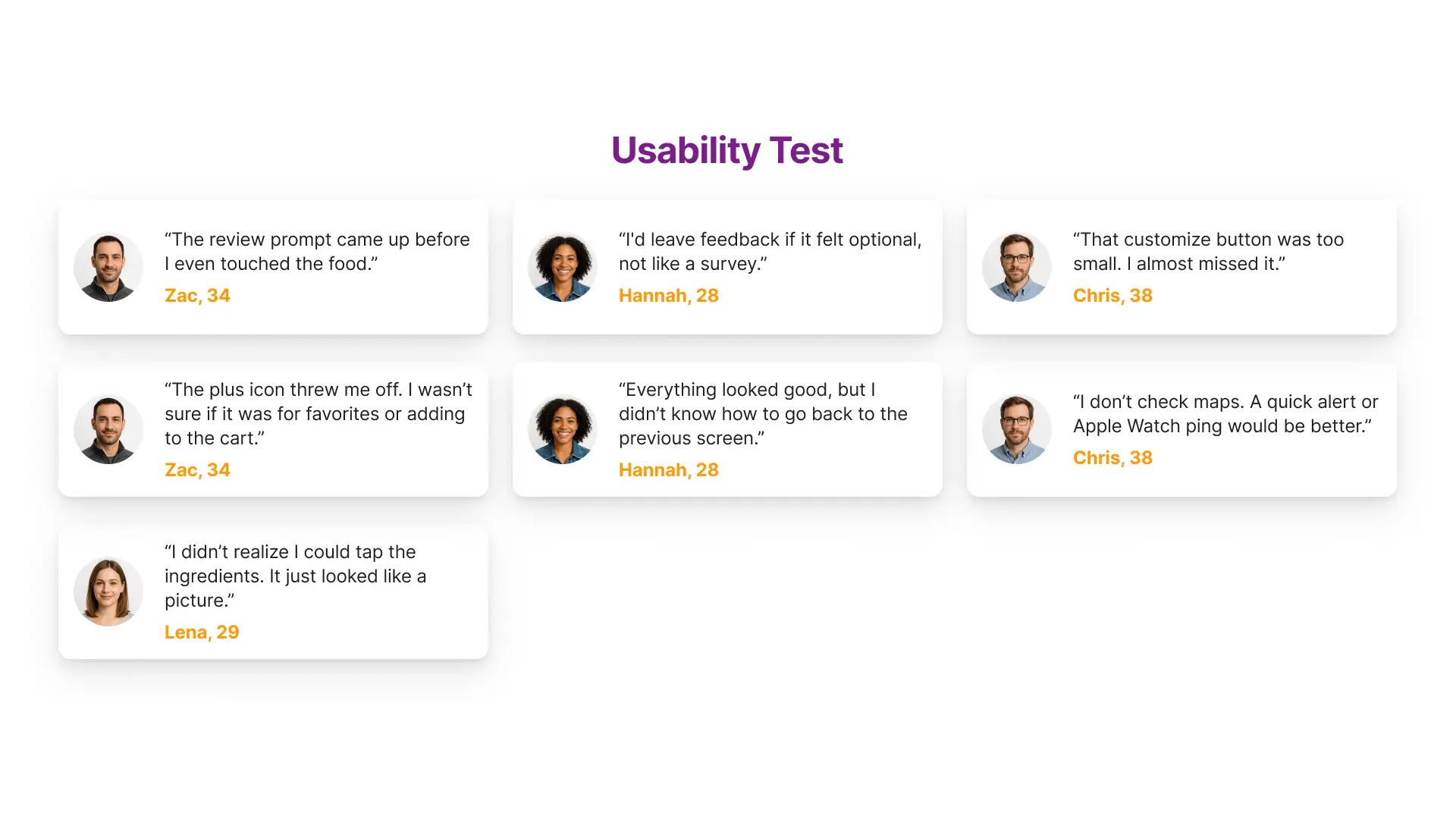
Usability Test
I gathered early feedback using an affinity map-style approach to identify friction points in the prototype. Users highlighted areas of confusion, like unclear icons, hidden interactions, and premature prompts—insights that guided the next round of design improvements.
Branding
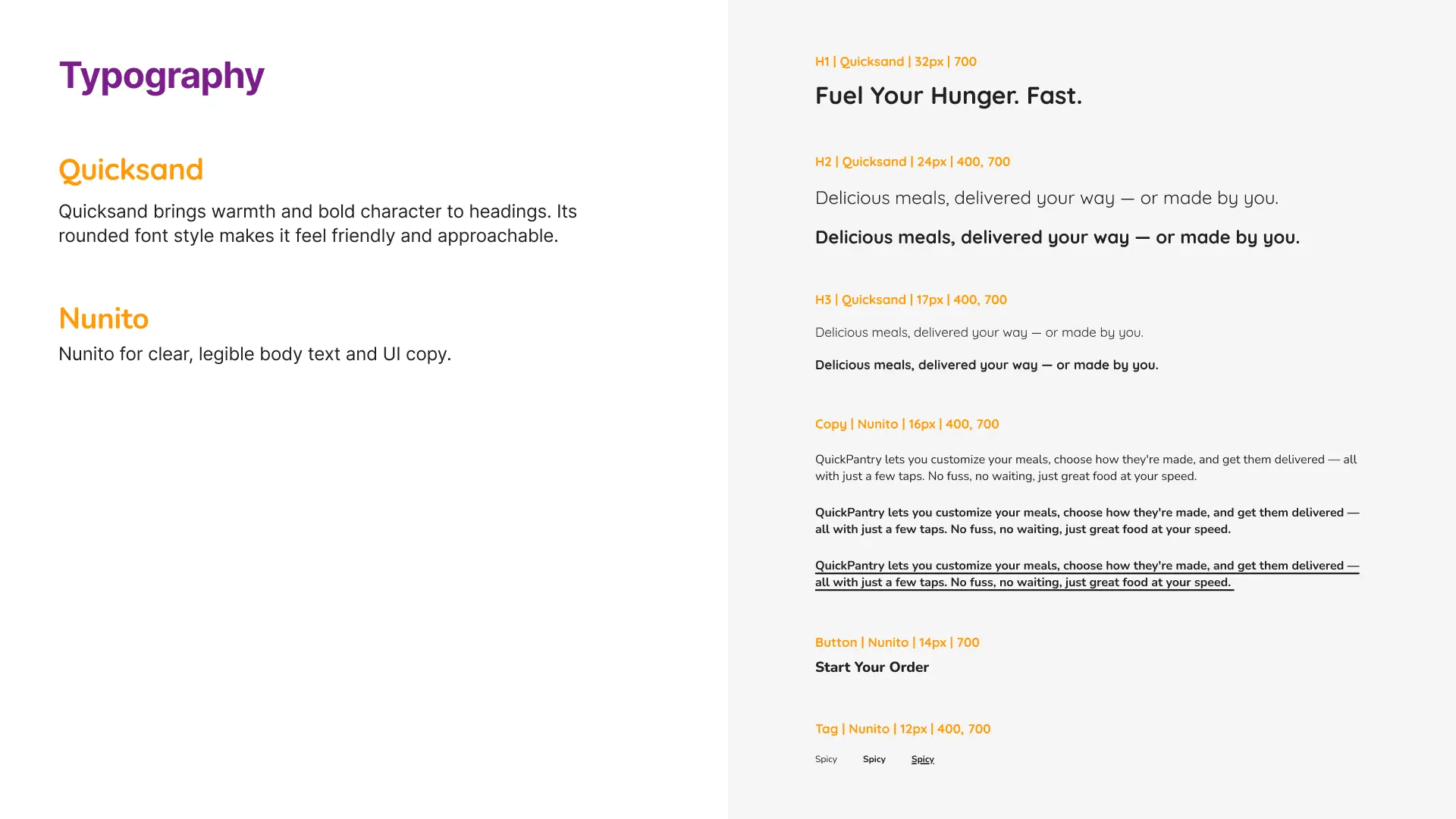
Typography
I used Quicksand for headings to bring warmth and personality, while Nunito supports clear, legible body text and UI copy. The combination balances friendliness with readability—ideal for fast decision-making in a food ordering experience.
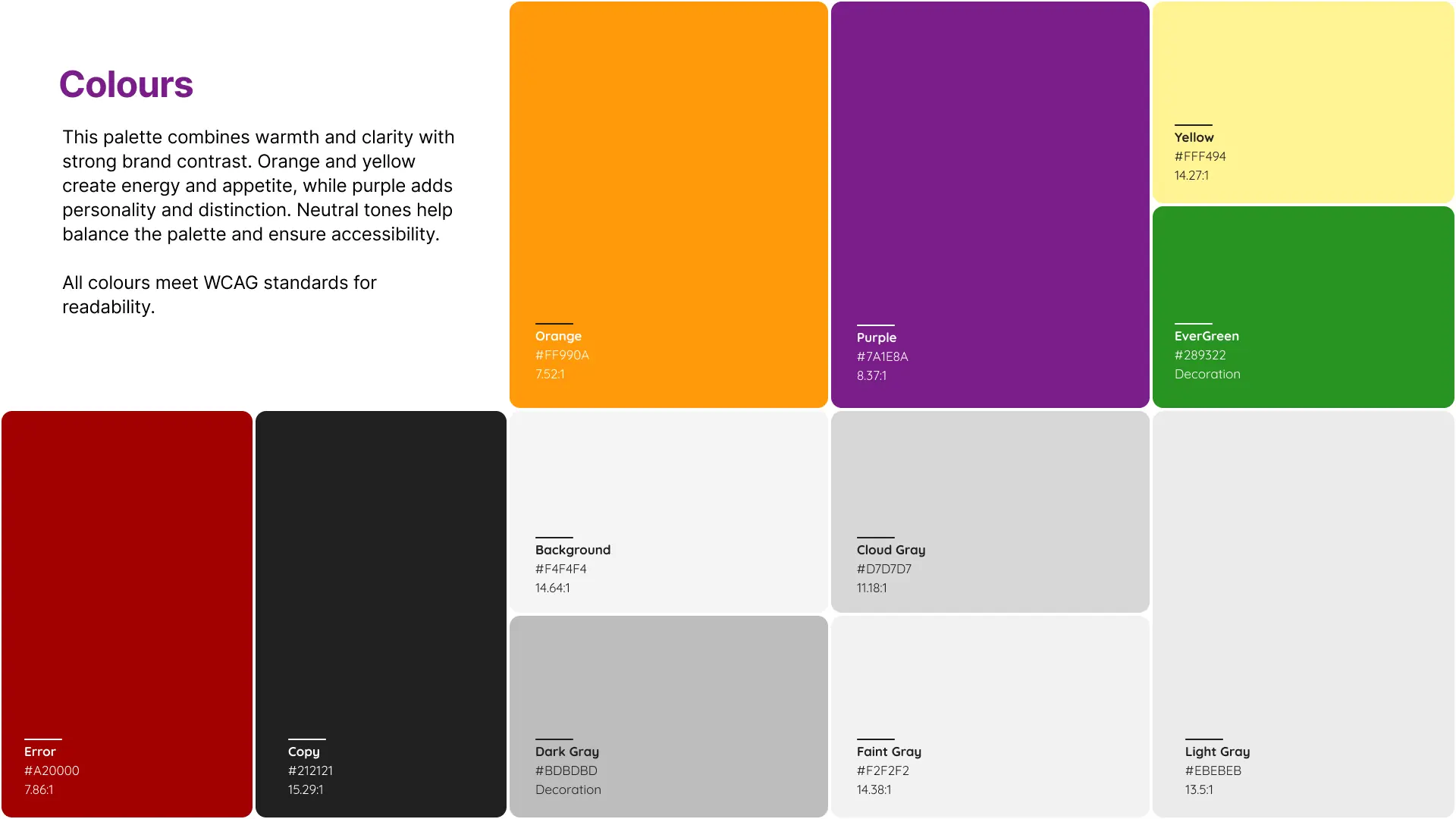
Colours
This palette combines warmth and clarity with strong brand contrast. Orange and yellow create energy and appetite, while purple adds personality and distinction. Neutral tones help balance the palette and ensure accessibility.
All colours meet WCAG standards for readability.
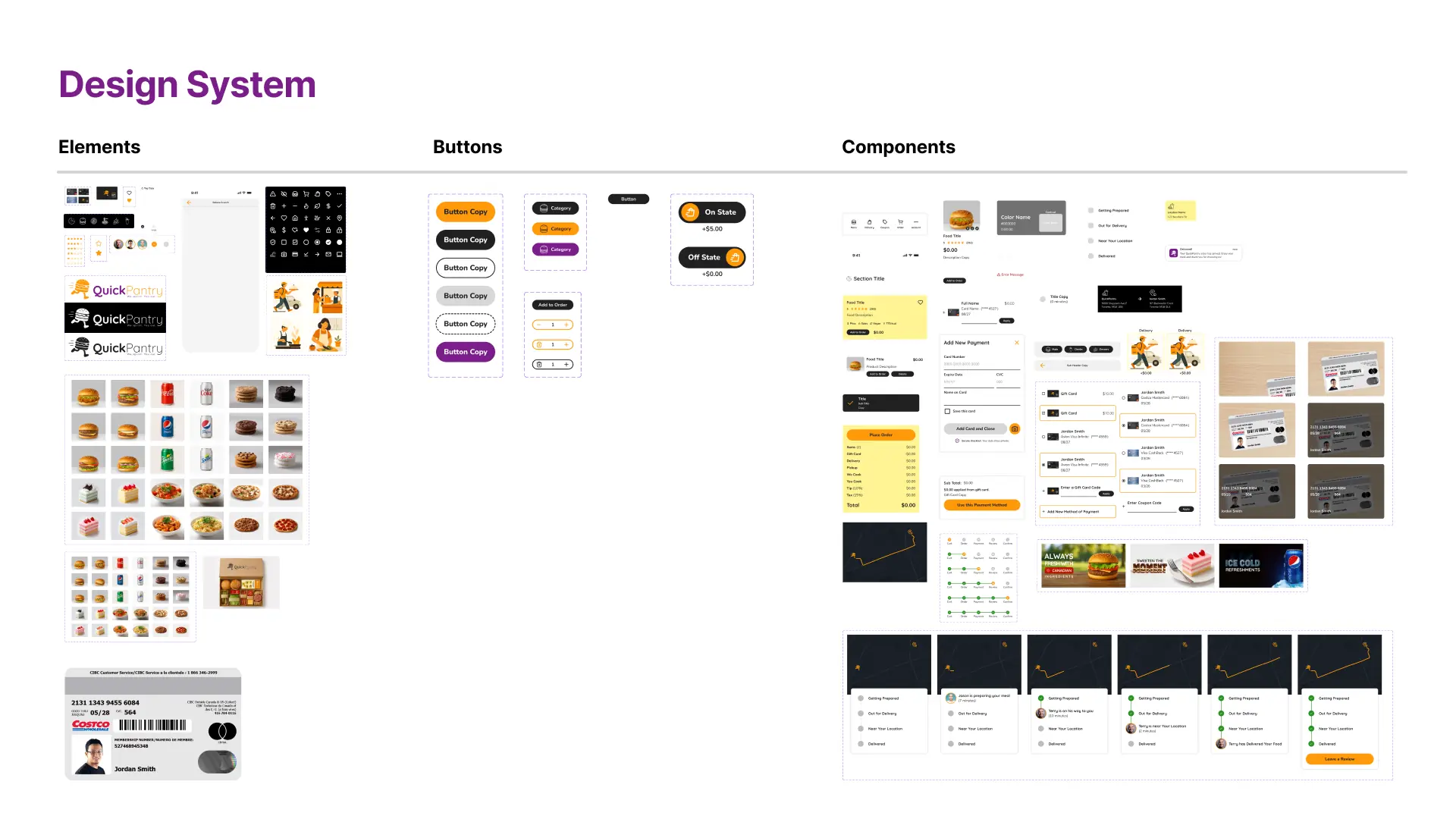
Design System
Built in Figma, the design system includes reusable elements, icon sets, buttons, and components with consistent styling and behavior. It streamlined development, supported fast iteration, and ensured a cohesive user experience from layout to layout.
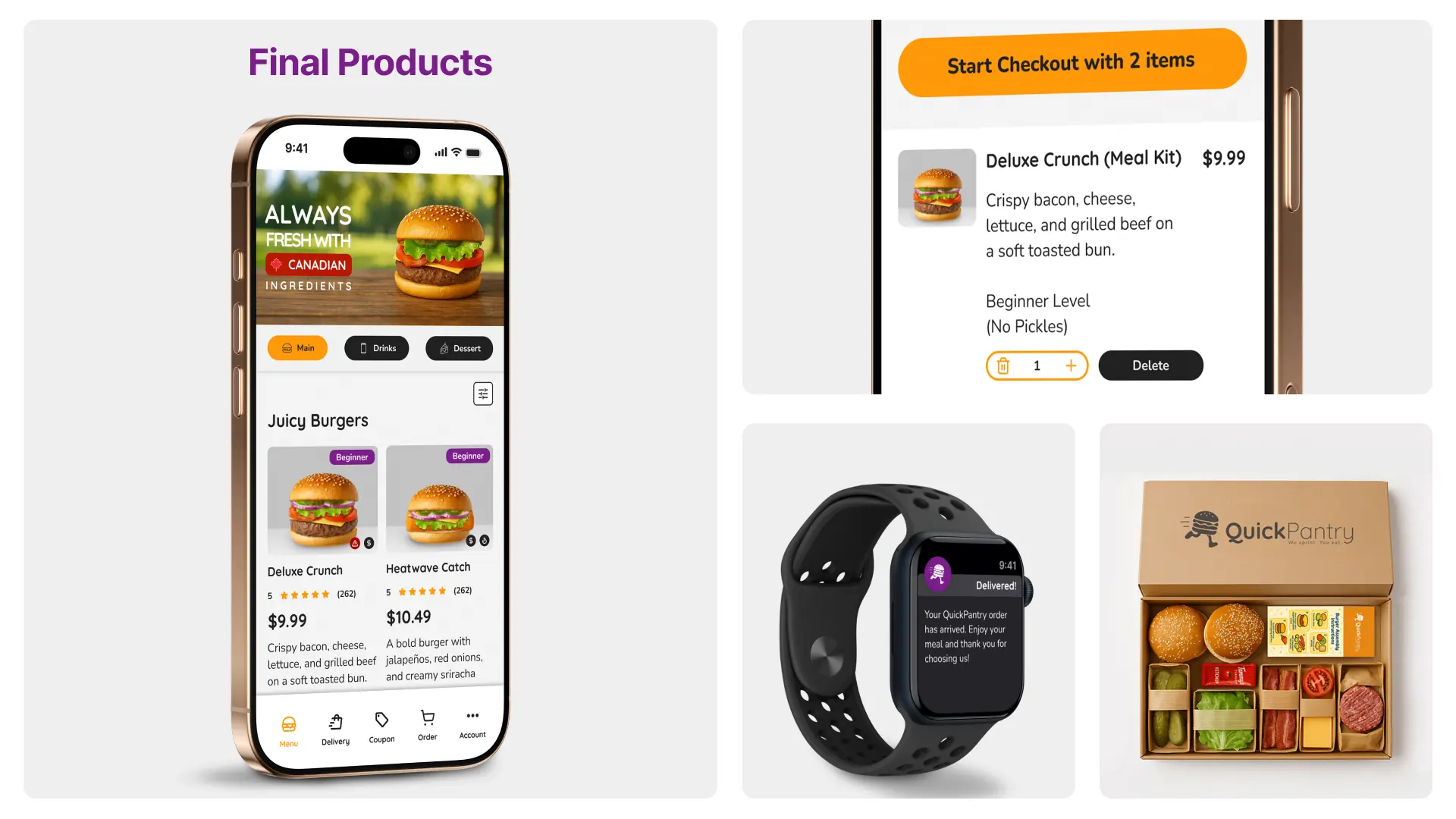
Products
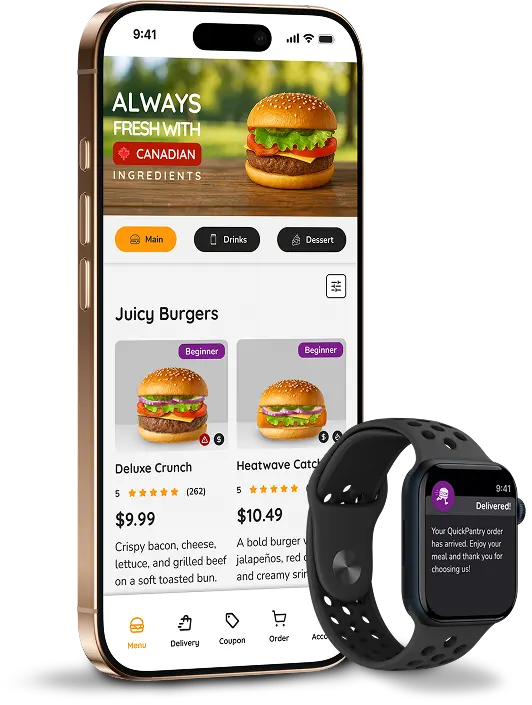
High-fidelity screens were brought to life across mobile, smartwatch, and packaging touchpoints—highlighting the end-to-end QuickPantry experience. From ordering to delivery, the visual system reinforces clarity, trust, and convenience.
High-Fidelity Design
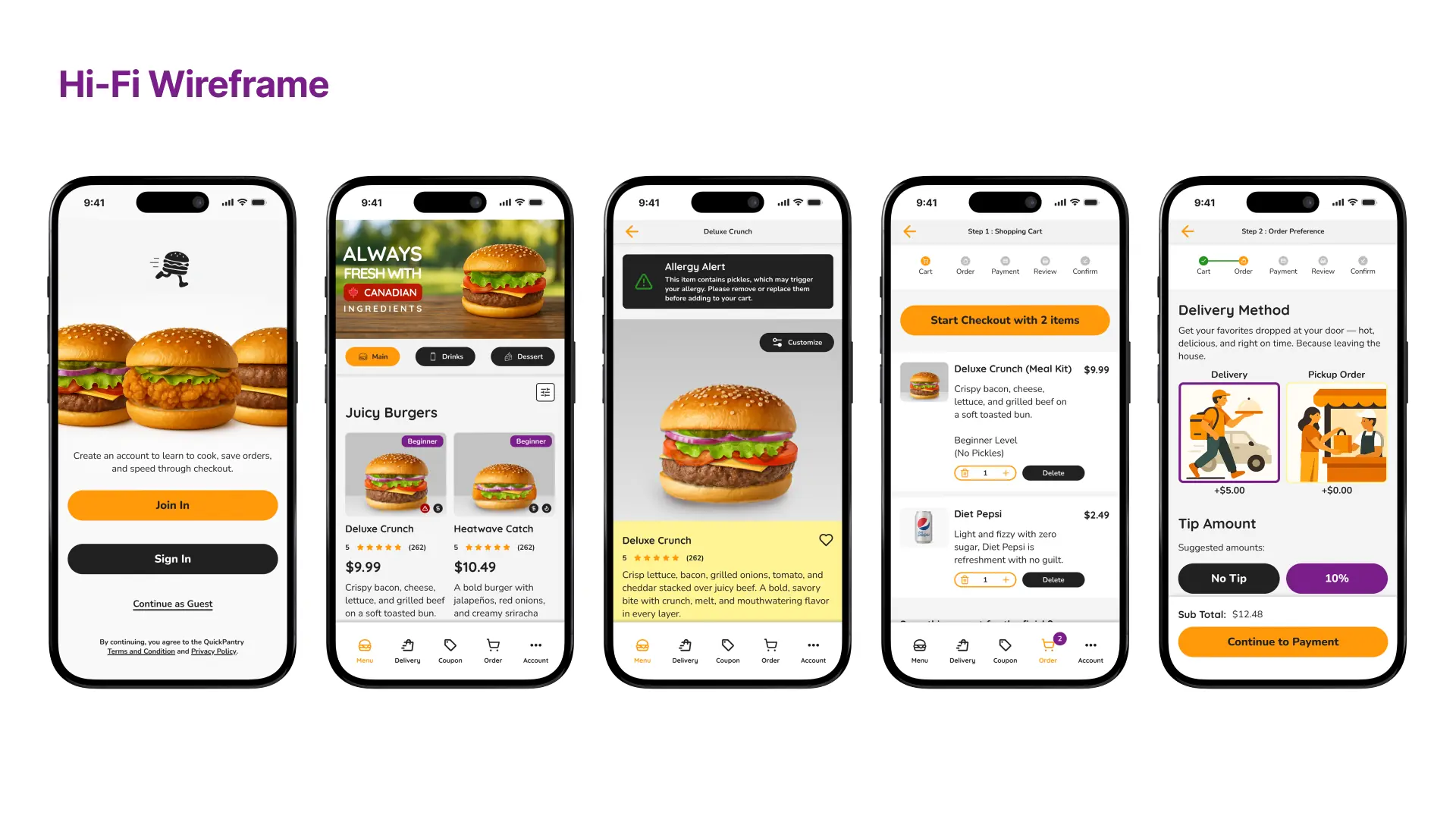
Hi-Fi Wireframe
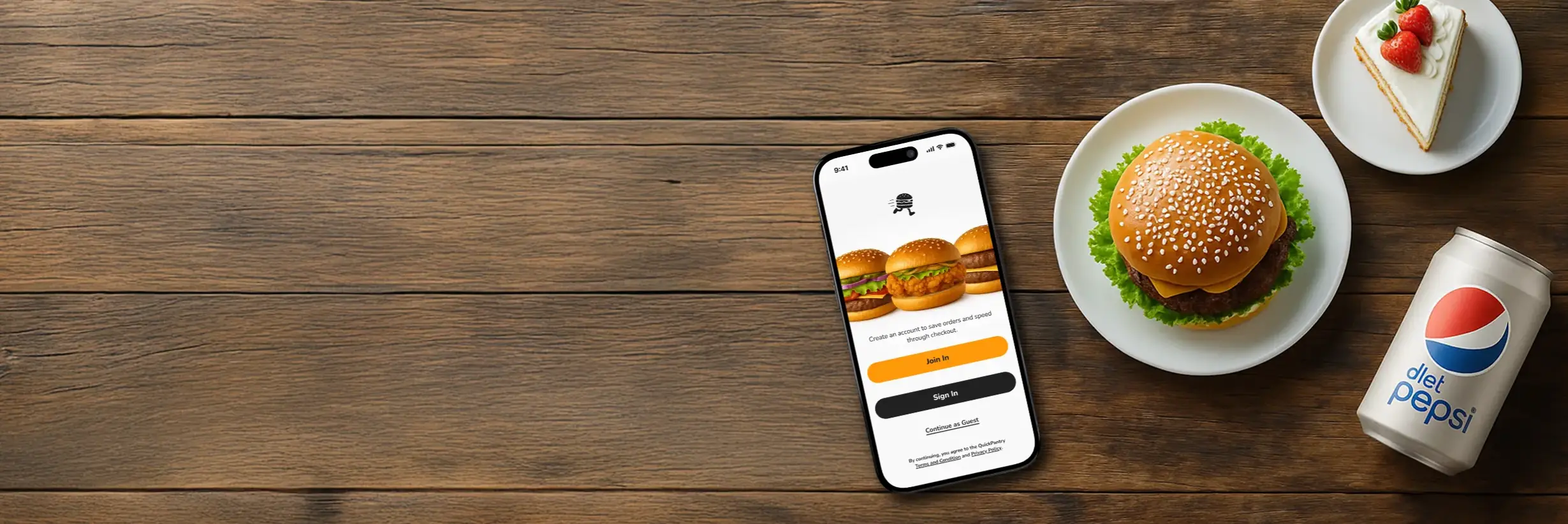
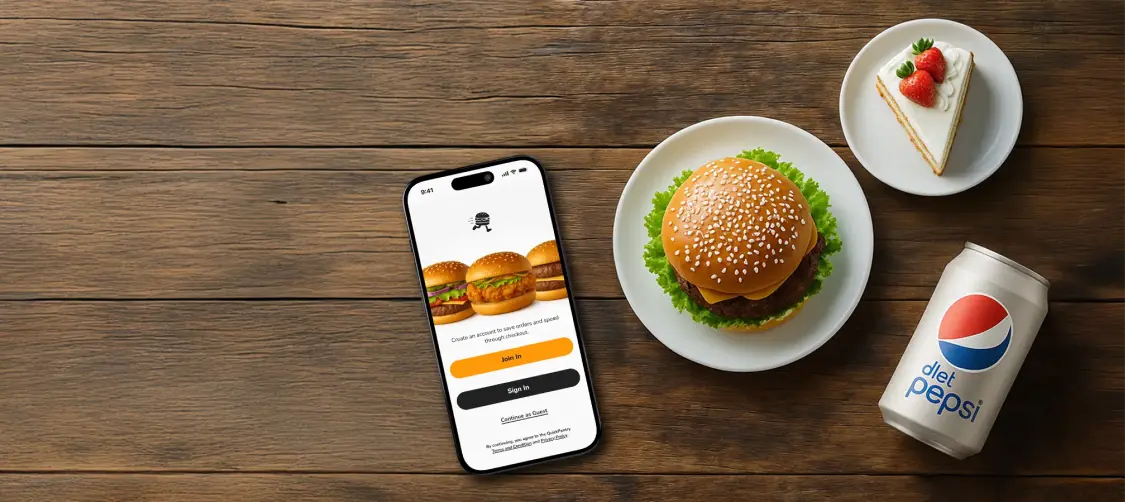
These high-fidelity screens illustrate the core shopping flow—from welcoming users to browsing meals, customizing items, and managing the cart. Every element was refined to support quick decisions, clear hierarchy, and minimal friction.
Hi-Fi Wireframe
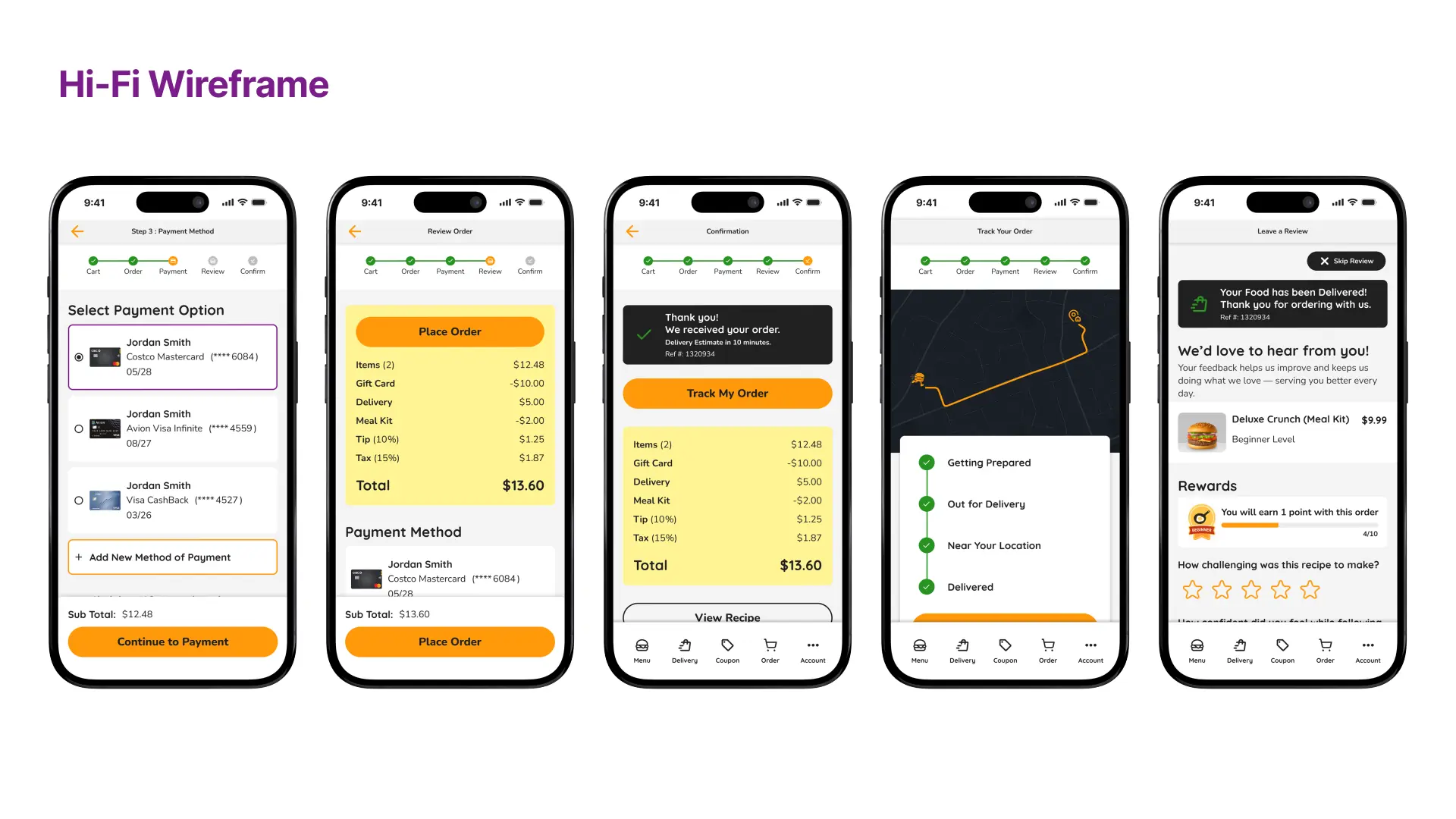
The second half of the experience focuses on payment, order tracking, and review. I designed each step to feel effortless, reassuring, and rewarding—ensuring users feel in control from confirmation to delivery.
Prototype
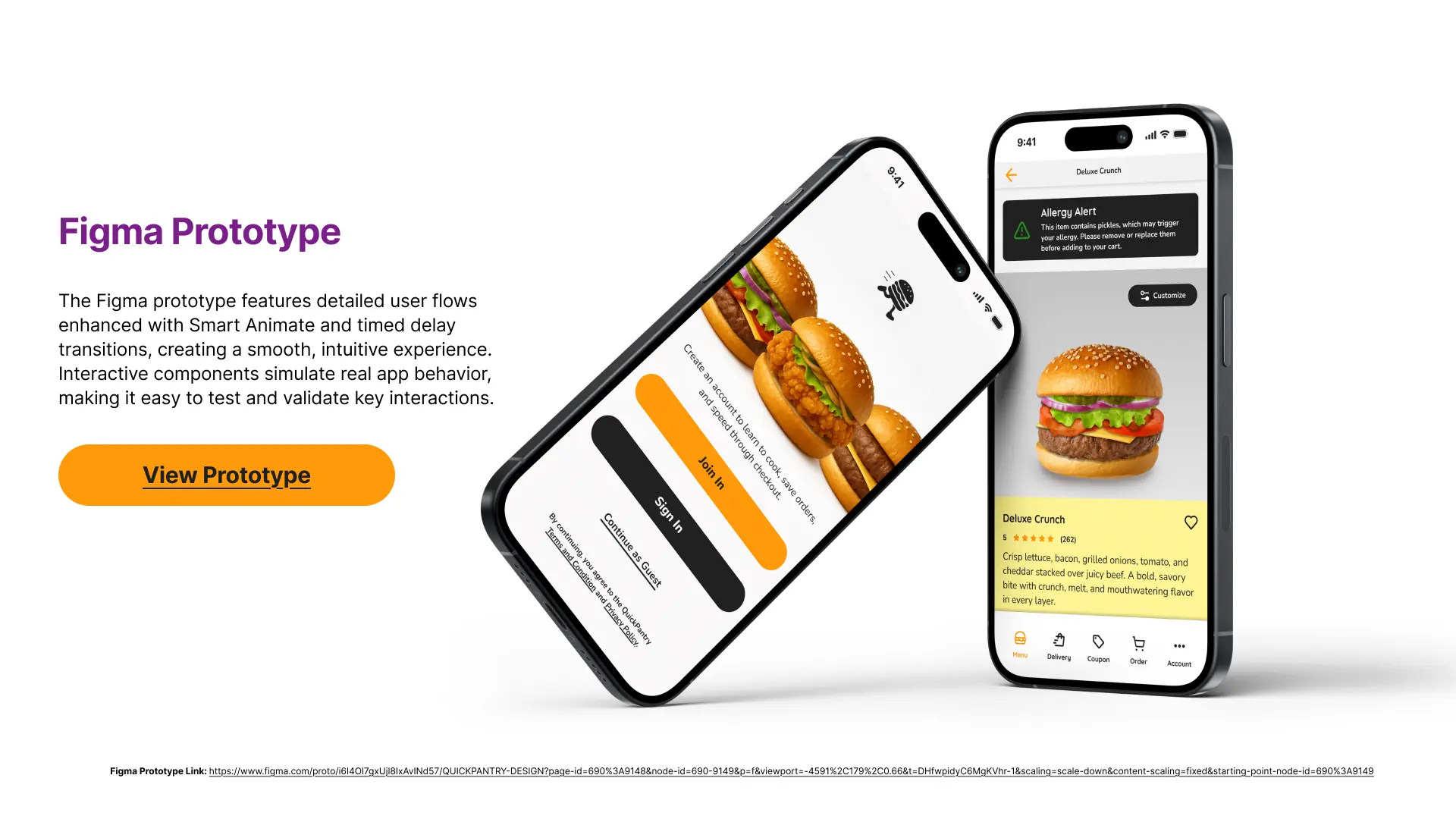
The Figma prototype features detailed user flows enhanced with Smart Animate and timed delay transitions, creating a smooth, intuitive experience. Interactive components simulate real app behavior, making it easy to test and validate key interactions.